### [Brevo Review (2026): Features, Pricing, Pros & Cons](https://wpmailsmtp.com/brevo-review/)
**Published:** June 11, 2024
**Author:** Rachel Adnyana
**Excerpt:** Are you searching for a comprehensive email marketing solution with top-notch SMTP features? Look no further!
Our in-depth review of Brevo unveils the full potential of this tool, designed to supercharge your email campaigns and ensure flawless deliverability. From powerful automation to advanced analytics, Brevo offers a suite of features tailored to meet your email marketing needs.
Whether you're a seasoned marketer or just starting, Brevo's user-friendly interface and robust functionalities make it a standout choice. Dive into our detailed analysis and find out if Brevo is the right fit for your business!
**Content:**
Brevo (formerly Sendinblue) is one of the most widely used email marketing platforms among small businesses and WordPress site owners, with more than 600,000 customers worldwide and over 2,500 reviews on G2 alone. It bundles email marketing, SMS, WhatsApp, marketing automation, and transactional SMTP into one platform, with a free plan that’s actually usable for low-volume senders.
This review looks at what Brevo does well in 2026, where the limits are, the current pricing across all five tiers, and how it compares to the other transactional and marketing mailers that work with WP Mail SMTP on a WordPress site. The short version: Brevo’s free forever plan and beginner-friendly campaign builder make it one of the most accessible all-in-one platforms for WordPress users, and pairing it with WP Mail SMTP gets your transactional WordPress emails into inboxes reliably.
## Brevo Review (2026): Features, Pricing, Pros & Cons
- [Email campaign builder](#email-campaign-builder)
- [List management](#list-management)
- [Campaign scheduling](#campaign-scheduling)
- [Reporting and analytics](#reporting-and-analytics)
- [Email marketing automation](#email-marketing-automation)
- [Multi-channel marketing](#multi-channel-marketing)
- [Integrations](#integrations)
- [Reliable SMTP for WordPress deliverability](#reliable-smtp-for-wordpress-deliverability)
- [Community and support](#community-and-support)
- [Brevo pricing plans](#brevo-pricing-plans)
- [Brevo alternatives](#brevo-alternatives)
- [Is Brevo right for your WordPress site?](#is-brevo-right-for-your-wordpress-site)
- [Frequently asked questions about Brevo](#frequently-asked-questions-about-brevo)
Brevo’s positioning is “all-in-one marketing and CRM”, but for WordPress users the two features that matter most are the email marketing campaigns and the transactional SMTP service. Both are accessible from a single Brevo account, and both can run side by side on the same domain.
Before the deep feature breakdown, here’s the high-level Pros and Cons.
✔️ Pros❌ ConsFree forever plan with 300 emails per day, no contact cap on most usesBig price jump from Standard ($18/mo) to Professional ($499/mo), with few intermediate optionsBeginner-friendly drag-and-drop email builder and automationBrevo branding (“Sent with Brevo”) stays on Starter unless you pay $10.80/mo to remove itAura AI features included from Starter (AI content generator) and Professional (AI segmentation, AI Data Analyst)Some advanced automation features (contact scoring, advanced ecommerce) only unlock at ProfessionalMulti-channel (Email, SMS, WhatsApp, Web/Mobile Push) from a single dashboardSales features (CRM, deal pipelines, chatbot scenarios) are a separate paid add-on, not bundledReliable transactional SMTP that integrates one-click with WP Mail SMTPFewer third-party app integrations than enterprise platforms like HubSpot or ActiveCampaignEmail support on every plan (free included), in 6 languagesPhone support only on Professional and EnterpriseStrong free trust signals (600K+ customers, 2,500+ G2 reviews, 3,300+ Capterra reviews)**Use Brevo with WP Mail SMTP for reliable WordPress emails**
**Tip:** If you’re running Brevo on a WordPress site, install the free [WP Mail SMTP](https://wpmailsmtp.com/) plugin and connect Brevo as your mailer. WordPress’s default `mail()` function sends without authentication, which is why password resets, order receipts, and form notifications often land in spam. WP Mail SMTP routes everything through Brevo’s authenticated infrastructure, validates your SPF, DKIM, and DMARC records inside the WordPress admin, and gives you a one-click setup that takes about five minutes. The full integration is covered in the SMTP section below.
### Email campaign builder
Even brand-new email marketers can use Brevo’s campaign builder to start [sending newsletters](https://wpmailsmtp.com/wordpress-newsletter-plugins/) and [transactional emails](https://wpmailsmtp.com/transactional-email-providers/) right away. Once you log in, navigate to **Campaigns » Email** to start.
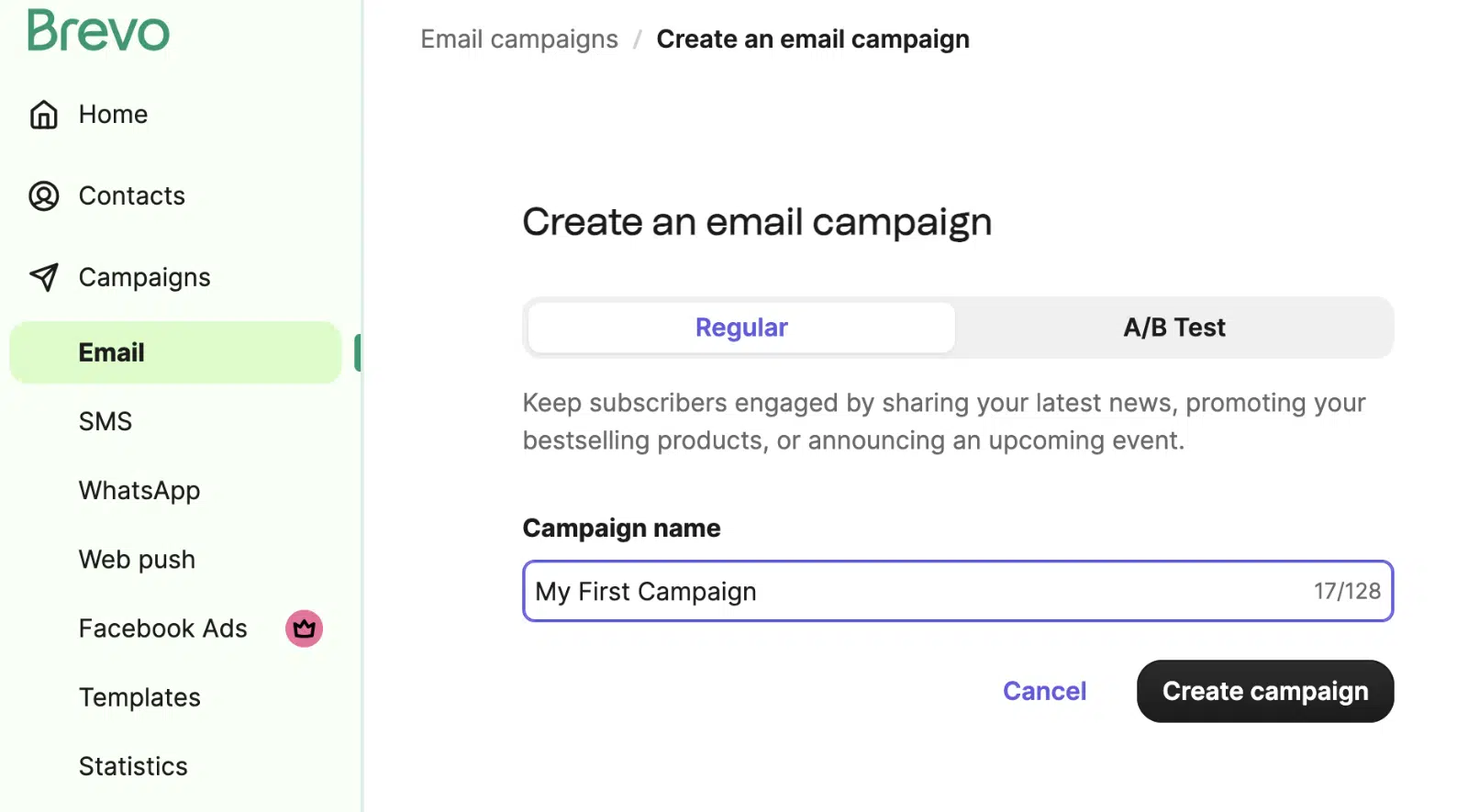Brevo walks you through selecting a sender and a mailing list, then crafting your subject line. The built-in [AI subject line generator](https://wpmailsmtp.com/ai-email-subject-lines/) (part of Brevo’s Aura AI suite) suggests options if you’re stuck.
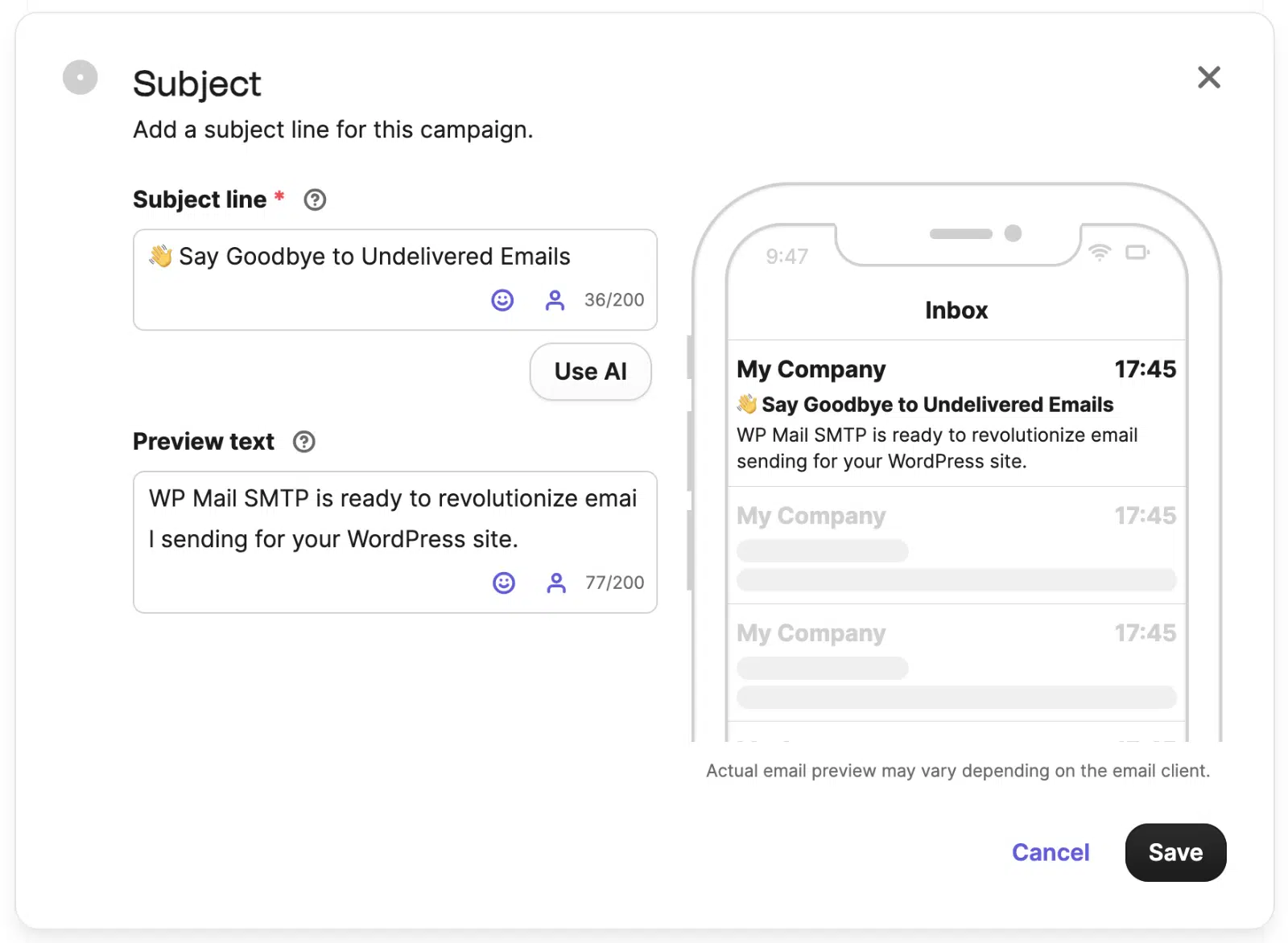The subject line preview shows length across desktop and mobile so you can optimize for the inbox view that matters. Click **Start Designing** to open the email builder.
Brevo’s drag-and-drop email builder lets you craft campaigns without HTML skills. The library includes 50+ free mobile-responsive templates, organized by purpose (newsletter, promotion, transactional, etc.) with optimized CTA placement.
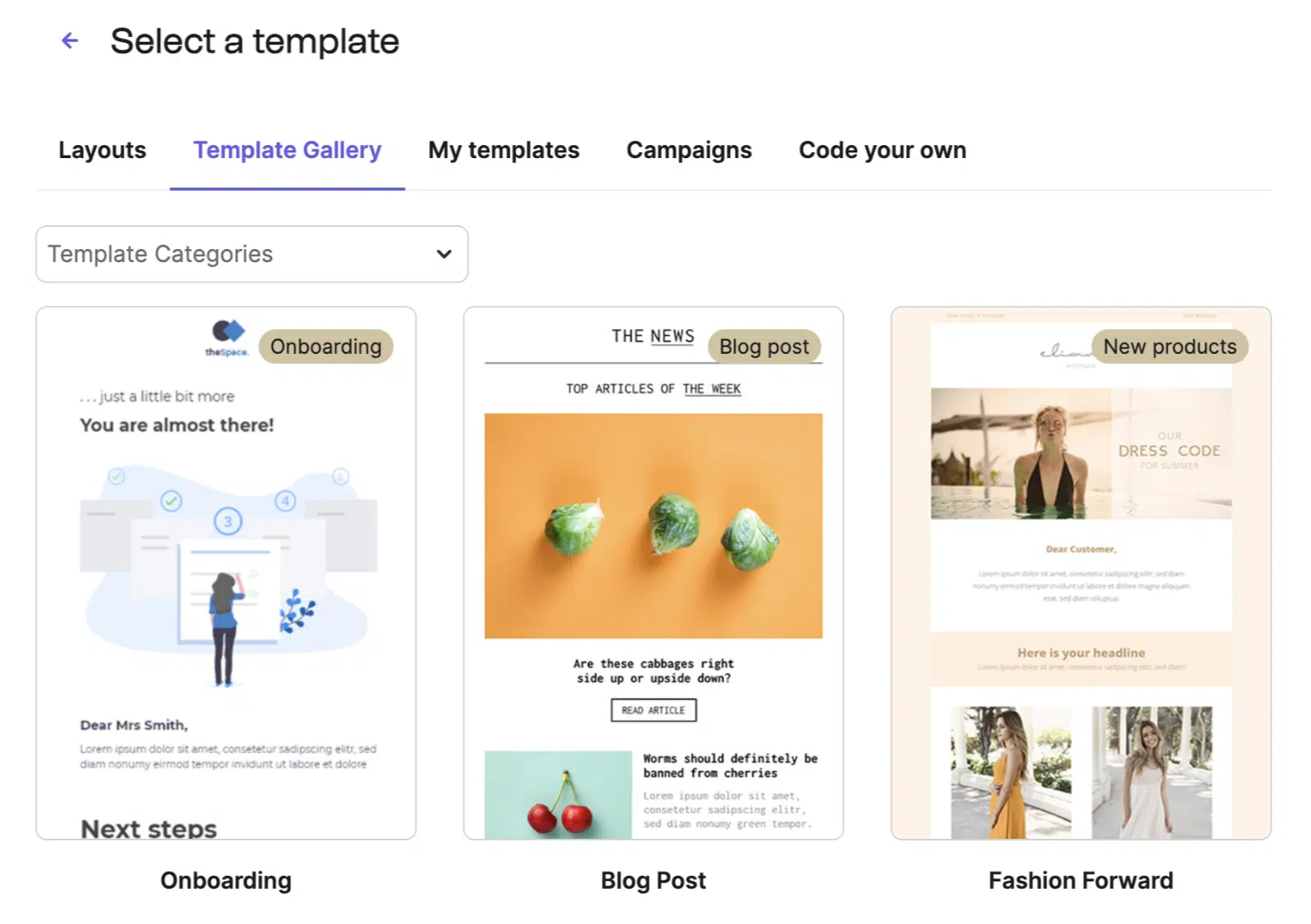Click on text or images to edit them directly, or drag new blocks (buttons, dividers, social icons, products) into the layout.
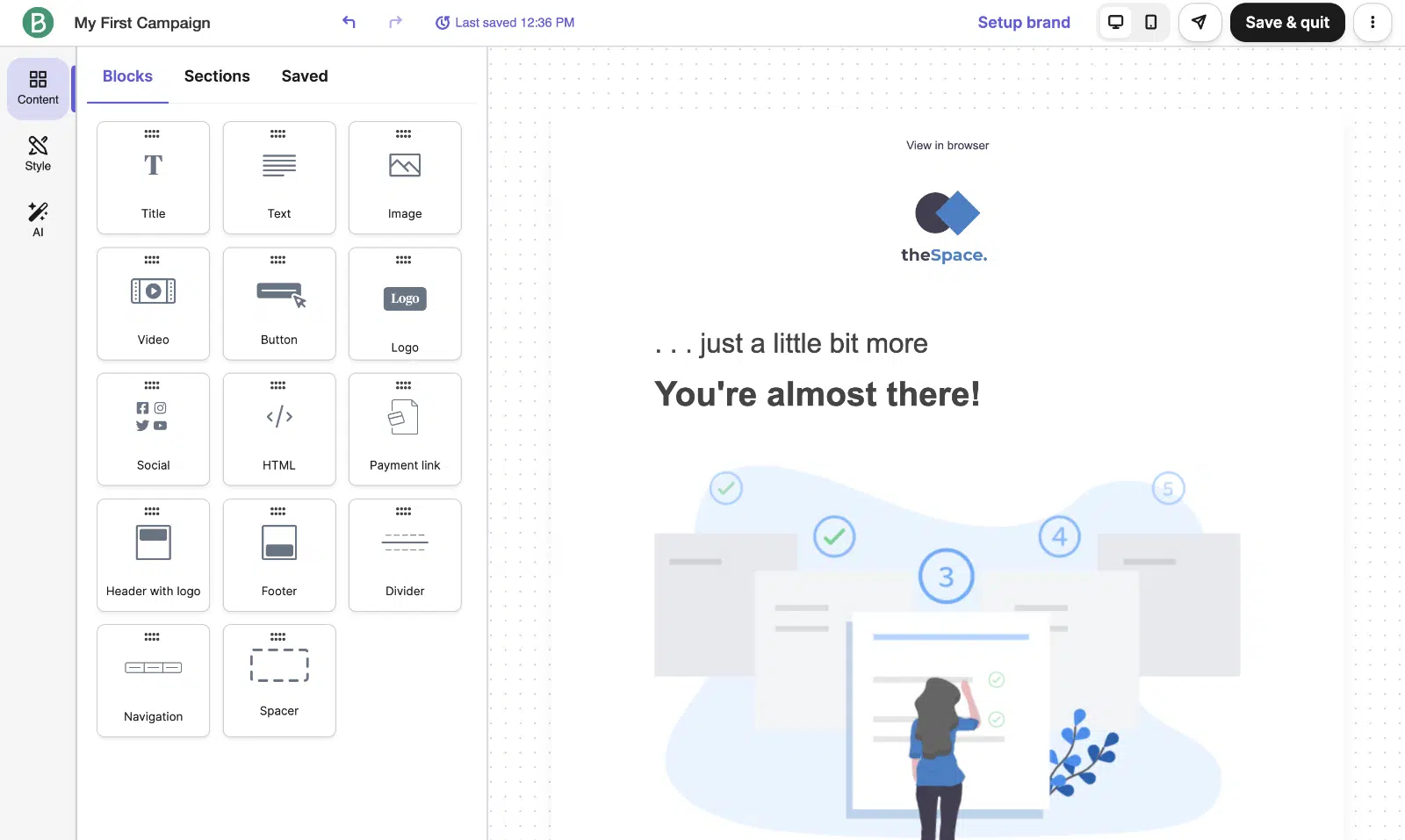The builder is genuinely easy to learn and the templates handle most starter use cases without customization. Heavy customizers will hit limits faster than they would in a builder like Mailchimp or ConvertKit, but for the typical small-business workflow it’s well-matched.
### List management
Brevo’s list management is straightforward. Import contacts via CSV upload or copy-paste, with field mapping for custom attributes.
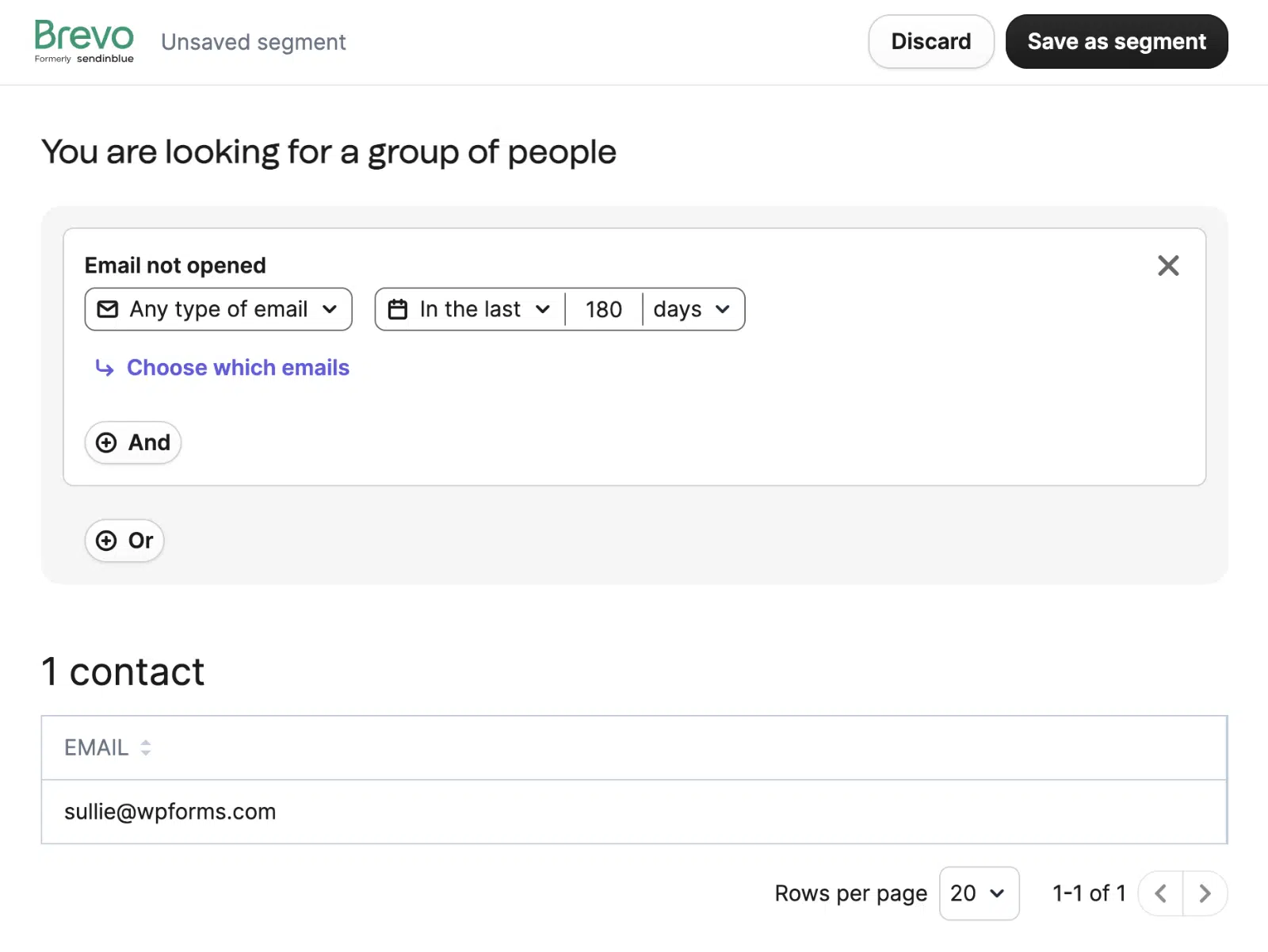
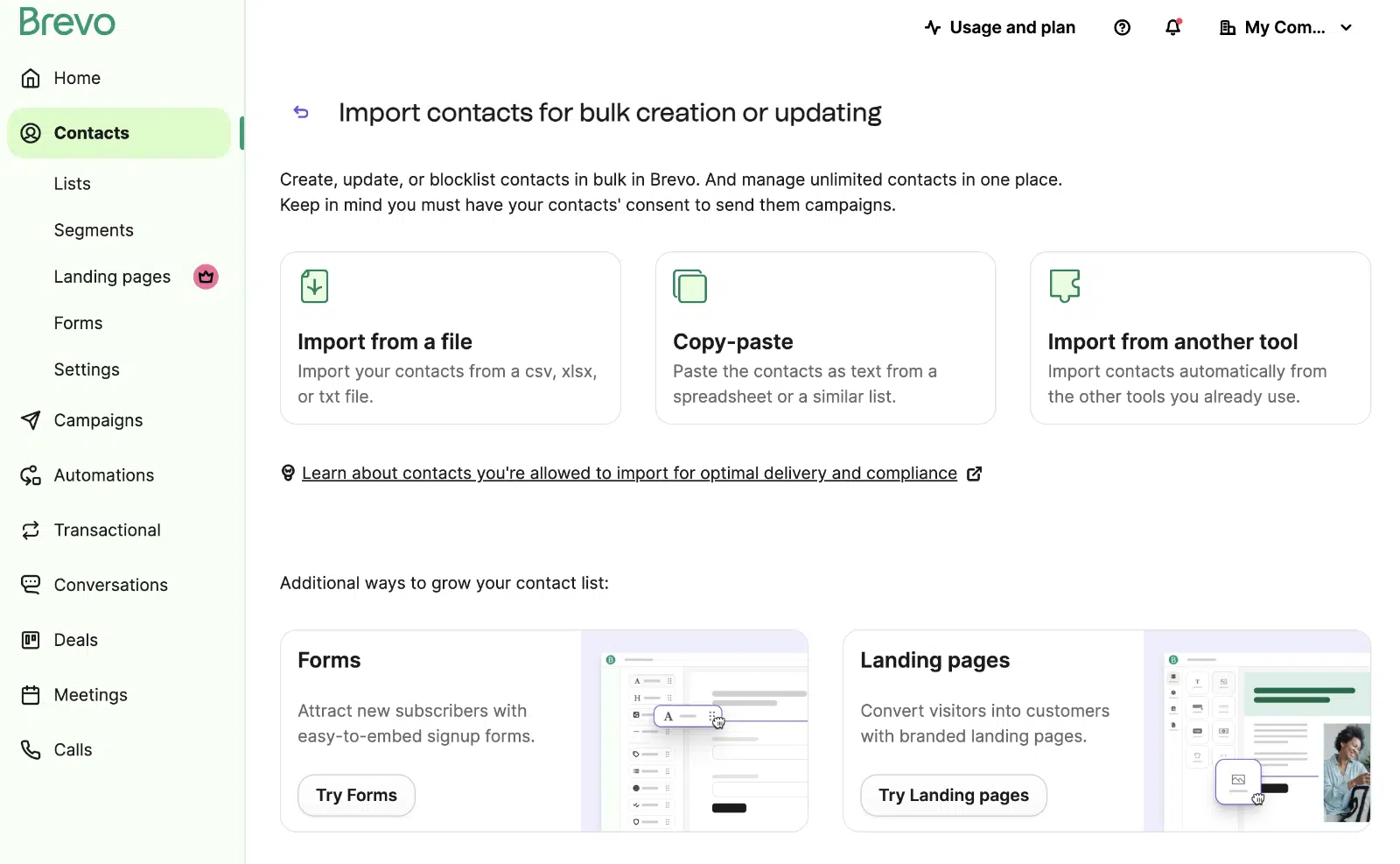Segmentation supports the standard criteria (location, engagement, purchase history, custom events) and you can save segments for reuse across campaigns.
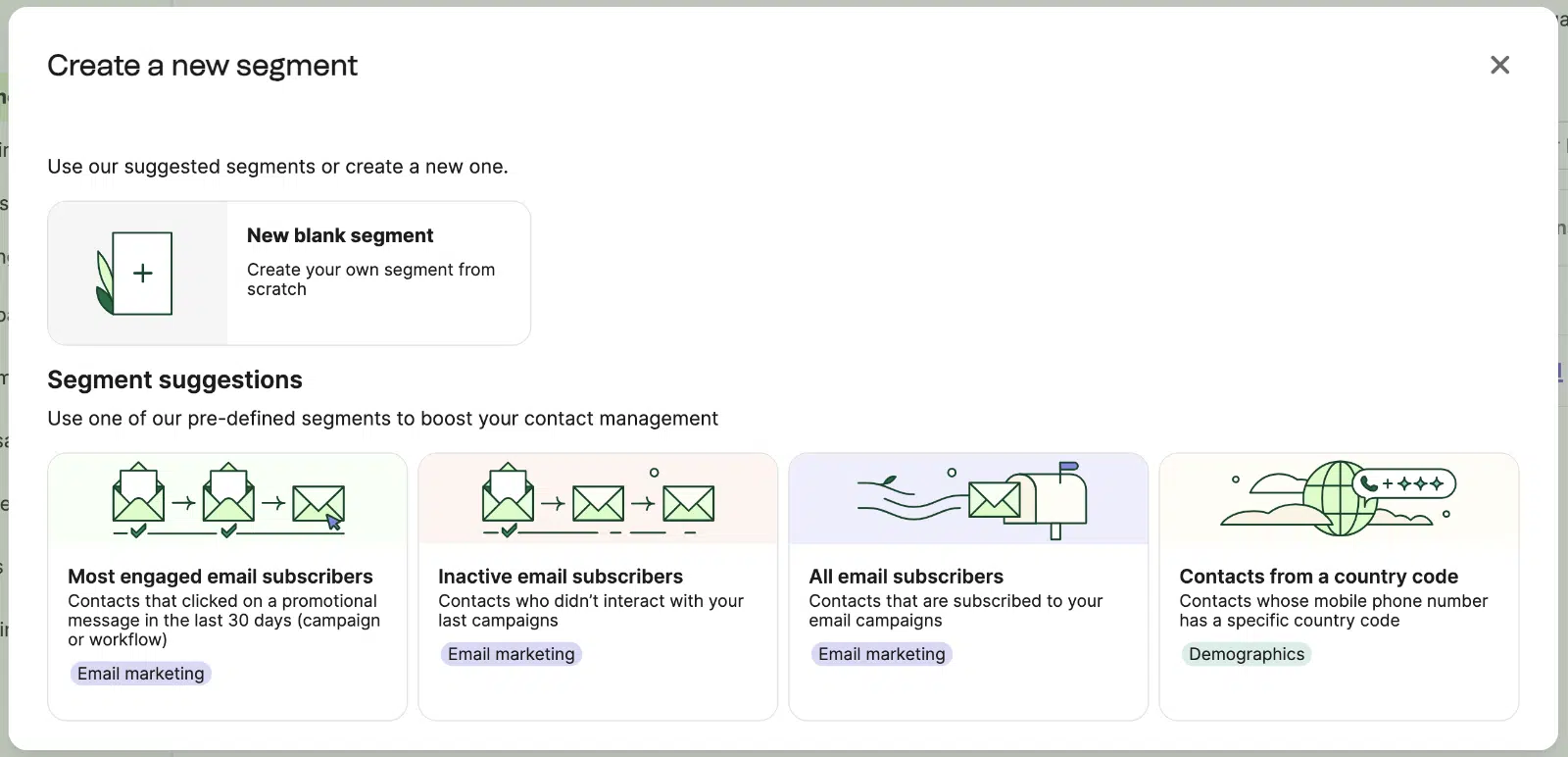
If you’re new to segmentation, Brevo includes pre-defined segments that auto-group subscribers by common patterns.
Unsubscribe handling and double opt-in are built in, which keeps you compliant with marketing regulations (GDPR, CCPA, CAN-SPAM) without extra setup.
### Campaign scheduling
Scheduling supports two modes: send-at-fixed-time and send-at-best-time. The fixed-time option lets you queue a campaign for a specific date and time, including per-recipient time zone (so a 9 AM send lands at 9 AM local for every contact).
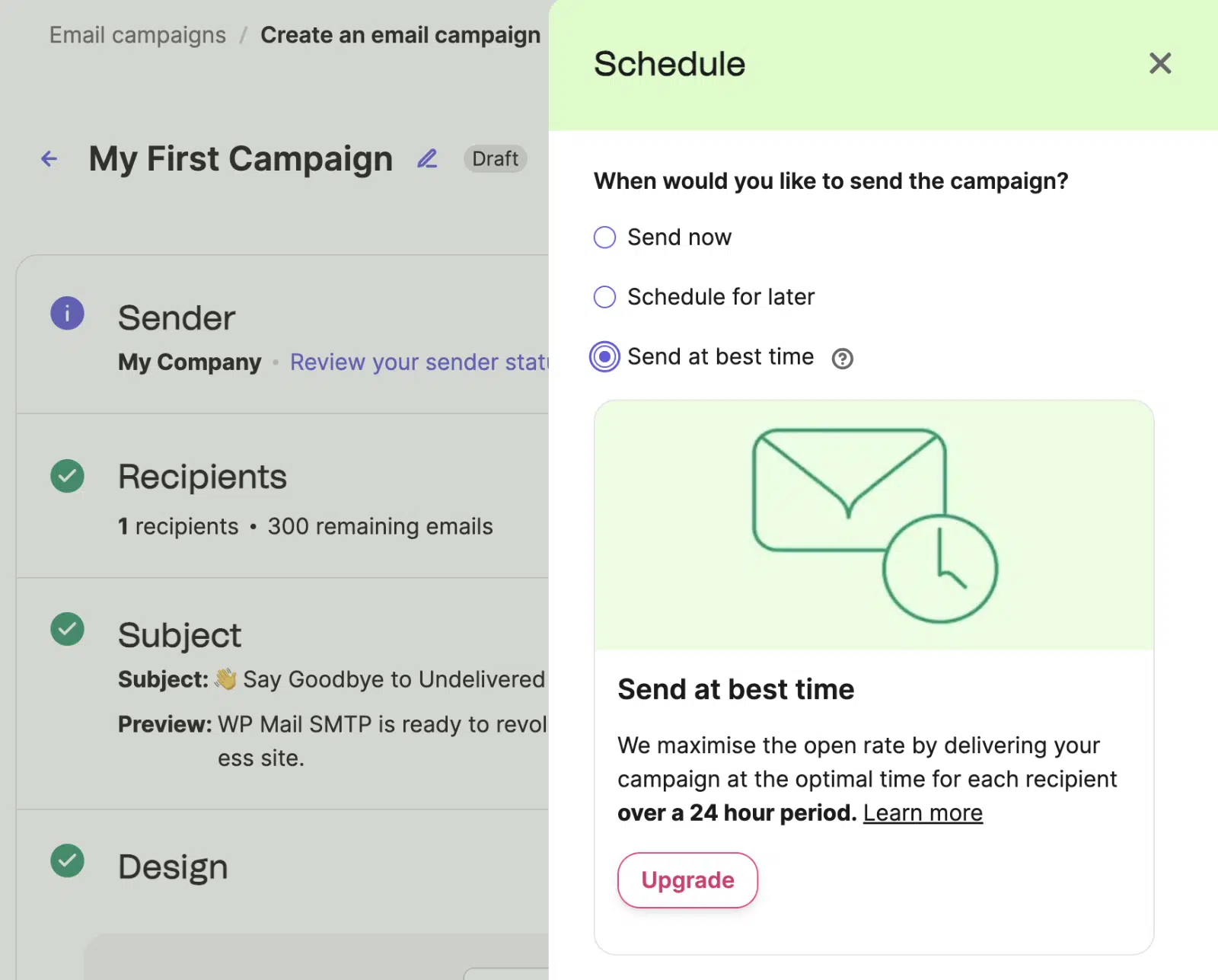**Note:** Send-at-best-time is an Aura AI feature available on the Standard plan and higher, not on Free or Starter. It uses each contact’s engagement history to predict their optimal receive time.
For most senders, scheduling at a fixed time in the recipient’s local timezone gives 90% of the benefit at no extra cost.
### Reporting and analytics
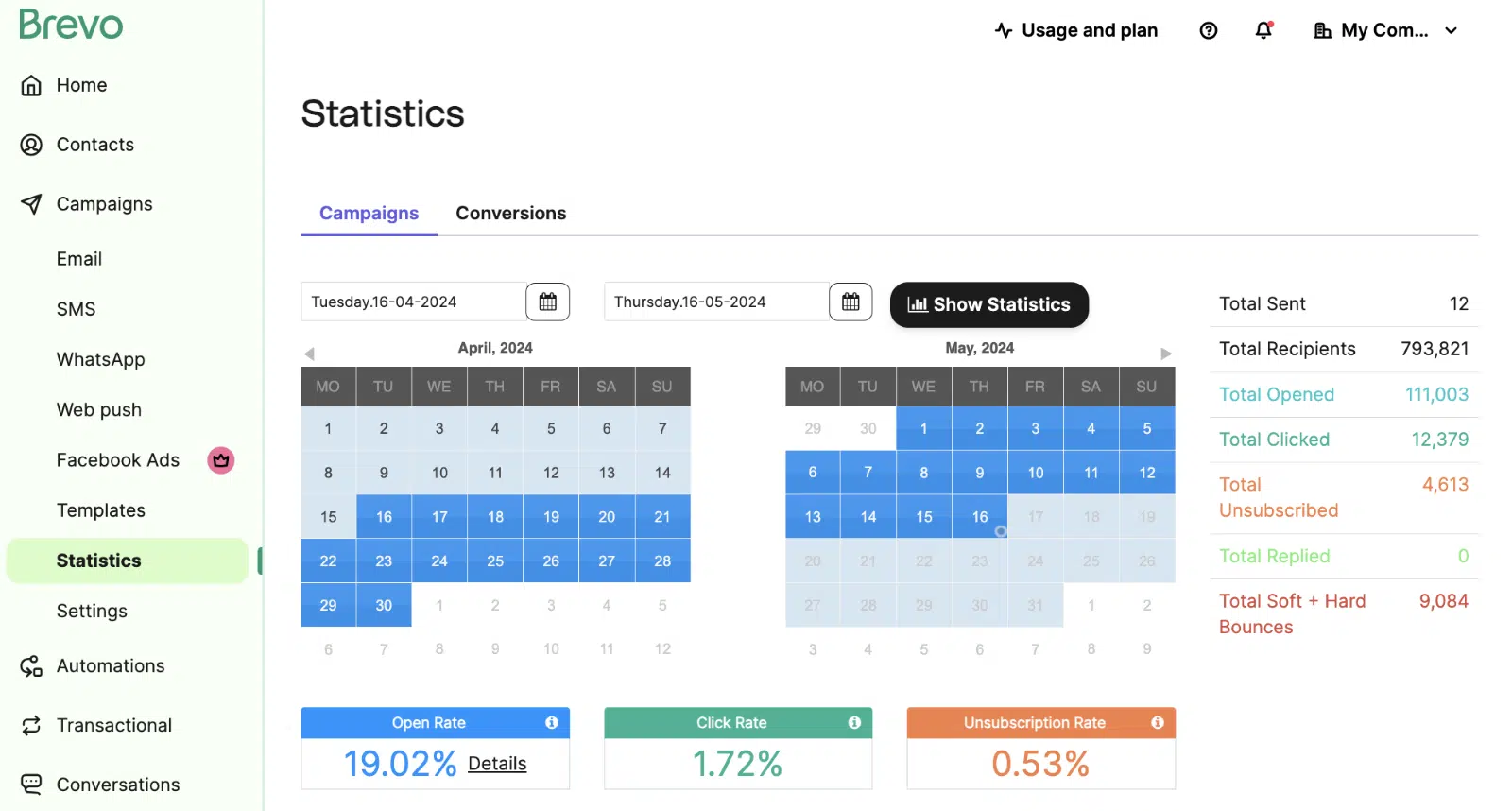
Brevo’s campaign reporting covers the metrics you’d expect: open rate, click rate, bounce rate, unsubscribe rate, and conversion data. Go to **Campaigns » Statistics** for the rollup view.
Click the **report** button on any campaign to drill into individual performance.
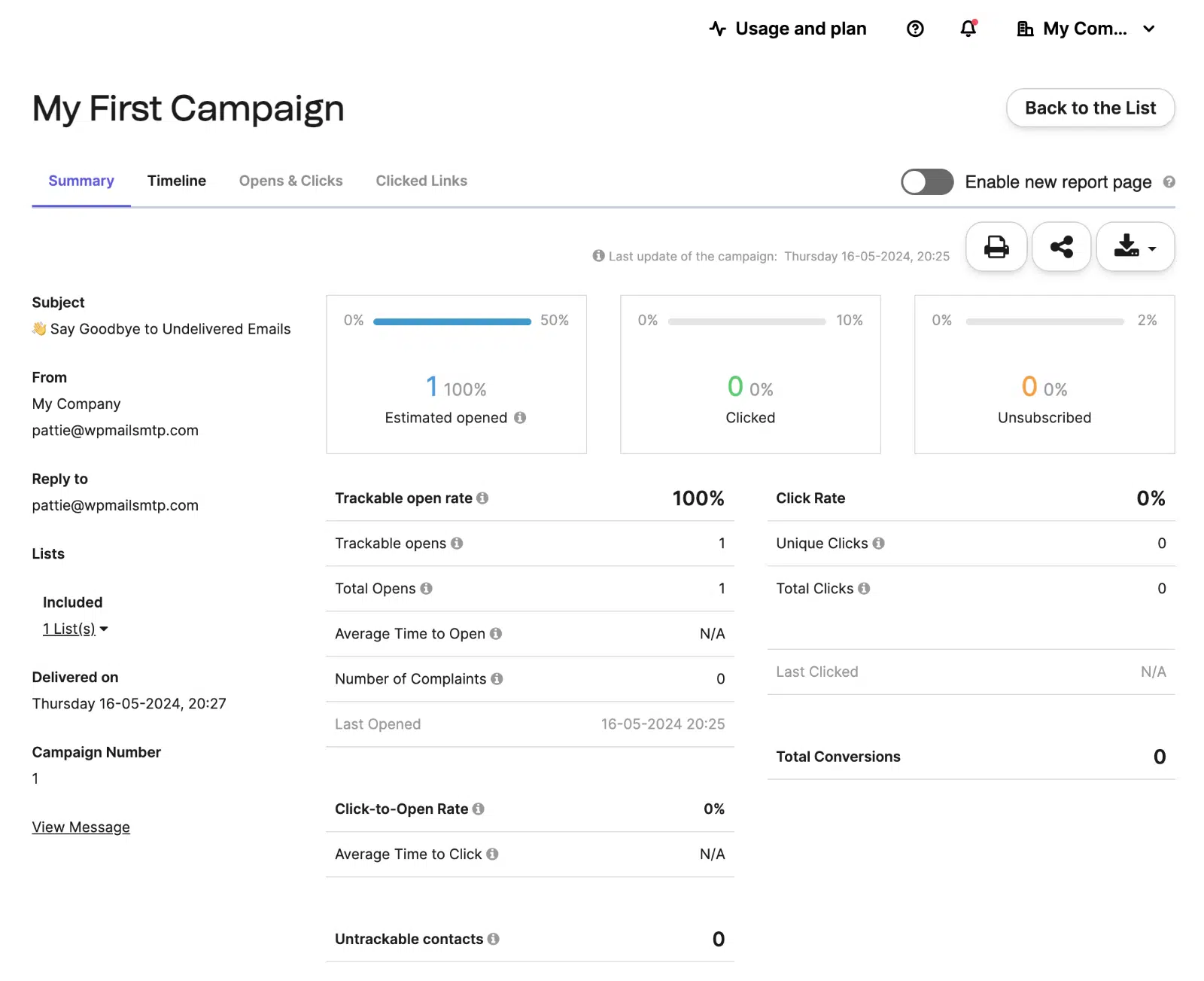
The per-campaign report shows opens, clicks, conversions, and revenue (when ecommerce tracking is connected). Click heatmaps and geography/device reports are available on Standard plans and higher.
On Professional plans, Brevo’s AI Data Analyst lets you ask plain-language questions about your campaign data (for example, “Which subject lines drove the most clicks last quarter?”) and get an answer without building a custom report. It’s one of the more interesting recent additions to the platform.
Tooltips throughout the dashboard explain what each metric means, so the reports are usable even if you’re new to email marketing terminology.
### Email marketing automation
Automation is where Brevo earns its “marketing platform” positioning. Trigger messages based on user actions (abandoned cart, sign-up date, page visit, custom events) without writing code.
To get started, go to the **Automations** tab in your dashboard.
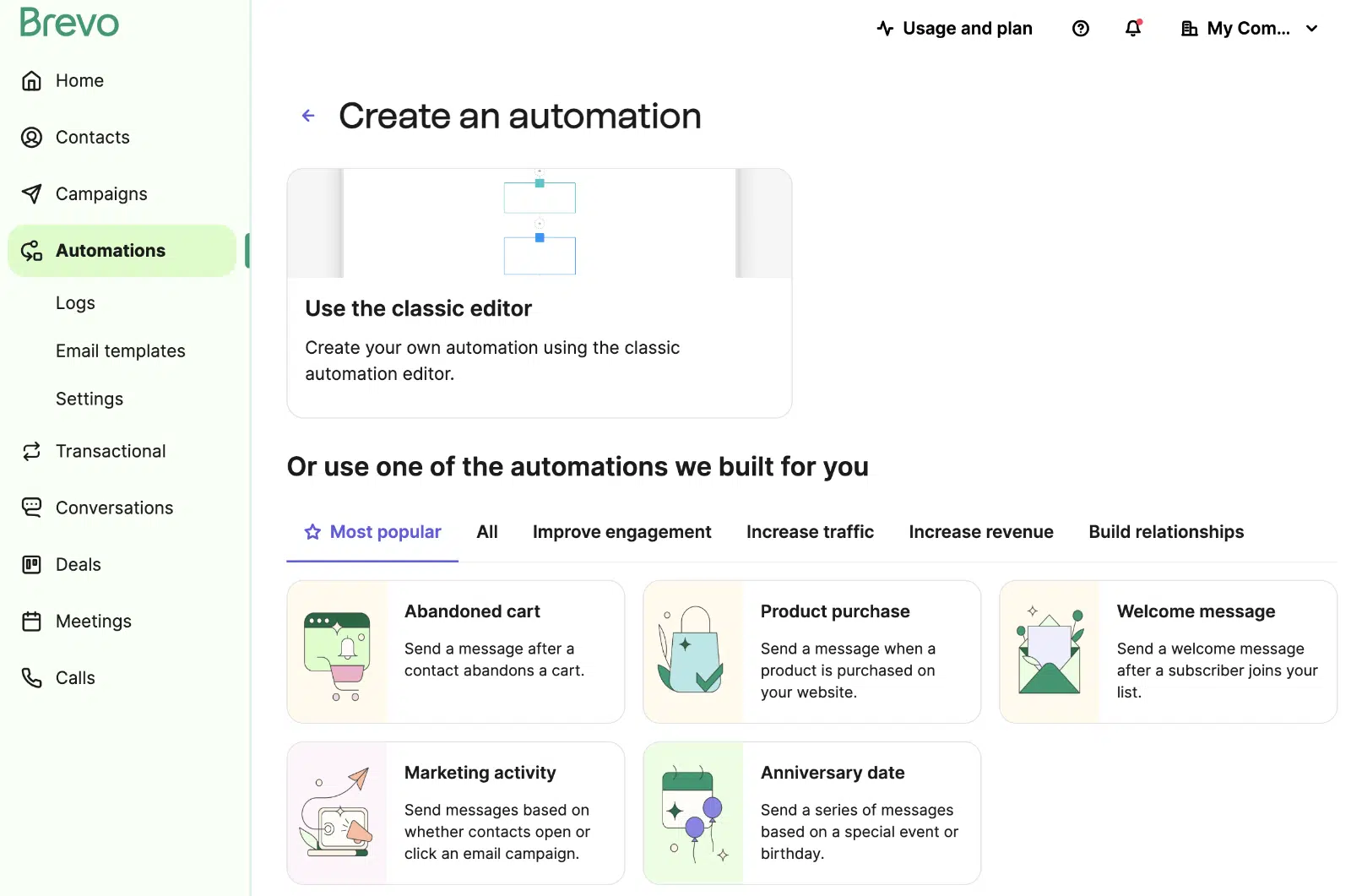Use one of Brevo’s pre-built automation templates or build your own workflow from scratch. The visual builder shows the flow at a glance, and you click the plus buttons to add actions, conditions, or delays.
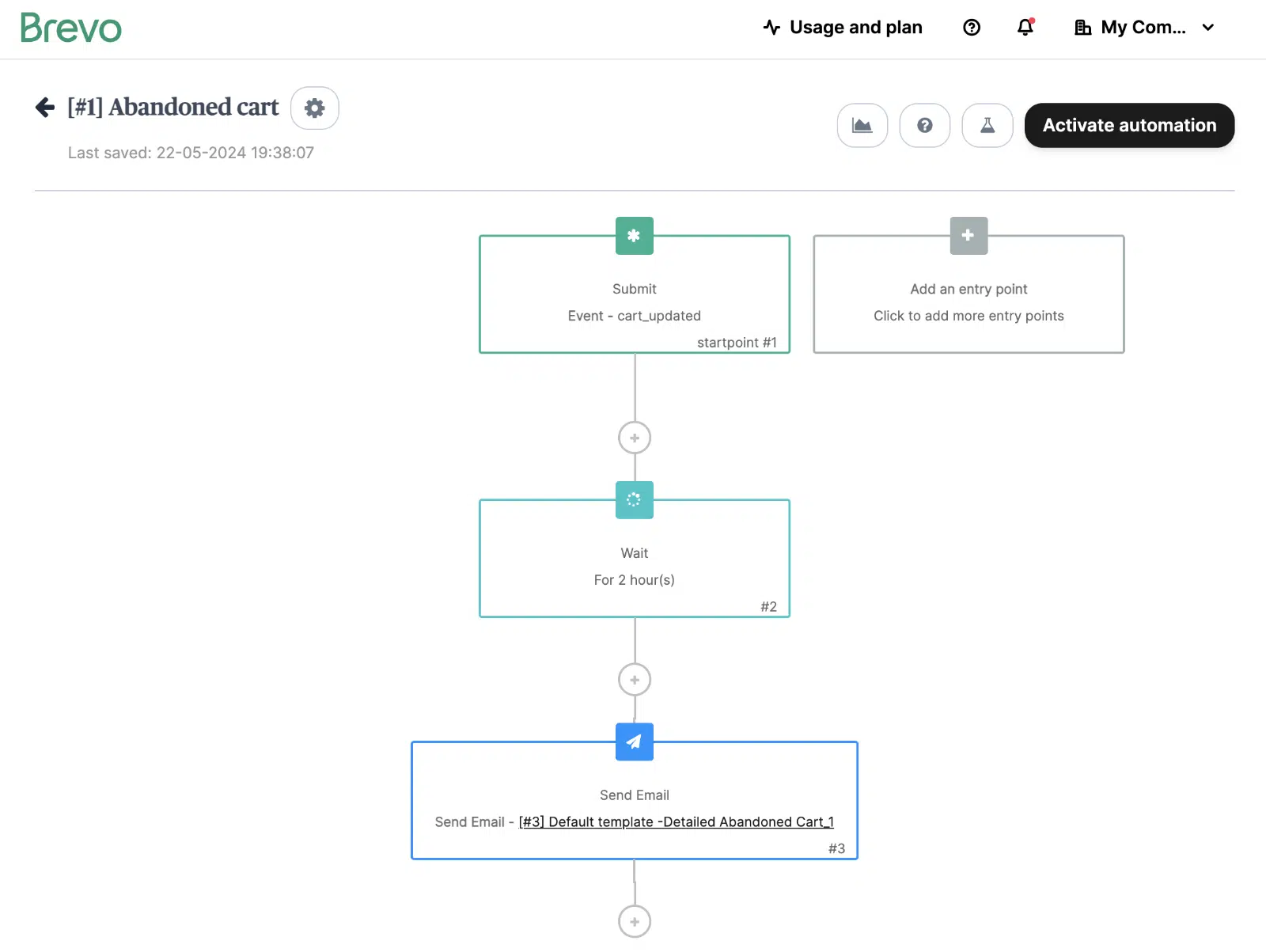When you first open the builder, Brevo asks a few questions about your goal and pre-fills a workflow you can edit.
In practice, the builder is easy enough for small workflows but slows down on complex ones. The first time I tested it, I had occasional loading delays when adding steps to a longer workflow. Brevo’s automation isn’t as elaborate as ActiveCampaign’s, but for the common patterns (welcome series, abandoned cart, post-purchase follow-up) it’s more than sufficient.
Contact scoring and AI segmentation, which add purchase-likelihood scoring and behavioral grouping, only unlock at the Professional tier ($499/mo). For lighter automation, the Standard plan is the practical fit.
### Multi-channel marketing
Brevo extends beyond email into a full multi-channel campaign suite from a single platform.
**SMS marketing.** The SMS campaign builder mirrors the email builder’s interface, with compliance hints baked into the editor.
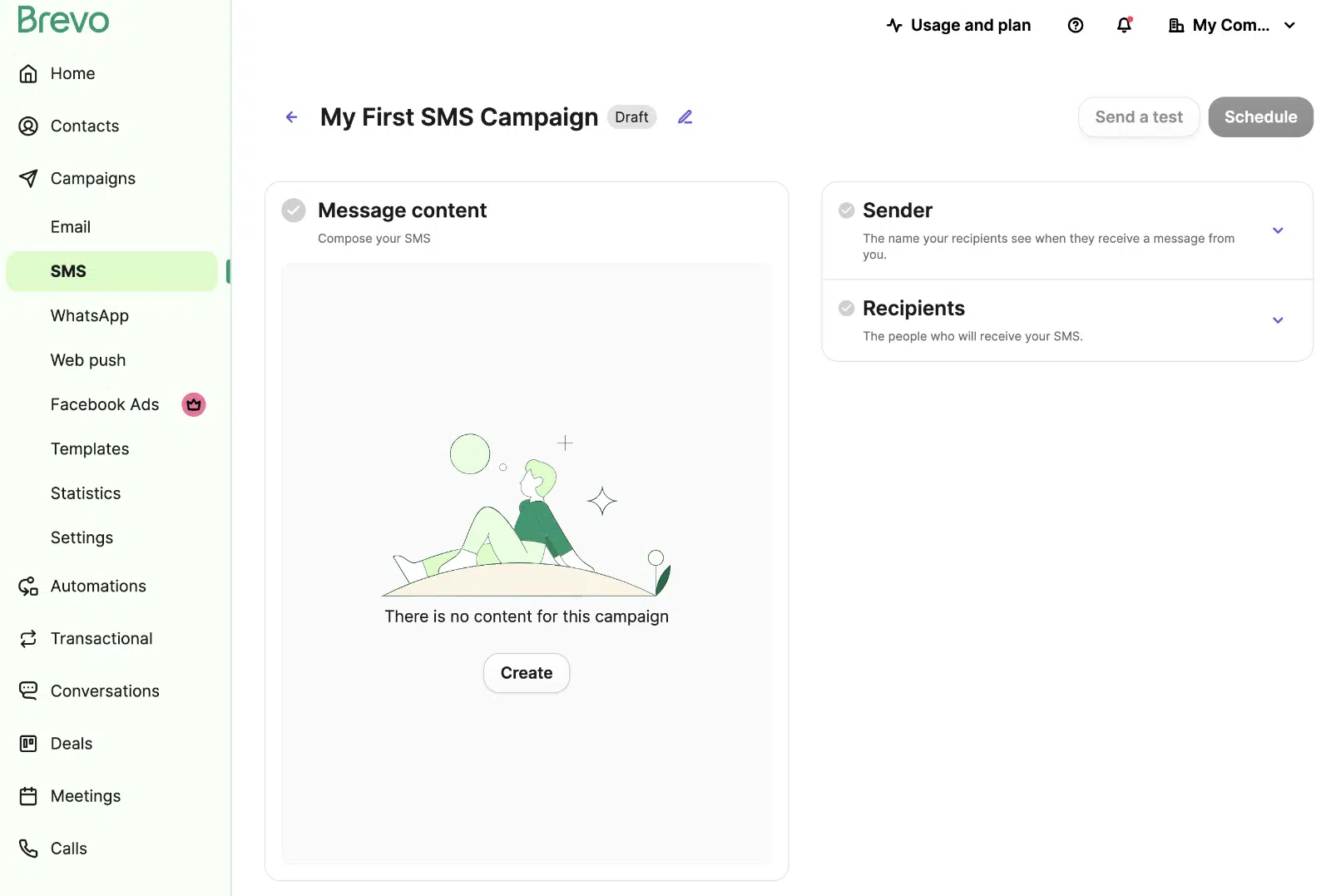You write your message and Brevo flags issues with messaging regulations (opt-out language, character limits, sending hours).
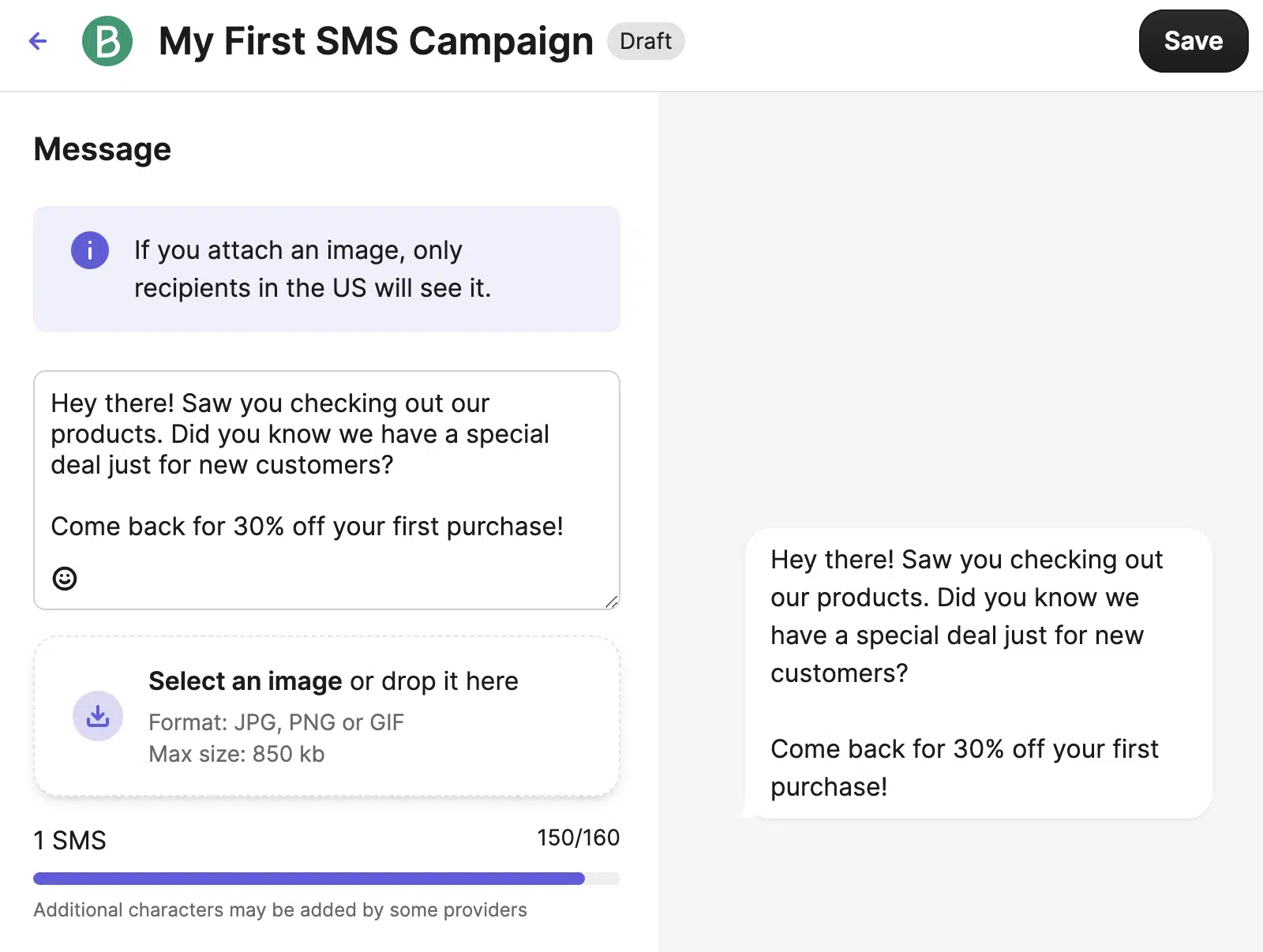SMS credit is sold separately from the email plan tier, with pricing based on message volume and destination country.
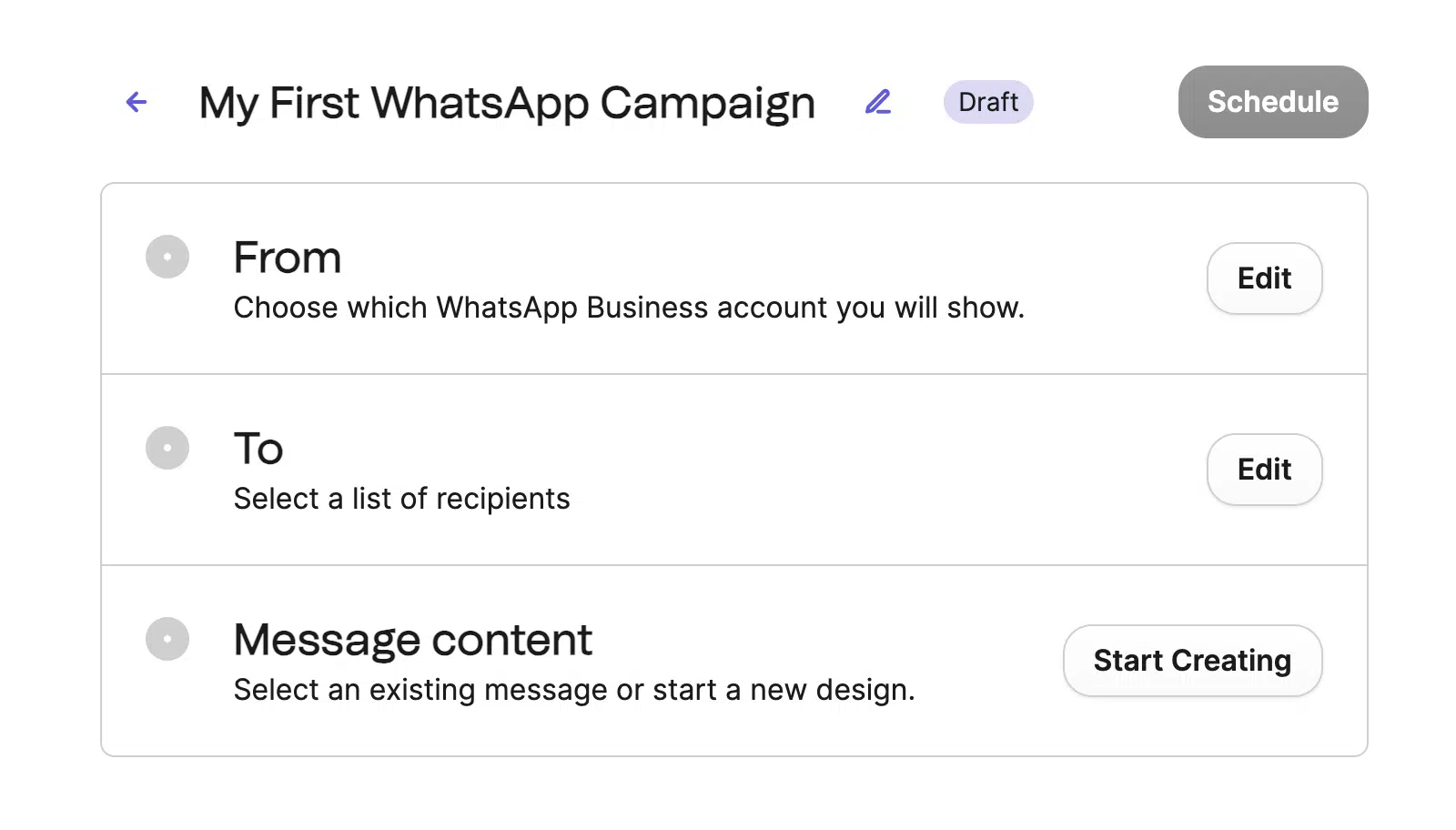
**WhatsApp campaigns.** Brevo lets you send rich-media WhatsApp messages (text, images, videos, buttons) at scale. WhatsApp marketing requires Meta Business app approval, which adds a 2-3 day setup delay on top of Brevo’s own configuration.
**Live chat.** A customizable chat widget you can embed on your WordPress site. Brevo captures lead information from chat conversations and adds them to your contact list automatically.
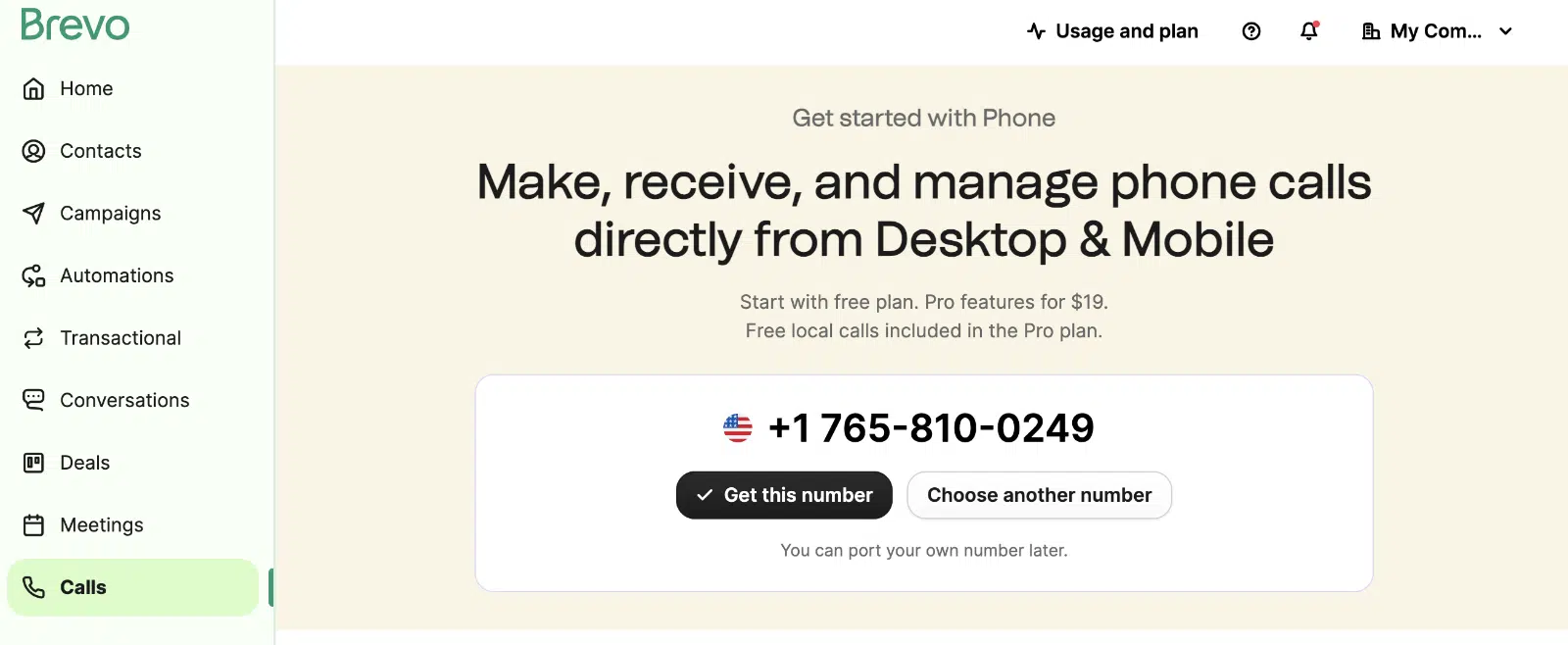
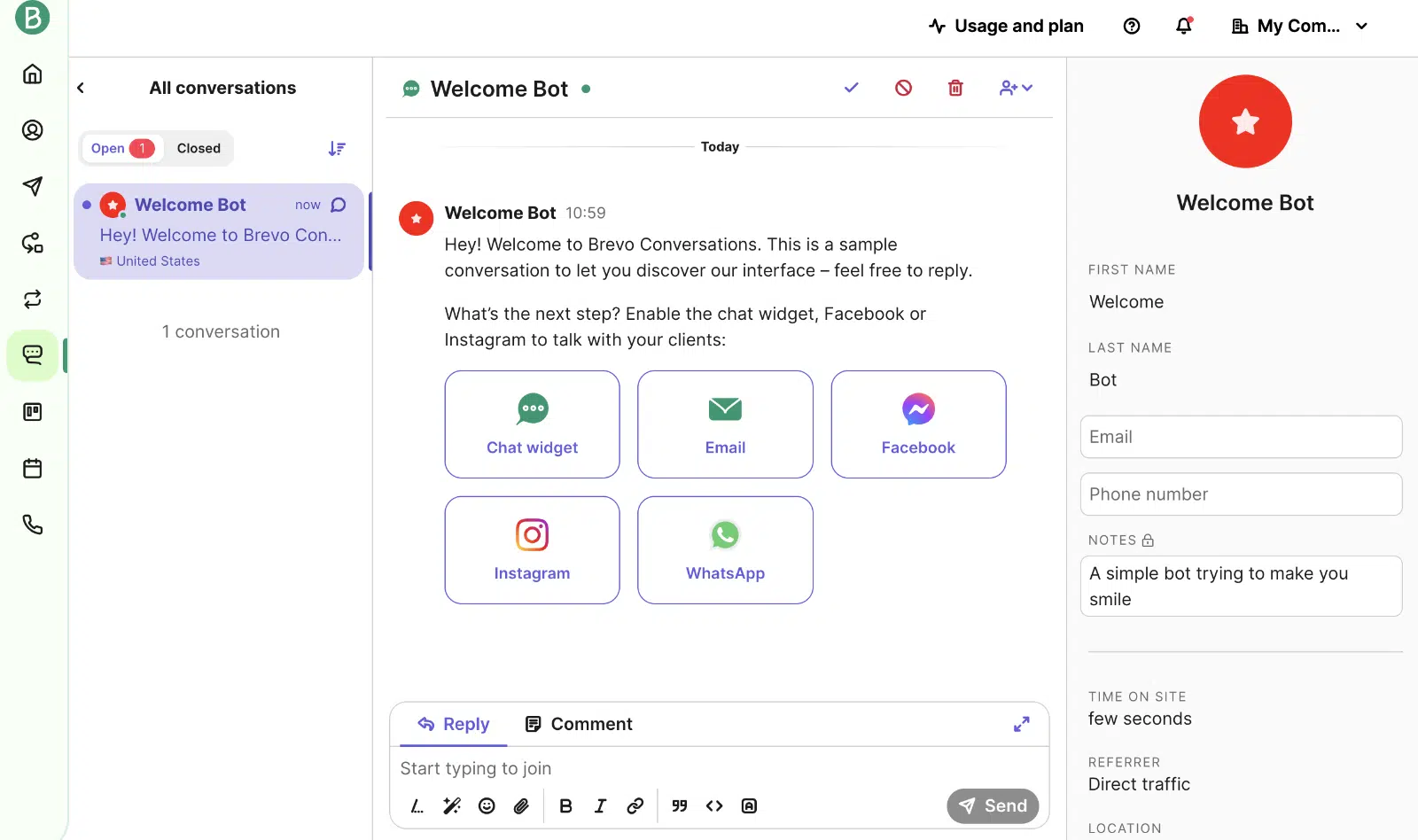**Phone and Conversations.** Brevo offers a business phone number for calls, but as of 2025, this is part of Brevo’s paid Conversations product (Sales Essentials add-on at $27.92/mo or higher tiers), not bundled into the marketing plans.
**Web and mobile push.** Push notifications to web browsers and mobile apps are included on the Professional tier and above.
Most of these channels (email, SMS, WhatsApp, chat) work on free or low-cost tiers. Push and the phone/CRM bundle require either Professional or paid add-ons.
### Integrations
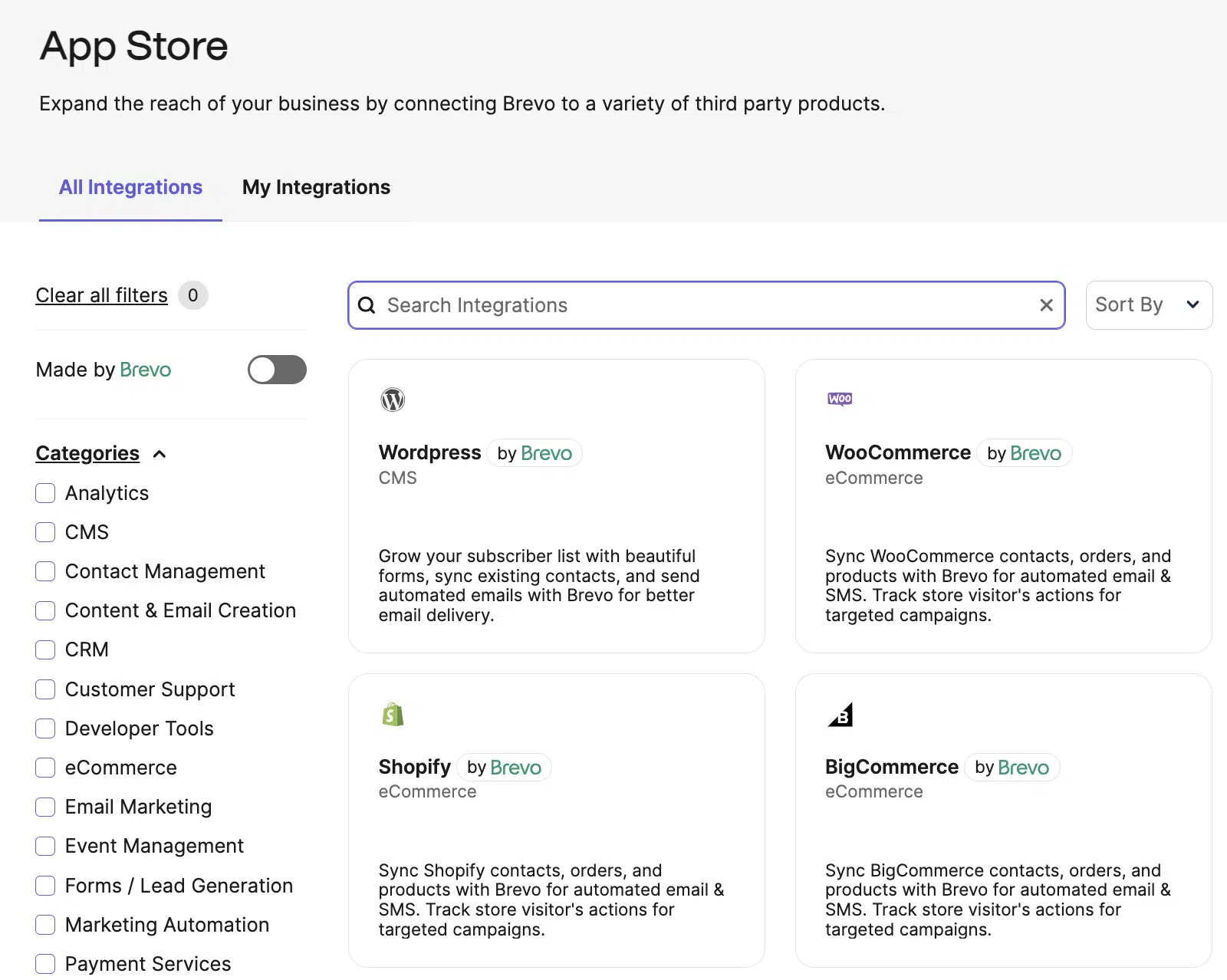
Brevo has direct integrations with most of the major WordPress, e-commerce, and CRM platforms (WordPress, WooCommerce, Shopify, Salesforce, HubSpot CRM via export, and others).
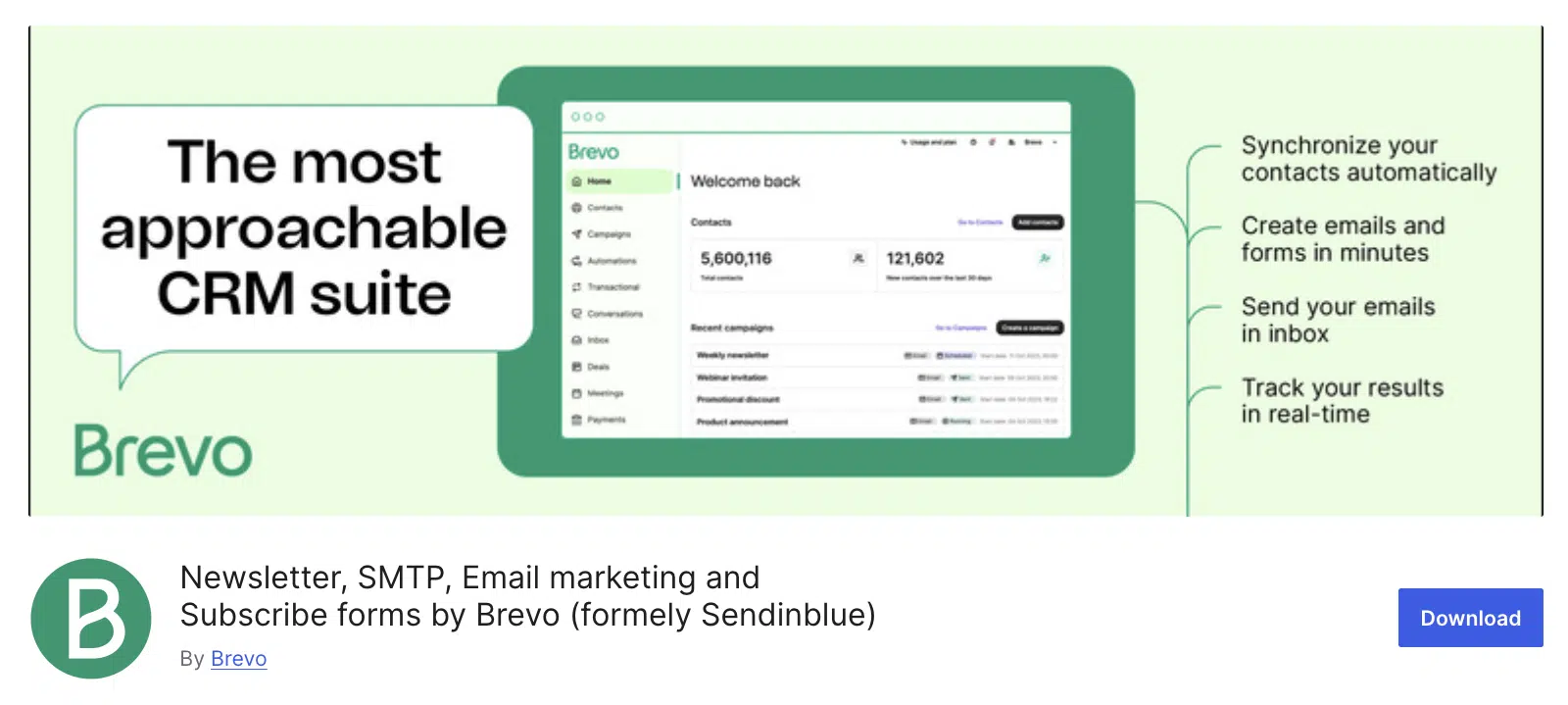
You can connect Brevo to your WordPress site with the [free Brevo plugin](https://wordpress.org/plugins/mailin/) for direct list management from your dashboard.
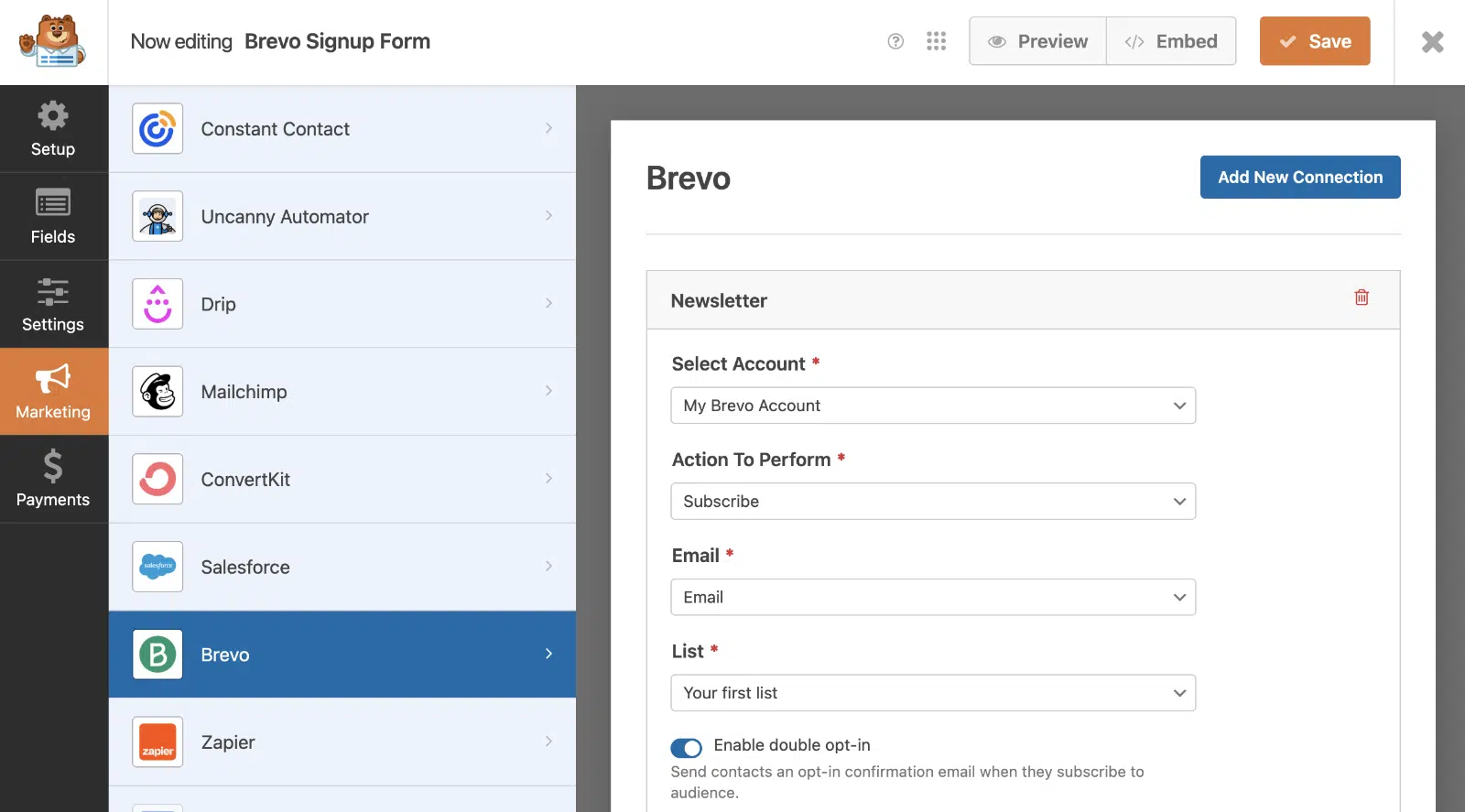
Or you can connect Brevo to the [WPForms](https://wpforms.com/) form builder to capture leads through any signup form on your site.
The integration catalog is smaller than enterprise platforms like HubSpot or ActiveCampaign, especially for niche tools. Zapier and Make connections fill most of the gap, but if you need a direct, native integration for an unusual stack, check Brevo’s app store before committing.
### Reliable SMTP for WordPress deliverability
Brevo’s transactional SMTP service is one of the strongest reasons WordPress site owners pick it. Beyond marketing campaigns, you can route your WordPress site’s transactional emails (password resets, order confirmations, form notifications) through Brevo’s authenticated infrastructure.
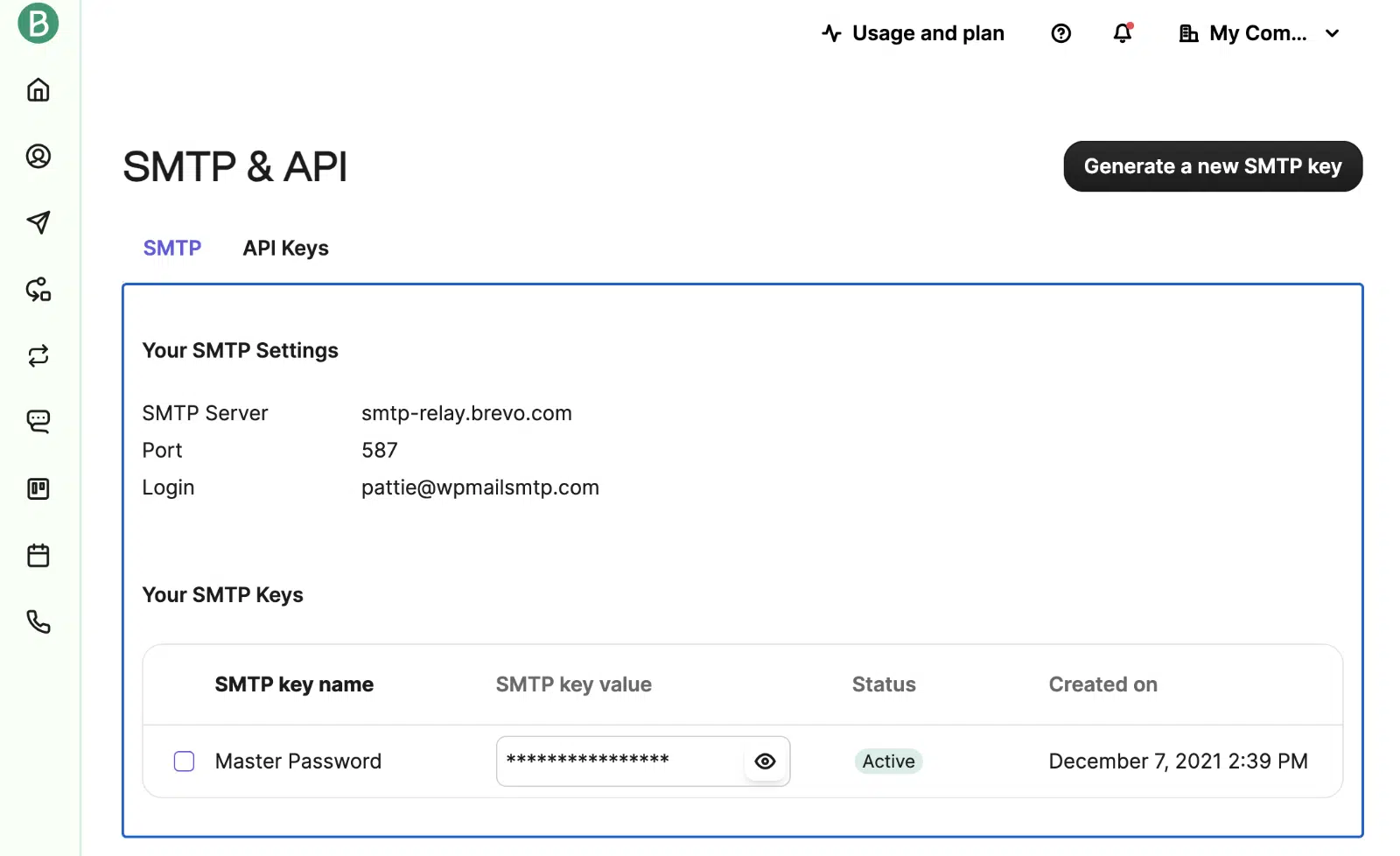By default, WordPress uses PHP’s `mail()` function, which sends without proper authentication. That’s why so many WordPress emails land in spam. Routing through an authenticated SMTP service like Brevo solves this at the source, because the messages now include the [SPF, DKIM, and DMARC](https://wpmailsmtp.com/dmarc-spf-dkim/) credentials that Gmail, Yahoo, and Microsoft now require.
The cleanest way to connect Brevo to WordPress is through the free WP Mail SMTP plugin. WP Mail SMTP has a one-click Brevo mailer that handles authentication and the From-address override without manual configuration.
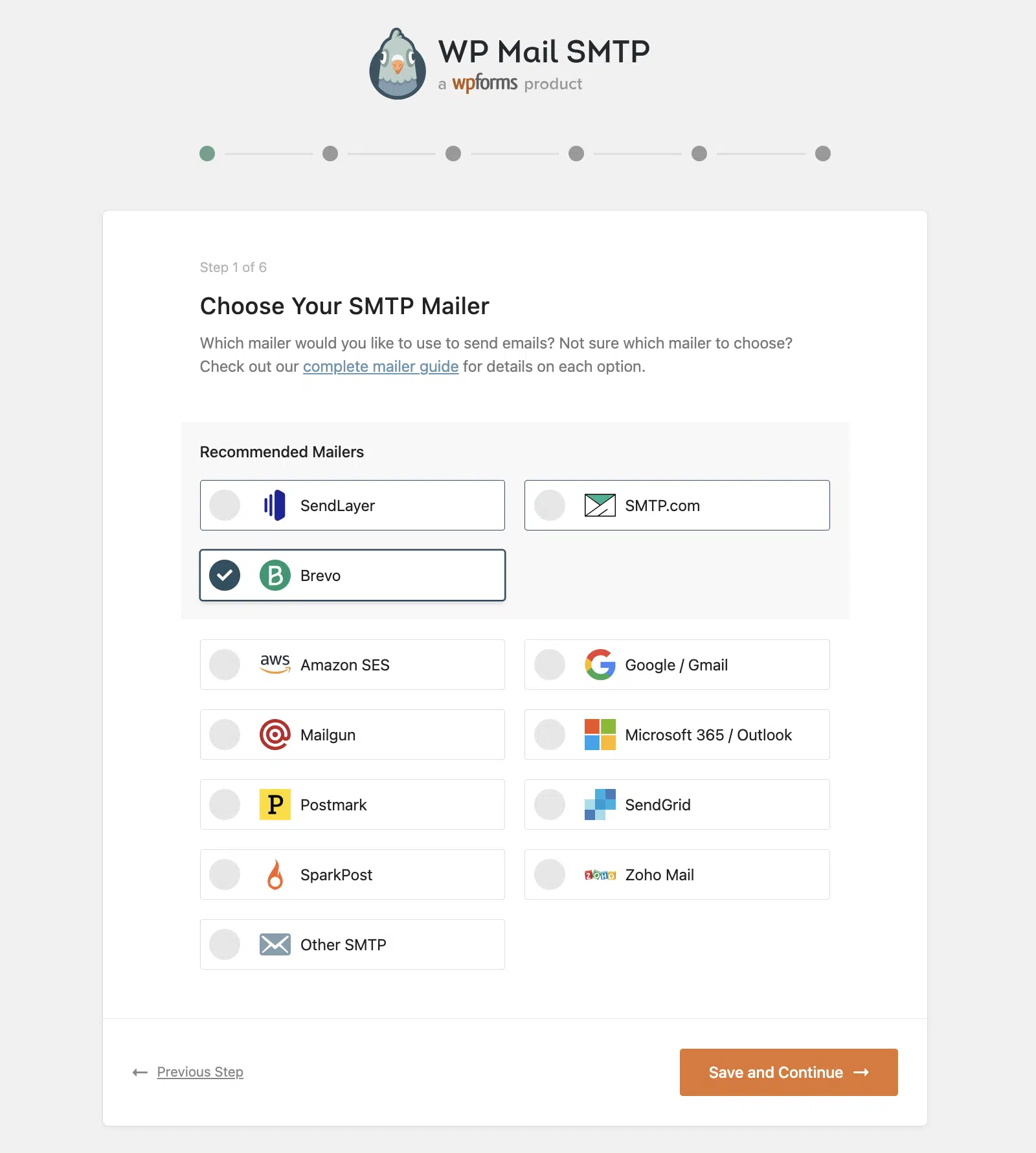Setup takes about five minutes:
1. Install and activate the free WP Mail SMTP plugin.
2. Open the setup wizard at **WP Mail SMTP » Settings**.
3. Choose Brevo from the mailer list.
4. Paste your Brevo API key (find it in your Brevo account under **SMTP & API**).
5. Send a test email.
WP Mail SMTP’s built-in [improved email deliverability features](https://wpmailsmtp.com/features/improved-email-deliverability/) include a Domain Checker that validates your SPF, DKIM, and DMARC records directly inside WordPress. It flags missing or misconfigured records before they cause silent delivery failures, which makes it especially useful when you’re starting with a fresh Brevo account.
For the full setup walkthrough, see our docs on [setting up Brevo as your SMTP provider](https://wpmailsmtp.com/docs/how-to-set-up-the-sendinblue-mailer-in-wp-mail-smtp/).
[Fix Your WordPress Emails Now](https://wpmailsmtp.com/pricing/)
With WP Mail SMTP handling the connection and Brevo handling delivery, your transactional WordPress emails get the same authenticated path as your marketing campaigns. Detailed email logs in both dashboards give you visibility when something goes wrong.
**Looking for more?** For a high-volume transactional comparison, see our [SMTP.com review](https://wpmailsmtp.com/smtp-com-review/). SendLayer and Mailgun are covered as alternatives later in this review.
### Community and support
Brevo offers four support channels:
- **Email support** on every plan (Free included), available in 6 languages.
- **Phone support** on Professional and Enterprise tiers.
- **Live chat** for paid users.
- **Deliverability Specialist support** (3 hours per year) included in Professional, with a CSM (Customer Success Manager) added at Enterprise.
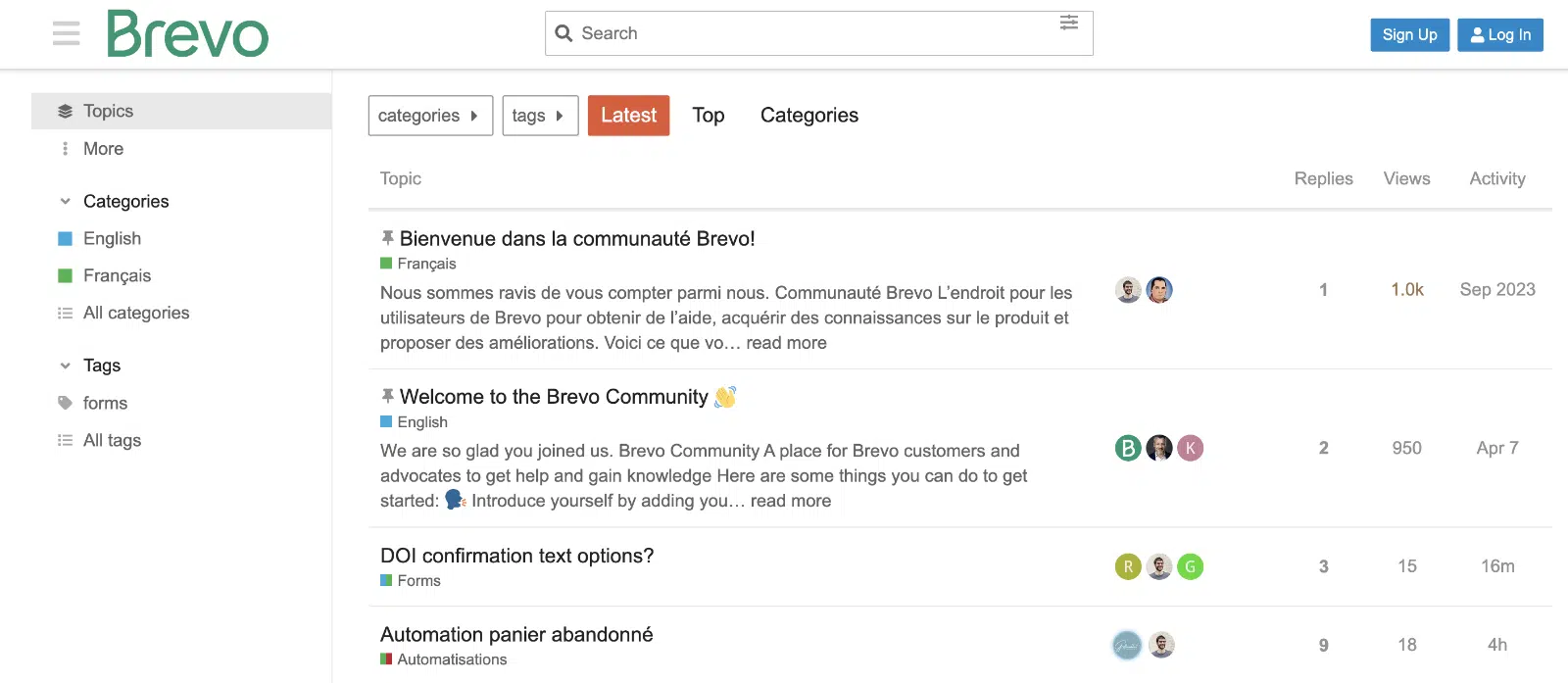
For self-serve help, there are also community forums, an extensive knowledge base, and Brevo Academy free online courses.
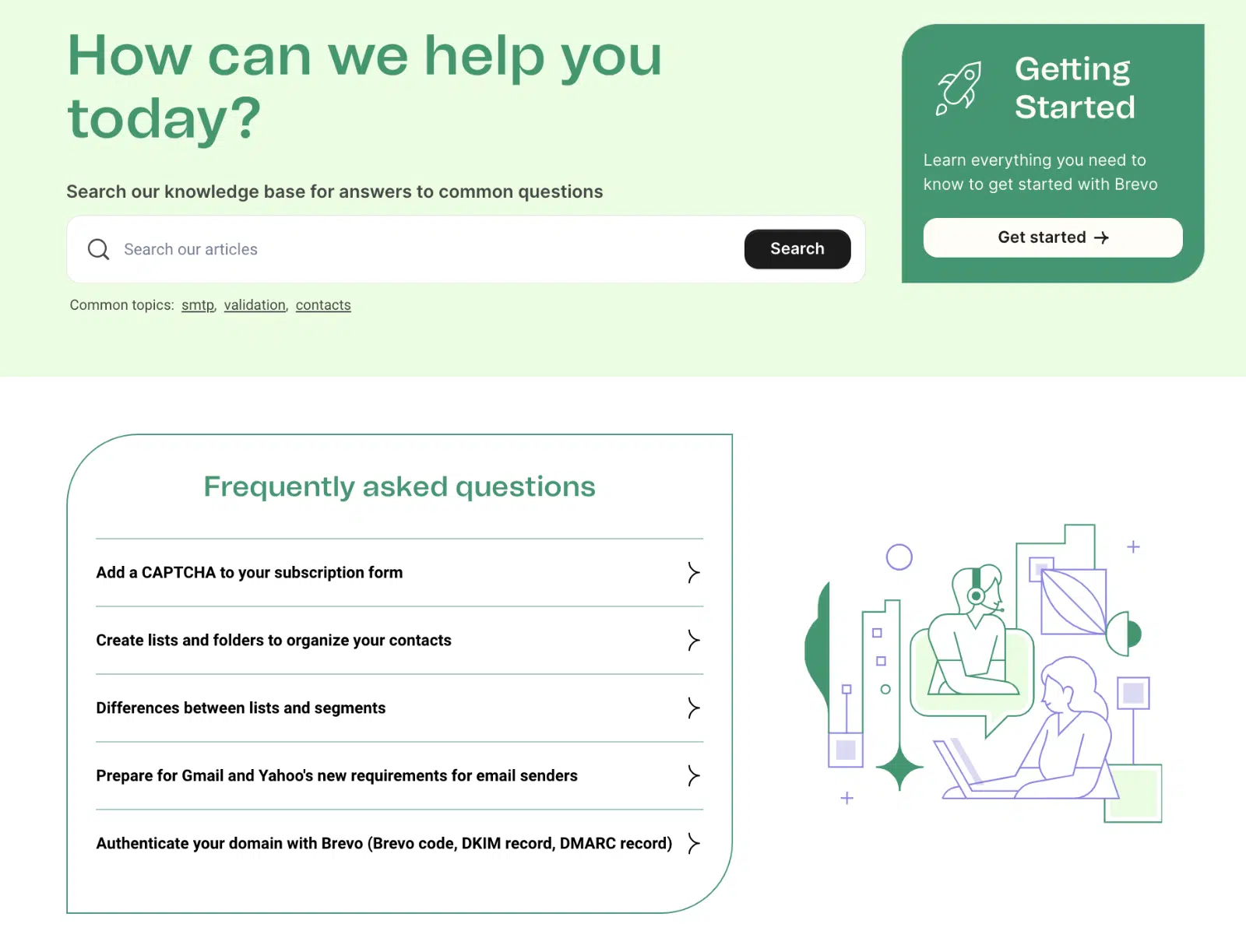
The knowledge base is comprehensive and well-organized.
Brevo Academy’s free courses cover email marketing fundamentals, automation strategy, and platform tutorials.
Support response time on email varies but typically lands within 24 hours for free users and faster on paid plans.
### Brevo pricing plans
Brevo restructured its pricing in 2025 to a 5-tier model. Yearly billing gets a 10% discount across all paid tiers. Pricing below is as of June 2026, verified on brevo.com/pricing.
TierMonthlyYearlyEmail volumeKey features**Free**$0$0300 emails/dayDrag-and-drop builder, basic templates, list management, 500 contacts**Starter**$9$8.08/moFrom 5,000/moEverything in Free + AI content generator, advanced segmentation, forms, email support. Brevo branding stays unless you add “No Brevo logo” for $10.80/mo.**Standard**$18$16.17/moFrom 5,000/moMost popular. Everything in Starter + marketing automation, A/B testing, click heatmaps, AI send-time optimization, web/event tracking, 1 landing page, no Brevo branding.**Professional**$499$449.08/moFrom 150,000/moEverything in Standard + WhatsApp, web/mobile push, popups, 10 user seats, contact scoring, AI segmentation, AI Data Analyst, phone support, deliverability specialist (3 hrs/year).**Enterprise**CustomCustom1M+ contactsEverything in Professional + dedicated IP, SSO/SAML, multi-account management, custom data integrations, CSM support, tailored onboarding.**Add-ons (separately priced):**
- **Sales Essentials** at $27.92/mo (CRM, deal pipelines, chatbot scenarios, calendar/mailbox connections)
- **Sales Advanced** at $58.50/mo per user (advanced sales automation)
- **No Brevo logo** at $10.80/mo on Starter
- **SMS credit** priced per message by destination
- **Email credits** for one-time volume top-ups, no expiration
The big number to notice is the jump from Standard ($18/mo) to Professional ($499/mo). If you outgrow Standard but don’t yet need the full Professional feature set, there’s no middle tier. For most small-business WordPress users, Standard covers the realistic use cases and the jump only matters when you’re sending more than 100,000 emails per month or need the AI-powered features.
The Free plan is genuinely free forever, with no time limit, and the 300/day cap is enough for most contact forms, password reset traffic, and small newsletter sends.
### Brevo alternatives
If Brevo isn’t the right fit, here are three alternatives that integrate directly with WP Mail SMTP and cover different use cases.
#### SendLayer
[SendLayer](https://wpmailsmtp.com/sendlayer-review-best-transactional-smtp-email-service/) is built specifically for transactional email reliability on WordPress sites, with a deliverability-first focus rather than marketing campaigns. The interface is simpler than Brevo’s, the setup wizard takes 2 minutes, and the pricing scales cleanly with email volume rather than feature tiers.
**Use this when** you need reliable transactional email (password resets, order confirmations, form notifications) without the marketing platform overhead. SendLayer doesn’t include campaign builders or marketing automation, so it’s not a Brevo replacement if you’re using Brevo for newsletters. For a head-to-head, see our [SendLayer vs Brevo comparison](https://wpmailsmtp.com/sendlayer-vs-brevo/).
#### SendGrid
[SendGrid](https://wpmailsmtp.com/twilio-sendgrid-review/) (now part of Twilio) is the closest direct competitor to Brevo in feature scope. It combines transactional email infrastructure with a Marketing Campaigns module that handles email marketing, automation, and segmentation.
**Use this when** you want comparable feature breadth to Brevo with a slightly more developer-oriented API and pricing model. SendGrid’s free tier (100 emails/day) is more restrictive than Brevo’s (300/day), but its higher-volume tiers can be cheaper than Brevo for senders who don’t need WhatsApp or the broader multi-channel suite.
#### Mailgun
[Mailgun](https://wpmailsmtp.com/mailgun-review/) leans further into the developer/API direction. The platform is built for engineering teams who want fine-grained control over delivery, validation, and webhooks. It includes basic marketing email features, but the strength is transactional volume at scale.
**Use this when** you’re building a custom WordPress application, need rich event webhooks for delivery tracking, or want a transactional-first SMTP with predictable per-email pricing. Mailgun’s free tier (5,000 emails/month for the first 3 months, then pay-as-you-go) makes it easy to try without commitment.
### Is Brevo right for your WordPress site?
Brevo is one of the most accessible all-in-one marketing platforms for WordPress users on a budget. The free forever plan covers most starter use cases. The drag-and-drop builders for email, SMS, and automation are genuinely beginner-friendly. The transactional SMTP is solid, and the WP Mail SMTP integration makes it a one-click choice for routing WordPress emails.
The honest limits: the price jump from Standard to Professional is steep, contact scoring and the AI Data Analyst are Professional-only, and Brevo’s integration catalog won’t match what HubSpot or ActiveCampaign offer for enterprise teams.
For a small-business WordPress site that needs email marketing plus transactional reliability, Brevo on the Standard plan ($18/mo) paired with WP Mail SMTP is a strong combination. For an e-commerce store or membership site running heavy automation, the Standard plan still covers most needs, with the Professional tier available when contact scoring or AI segmentation become real requirements.
[Fix Your WordPress Emails Now](https://wpmailsmtp.com/pricing/)
### Frequently asked questions about Brevo
Common questions about Brevo and how it fits with WordPress. Each answer is self-contained.
#### Is Brevo legit?
Yes. Brevo (formerly Sendinblue) is a publicly traded company headquartered in Paris with more than 600,000 customers worldwide. It holds G2 Leader badges in Email Marketing and Email Template Builder categories, with 2,500+ G2 reviews and 3,300+ Capterra reviews. The platform is GDPR and CCPA compliant, with data hosted across three geographically distinct servers.
#### Is Brevo any good?
For its target audience (small businesses, startups, WordPress users on a budget), Brevo is one of the strongest all-in-one platforms. Where it shines: the free forever plan, drag-and-drop builders that are easy to learn, multi-channel campaigns (email, SMS, WhatsApp) from a single dashboard, and reliable transactional SMTP. Where it’s not the best fit: enterprise teams needing deep integrations, or marketers who want more elaborate automation than Brevo’s visual builder supports.
#### Is Brevo really free?
Yes, the Free plan is genuinely free forever with no time limit and no credit card required. The cap is 300 emails per day, which works for small contact forms, password reset volume, and modest newsletter sends. The free plan keeps the “Sent with Brevo” footer on emails, drag-and-drop builder, basic templates, and email support included.
#### What’s the difference between Brevo and Sendinblue?
They’re the same product. Sendinblue rebranded to Brevo in May 2023. All existing accounts, integrations, API keys, and pricing carried over. WordPress plugins and docs still occasionally reference “Sendinblue” but the official name has been Brevo for over three years.
#### How does Brevo compare to Mailchimp?
Brevo’s free plan limits by daily send volume (300/day) where Mailchimp limits by contact count (500 contacts as of 2026). For WordPress sites with small contact lists but consistent transactional traffic, Brevo’s free tier is more flexible. On paid plans, Brevo is usually cheaper per email at higher volumes, and it includes SMS and WhatsApp where Mailchimp doesn’t. Mailchimp has a deeper template library and more polished reporting UI. For pure email marketing, either works. For multi-channel from one platform, Brevo is the simpler choice.
#### Can I use Brevo with WordPress?
Yes, and the integration is one of Brevo’s strengths. Two common setups: (1) Connect Brevo as your SMTP provider through WP Mail SMTP to route all WordPress emails (transactional and marketing) through Brevo’s authenticated infrastructure, or (2) Use the free official Brevo WordPress plugin to manage signup forms and contact lists from your WP dashboard. Most WordPress sites benefit from both.
#### How is Brevo’s email deliverability?
Brevo runs on dedicated deliverability infrastructure with shared IPs for smaller senders and dedicated IPs available on Professional and Enterprise plans. The transactional service handles SPF, DKIM, and DMARC authentication automatically. For WordPress sites, deliverability also depends on what’s calling the SMTP, which is why pairing Brevo with WP Mail SMTP matters: WP Mail SMTP’s Domain Checker flags missing authentication records inside WordPress before they cause silent delivery failures.
#### What are Brevo’s main pros and cons?
The top three pros: a genuinely useful free forever plan (300 emails/day), beginner-friendly drag-and-drop builders for email and automation, and multi-channel reach (email, SMS, WhatsApp) from one platform. The top three cons: the price jump from Standard ($18/mo) to Professional ($499/mo) leaves a gap with no intermediate tier, contact scoring and AI segmentation only unlock at Professional, and the third-party integration catalog is smaller than enterprise marketing platforms.
### Next, Improve Your Email Deliverability
Brevo handles the email-sending side, but [email deliverability](https://wpmailsmtp.com/email-deliverability/) on a WordPress site also depends on what’s calling the SMTP and how your domain is authenticated. Make sure your SPF, DKIM, and DMARC records are configured before relying on transactional volume.
For the full WordPress diagnosis when emails aren’t getting through, our guide on [how to fix WordPress email sending issues](https://wpmailsmtp.com/wordpress-not-sending-email/) walks through the most common causes and fixes.
[Fix Your WordPress Emails Now](https://wpmailsmtp.com/pricing/)
Ready to fix your emails? [Get started today](https://wpmailsmtp.com/pricing) with the best WordPress SMTP plugin. If you don’t have the time to fix your emails, you can get full White Glove Setup assistance as an extra purchase, and there’s a 14-day money-back guarantee for all paid plans.
**Categories:** Marketing
**Tags:** Brevo, email marketing, smtp
---