### [Email Deliverability in 2026: What It Is and How to Improve It](https://wpmailsmtp.com/email-deliverability/)
**Published:** January 19, 2022
**Author:** Rachel Adnyana
**Excerpt:** Do you want to understand what email deliverability really is and how you can improve it? Email deliverability is a very important concept because your email marketing depends on high rates of deliverability. In this article, we're going to explain what email deliverability is and discuss best practices for improving it.
**Content:**
Email deliverability is the difference between an email that lands in someone’s inbox and one that quietly disappears into spam. For WordPress site owners sending password resets, order confirmations, newsletter blasts, and contact-form notifications, that difference shows up as lost sales, customer support tickets, and unsubscribe spikes.
The work has gotten harder in 2026. According to Validity’s 2025 sender benchmark, only 83.5% of marketing emails worldwide reach the inbox, and Gmail, Yahoo, and Microsoft have all tightened authentication rules between 2024 and 2025. As of November 2025, Gmail rejects non-compliant bulk mail outright with permanent 550 errors. Soft-deferrals are gone.
This guide explains what email deliverability actually means, the factors that move it up or down, the tools to monitor it, and the specific WordPress problem that causes most of the deliverability complaints we see. The fix is rarely complicated. It’s almost always about authentication, sender reputation, and not using PHP’s default `mail()` function.
**Quick answers**
- **What is email deliverability?** Whether your emails reach the recipient’s inbox (vs. the spam folder, the Promotions tab, or silent rejection). It’s distinct from email *delivery*, which only measures whether the email was accepted by the receiving server at all.
- **What’s a good deliverability rate?** Inbox placement above 95% is excellent, 85-95% is healthy, below 85% needs work. Validity’s 2025 benchmark puts the global average at 83.5%.
- **What broke email in 2024-2026?** Gmail, Yahoo, and Microsoft all started enforcing strict authentication rules (SPF, DKIM, DMARC). Non-compliant bulk mail now gets rejected outright, not soft-deferred.
- **How do you improve it?** Authenticate your domain (SPF, DKIM, DMARC), use a reputable SMTP service rather than PHP `mail()`, keep your spam complaint rate below 0.3%, and clean your list regularly.
## Email Deliverability: What It Is and How to Fix It in 2026
This guide walks through deliverability from the ground up: the definition, the factors that move it, how to test and monitor it, the specific WordPress problem that breaks it, and the steps to fix it for good. Each section is self-contained, so you can skip ahead.
- [What is email deliverability?](#what-is-email-deliverability)
- [Email delivery vs. email deliverability](#email-delivery-vs-email-deliverability)
- [Why email deliverability matters in 2026](#why-email-deliverability-matters-in-2026)
- [Factors affecting email deliverability](#factors-affecting-email-deliverability)
- [How to test email deliverability](#how-to-test-email-deliverability)
- [How to monitor email deliverability](#how-to-monitor-email-deliverability)
- [How to improve email deliverability](#how-to-improve-email-deliverability)
- [Why WordPress emails have unique deliverability problems](#why-wordpress-emails-have-unique-deliverability-problems)
- [FAQs about email deliverability](#aioseo-faqs-about-email-deliverability-151)
### What is email deliverability?
[Email deliverability](https://wpmailsmtp.com/email-deliverability-beginners-guide/) is the percentage of your emails that reach the recipient’s inbox. It’s the metric that actually matters for whether your messages get read.
Strong email deliverability isn’t optional for any sender. With [email marketing returning an average ROI of 4400%](https://wpforms.com/digital-marketing-statistics/#emailmarketingstatistics) according to industry data, a 10-point drop in deliverability is the difference between a campaign that pays for itself and one that doesn’t.
For WordPress sites specifically, deliverability matters even on emails you don’t think of as marketing. A password reset that lands in spam means a customer can’t get into their account. An abandoned-cart email that doesn’t arrive is a sale that never closes. A WooCommerce order confirmation that fails to deliver is a support ticket waiting to happen.
### Email delivery vs. email deliverability
Email delivery and email deliverability are related ideas, and confusing them is the most common reason senders think their setup is fine when it isn’t.
Here’s the difference:
- **Email delivery** is whether the recipient’s mail server accepted the message at all. It’s a binary, yes-or-no signal. Mail server said “OK, I’ll take it” counts as delivered, even if the server then files it straight into spam.
- **Email deliverability** is whether the message reached the *inbox*, not the spam folder, not the Promotions tab, not silent quarantine. This is the metric that matters.
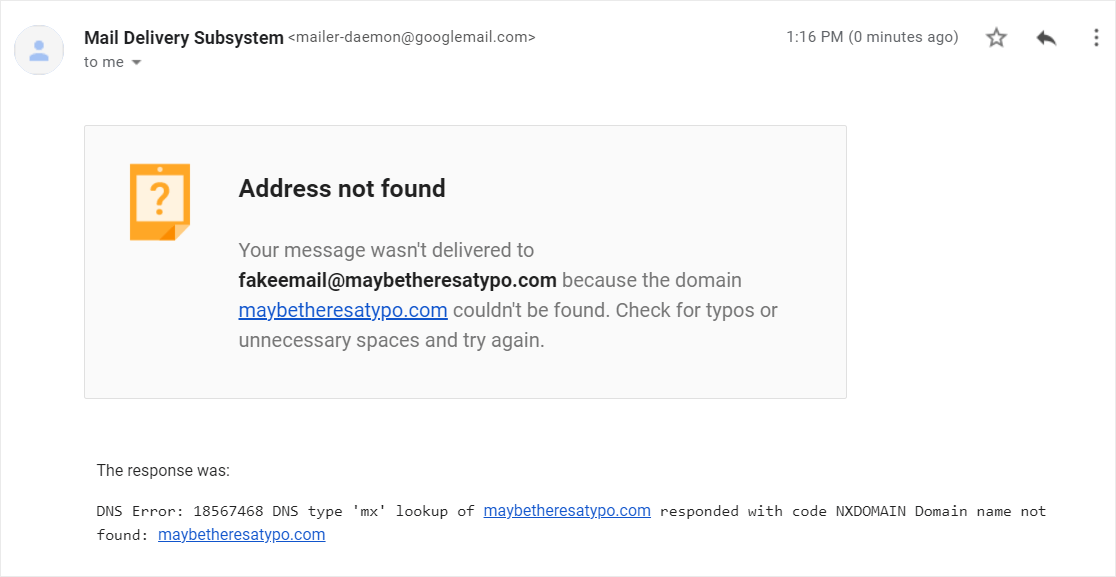The simplest way to remember the distinction:
Email Delivery = *if* an email is received.
Email Deliverability = *where* an email is received.
An email service provider’s dashboard often shows a 98% “delivery rate” with a few bounces, which sounds healthy. It says nothing about how many of those delivered emails ended up in the spam folder. Inbox placement is what matters, and inbox placement is usually measured by your spam score and your sender reputation.
### Why email deliverability matters in 2026
Email authentication moved from “best practice” to “required” between 2024 and 2026. Here’s the timeline:
- **February 2024.** Gmail and Yahoo introduced [bulk sender requirements](https://wpmailsmtp.com/gmail-bulk-sender-requirements/). Anyone sending 5,000+ emails per day to Gmail or Yahoo recipients must have SPF and DKIM authentication, a published DMARC policy, one-click unsubscribe headers, and spam complaint rates below 0.3%.
- **May 2025.** Microsoft introduced equivalent requirements for Outlook.com, Hotmail, and Live.com.
- **November 2025.** Gmail moved from soft deferrals (temporary 421 errors) to permanent rejection (550 errors) for non-compliant messages. There’s no grace period anymore. If you fail the checks, your mail is refused outright. See our guide on [Gmail blocking emails](https://wpmailsmtp.com/fix-gmail-blocking-emails/) for the full diagnostic.
Smaller senders aren’t technically subject to the 5,000-per-day threshold, but the underlying spam filters use the same signals for everyone. Missing SPF, DKIM, or DMARC drops inbox placement by up to 76% even at low volume.
For WordPress sites that send transactional email (password resets, order confirmations, form notifications), the rules apply to every connection. Even a contact form sending 50 emails a month needs proper authentication if you want them to land reliably.
### Factors affecting email deliverability
Deliverability depends on five factors. Most of them are in your control once you know what to fix.
#### Sender reputation
Every domain has a reputation with the major mailbox providers. They use it to decide whether your mail goes to the inbox, the spam folder, or gets rejected outright.
The factors that move sender reputation:
- Spam complaint rate (recipients clicking “Report spam”)
- Bounce rate (emails sent to invalid addresses)
- Engagement (opens, clicks, replies)
- Sending volume and consistency
- Authentication setup (SPF, DKIM, DMARC)
A bad sender reputation is generated when users frequently mark your emails as spam, when you send to spam traps (invalid addresses planted by ISPs), or when your sending volume looks erratic. In the worst case, ISPs blacklist your IP address, blocking all email from your domain.
The reverse is also true: consistent volume, engaged recipients, and a clean authentication setup build a strong reputation over time. If your current email address has a poor reputation, see our guide on [how to change your WordPress email sender](https://wpmailsmtp.com/change-wordpress-email-sender/).
#### Authentication (SPF, DKIM, DMARC)
WordPress’s default email-sending mechanism (PHP’s `mail()` function) sends without proper authentication. That’s the single biggest deliverability problem on most WordPress sites.
Emails sent without authentication credentials get treated as shady by ISPs because there’s no way to verify the sender is who they claim to be. Modern spam filters flag them aggressively, and as of 2026, Gmail and Microsoft reject them outright.
The three records that fix this:
- **SPF** (Sender Policy Framework) authorizes which servers can send mail for your domain.
- **DKIM** (DomainKeys Identified Mail) adds a cryptographic signature so receivers can verify the message wasn’t modified in transit.
- **DMARC** (Domain-based Message Authentication, Reporting, and Conformance) tells receivers what to do when SPF or DKIM fails, and ties them to your visible `From:` address.
For setup, see our guide on [SPF, DKIM, and DMARC](https://wpmailsmtp.com/dmarc-spf-dkim/) and the [PTR record](https://wpmailsmtp.com/what-is-ptr-dns-record/), which is the fourth DNS record mail providers check on every connection.
#### Content and engagement
How recipients interact with your emails feeds directly into your deliverability score. High open rates, click-throughs, and replies signal that your sender domain produces wanted mail. Low engagement, deletions without reading, and “Report spam” clicks signal the opposite.
Subject lines and message body matter both for engagement and for content-based spam filtering. Common content patterns that flag spam filters:
- Excessive capitalization in subject lines (“FREE OFFER!!!”)
- Spammy phrases (“guaranteed”, “click now”, “act fast”)
- Excessive punctuation, especially exclamation marks
- Image-heavy messages with little text content
- Broken HTML or oversized markup
- Links to blacklisted domains
A good rule: read your email as if a stranger sent it to you. If anything about the subject line or body would make you suspicious of fraud, the spam filter feels the same way.
#### Sending volume and consistency
ISPs distinguish legitimate senders from spam in part by volume patterns. Authentic senders have a consistent volume profile (weekly newsletter, monthly digest, daily transactional drip). Spam often comes in erratic bursts.
A sudden spike in your send volume can trigger spam filtering even if every other signal is healthy. If you’re scaling up from 500 emails per day to 5,000, ramp gradually over 2-4 weeks. The same gradual ramp applies when you’re warming up a new dedicated IP or a fresh sending domain.
#### Bounce rate and list hygiene
Bounce rate is a leading indicator of list quality. A high bounce rate (above 5%) signals you’re sending to invalid or abandoned addresses, which mailbox providers treat as a spam-like pattern.
The common causes:
- Buying or renting email lists (the fastest way to destroy a sender reputation)
- Letting subscribers go stale for months without re-engagement
- Not cleaning hard bounces from your list after they occur
Most reputable email service providers automatically exclude hard bounces from future sends. If yours doesn’t, do it manually after every send.
### How to test email deliverability
Three quick ways to check inbox placement before a campaign:
- **[Mail-tester](https://www.mail-tester.com/).** Send a test email to a unique address Mail-tester provides. Get a deliverability score from 1 to 10 with diagnostics on SPF, DKIM, DMARC, content, and sender reputation.
- **[Spamcheck by Postmark](https://spamcheck.postmarkapp.com/).** Paste your email content for an instant SpamAssassin score.
- **[UnSpam](https://unspam.email/).** Tests deliverability across major inbox providers (Gmail, Yahoo, Outlook).
A fourth option for WordPress users: WP Mail SMTP’s built-in Domain Checker runs automatically with every test email and flags missing SPF, DKIM, DMARC, and PTR records directly inside your WordPress admin. The full Domain Checker is free in WP Mail SMTP Lite.
### How to monitor email deliverability
Testing tells you the current state. Monitoring tells you when things change. Set up at least one of these to catch deliverability drops before they cost you traffic.
- **[Google Postmaster Tools v2](https://postmaster.google.com/).** Google’s official feedback dashboard for senders. Shows spam complaint rates, authentication results, and compliance status for mail sent to Gmail addresses. Free, and required reading if you send any meaningful volume to Gmail.
- **Microsoft SNDS** (Smart Network Data Services). The Microsoft equivalent for Outlook, Hotmail, and Live.com. Available at [sendersupport.olc.protection.outlook.com/snds/](https://sendersupport.olc.protection.outlook.com/snds/). Less polished than Postmaster Tools but the only direct feedback channel from Microsoft.
- **[MxToolbox](https://mxtoolbox.com/).** Independent DNS and email diagnostic tool. Check your SPF, DKIM, DMARC, and PTR records, run blacklist lookups across 100+ databases, and verify your records propagated correctly.
- **WP Mail SMTP’s monitoring.** For WordPress sites, the Pro tier adds detailed [email logging](https://wpmailsmtp.com/log-emails-wordpress/), failure alerts, and a deliverability dashboard right inside WordPress. The Domain Checker (free in Lite) validates your three authentication records on every test send.
The minimum monitoring setup for a WordPress site: Postmaster Tools (free, set it up once), and WP Mail SMTP’s Domain Checker (free, runs automatically with test sends). Both take under 30 minutes total.
### How to improve email deliverability
The factors above tell you what affects deliverability. Here’s how to actually fix it.
#### Maintain good email hygiene
Audit your list quarterly. Remove subscribers who haven’t opened or clicked in 6+ months. Send a re-engagement campaign first if you want to give them one more chance, then prune the non-responders.
The pruning hurts the vanity metric (smaller list = smaller send) but improves every meaningful metric (open rate, engagement, bounce rate). Mailbox providers reward engaged lists with better inbox placement.
#### Use double opt-in
Double opt-in (send a confirmation email after signup, require the recipient to click it before adding them to your list) does two things: it filters out fake or mistyped addresses, and it gives subscribers a second moment of explicit consent. Both signals improve your downstream deliverability.
Single opt-in has cleaner conversion numbers in the short term but produces dirtier lists over time. Double opt-in is the standard for any sender who cares about reputation.
#### Make unsubscribing easy
A clear, one-click unsubscribe link in every email is required by Gmail and Yahoo as of 2024 (the `List-Unsubscribe:` header) and required by US CAN-SPAM regardless of provider.
The counterintuitive thing about unsubscribe links: a visible, easy unsubscribe DECREASES spam complaints, because uninterested users have a less-friction option. A hidden unsubscribe pushes them to click “Report spam” instead, which is much worse for your reputation.
Don’t make people jump through hoops. One click, confirmed, done.
#### Write compelling subject lines and content
Subject lines and body content drive engagement, which drives reputation, which drives deliverability. Three concrete guidelines:
- **Avoid spam triggers.** No ALL CAPS, no clickbait, no “free guaranteed offer act now” phrasing. One emoji is fine, but three or more reads as junk.
- **Match subject to body.** A misleading subject line tanks open-to-click rates and increases spam complaints. The reader feels tricked, they delete or report.
- **Keep paragraphs scannable.** Short paragraphs, clear hierarchy, one idea per chunk. Email isn’t a long-form essay. It’s a focused message with one job.
Higher engagement keeps your sender reputation healthy, and a healthy reputation keeps future messages in the inbox. The loop is self-reinforcing in both directions.
#### Choose a reputable mailing service with WP Mail SMTP
An email service provider with a good reputation and proper authentication is the single biggest deliverability fix for WordPress sites. It handles most of the issues with [WordPress emails not sending](https://wpmailsmtp.com/wordpress-not-sending-email/) and not arriving in the inbox.
The default WordPress email function (`wp_mail()`) wraps PHP’s `mail()` function, which sends without authentication. SMTP is the proper email-sending protocol that includes authentication and proves your messages came from where they claim to come from.
WP Mail SMTP replaces the `wp_mail()` function with a proper authenticated SMTP path. It integrates with all the major [transactional mailers](https://wpmailsmtp.com/transactional-email-providers/), which means you can connect a reputable sending service in a few minutes without touching code.
The supported mailers:
Mailers available in all versionsMailers in [WP Mail SMTP Pro](https://wpmailsmtp.com/pricing/)[SendLayer](https://wpmailsmtp.com/docs/how-to-set-up-the-sendlayer-mailer-in-wp-mail-smtp/)[Amazon SES](https://wpmailsmtp.com/docs/how-to-set-up-the-amazon-ses-mailer-in-wp-mail-smtp/)[SMTP.com](https://wpmailsmtp.com/docs/how-to-set-up-the-smtp-com-mailer-in-wp-mail-smtp/)[Microsoft 365 / Outlook.com](https://wpmailsmtp.com/docs/how-to-set-up-the-outlook-mailer-in-wp-mail-smtp/)[Brevo](https://wpmailsmtp.com/docs/how-to-set-up-the-sendinblue-mailer-in-wp-mail-smtp/)[Zoho Mail](https://wpmailsmtp.com/docs/how-to-set-up-the-zoho-mailer-in-wp-mail-smtp/)[Google Workspace / Gmail](https://wpmailsmtp.com/docs/how-to-set-up-the-gmail-mailer-in-wp-mail-smtp/)[Mailgun](https://wpmailsmtp.com/docs/how-to-set-up-the-mailgun-mailer-in-wp-mail-smtp/)[Postmark](https://wpmailsmtp.com/docs/how-to-set-up-the-postmark-mailer-in-wp-mail-smtp/)[SendGrid](https://wpmailsmtp.com/docs/how-to-set-up-the-sendgrid-mailer-in-wp-mail-smtp/)[SparkPost](https://wpmailsmtp.com/docs/how-to-set-up-the-sparkpost-mailer-in-wp-mail-smtp/)[Other SMTP](https://wpmailsmtp.com/docs/how-to-set-up-the-other-smtp-mailer-in-wp-mail-smtp/)When you’re ready, [install WP Mail SMTP](https://wpmailsmtp.com/docs/how-to-install-the-wp-mail-smtp-plugin/) and configure a third-party mailing service. Setup takes about five minutes once you have an account at the mailer you’ve chosen.
Most of these providers also offer marketing automation, transactional logging, and webhook events on top of the SMTP service, so connecting one tool covers both your transactional WordPress emails and your marketing sends.
#### Set up SPF, DKIM, and DMARC
After picking a mailer, set up the three DNS records that authenticate your domain. Your provider gives you the exact records to add at your DNS host (registrar or DNS provider).
The setup order matters: SPF first, then DKIM, then DMARC, with verification between each. DMARC reads the results of SPF and DKIM, so adding DMARC before the other two are in place will fail every email immediately. The full setup walkthrough lives in our dedicated SPF, DKIM, and DMARC guide linked above.
#### Hit the right thresholds
Mailbox providers have specific numeric thresholds that determine inbox placement. The ones to watch:
- **Spam complaint rate: below 0.3% (Gmail’s hard ceiling), with 0.1% as the working target for stable senders.** Above 0.3% means Gmail will throttle or reject your mail.
- **Bounce rate: below 5%.** Above 5% indicates list quality problems and starts affecting sender reputation.
- **List engagement: 20%+ open rate is healthy** for most B2C lists, but expectations vary by industry. Consistently low engagement (under 5% opens) is a reputation problem.
- **Authentication pass rate: 100% on SPF, DKIM, and DMARC.** Even occasional fails hurt reputation. One Postmaster Tools alert on a misconfigured campaign can take weeks to recover from.
Track these in Postmaster Tools (for Gmail) and your sending service’s dashboard. The cleanest way to hit them is to start with a small engaged audience, send valuable content, and grow gradually.
### Why WordPress emails have unique deliverability problems
Most deliverability guides apply to email senders in general. WordPress has a specific problem that most of those guides don’t address.
By default, WordPress uses PHP’s `mail()` function (via `wp_mail()`) to send every email, from password resets to contact form notifications to WooCommerce order confirmations to plugin alerts. PHP `mail()` was designed for development environments, not production sending. It doesn’t include authentication credentials, doesn’t sign messages with DKIM, and sends from your web host’s shared IP rather than an authenticated sending infrastructure.
The result: even with SPF, DKIM, and DMARC perfectly configured at your DNS level, WordPress emails fail authentication because the messages aren’t being signed when they leave your server. Mailbox providers see a message claiming to be from `you@yourdomain.com`, sent from your web host’s shared IP (which isn’t in your SPF record), without a DKIM signature, and they either dump it into spam or reject it outright.
This is why so many WordPress sites have the same complaint: “Our SPF and DKIM are set up correctly, but our emails still go to spam.” The records are right. The sending mechanism is wrong.
The fix is to route every WordPress email through an authenticated SMTP service. [WP Mail SMTP](https://wpmailsmtp.com/) does this with one-click integrations for SendLayer, SMTP.com, Brevo, Gmail, Microsoft 365, Amazon SES, Mailgun, SendGrid, Postmark, and others. Each integration is pre-configured to authenticate properly and align with your domain.
WP Mail SMTP’s [improved email deliverability features](https://wpmailsmtp.com/features/improved-email-deliverability/) include the free Domain Checker, which validates your SPF, DKIM, and DMARC records directly inside the WordPress admin. It flags missing or misconfigured records before they cause silent delivery failures.
For the full WordPress-specific diagnostic, see our guide on [why WordPress emails go to spam](https://wpmailsmtp.com/wordpress-emails-going-to-spam/).
[Fix Your WordPress Emails Now](https://wpmailsmtp.com/pricing/)
### FAQs about email deliverability
Common questions about email deliverability, from the most-asked to the most technical. Each answer is self-contained.
#### What affects email deliverability the most?
Three factors carry most of the weight: **domain reputation**, **authentication**, and **recipient engagement**. Mailbox providers watch how often users open, read, or mark your messages as spam. Poor list hygiene, misleading subject lines, or missing authentication records all hurt deliverability. For WordPress specifically, the biggest single factor is whether you’re routing email through an authenticated SMTP service or letting WordPress use the default PHP `mail()` function.
#### Why do some authenticated emails still land in spam?
Even with SPF, DKIM, and DMARC in place, emails can hit the spam folder if your content, engagement, or domain reputation looks risky. Mailbox providers now use AI-based filters that analyze user behavior. If recipients consistently ignore or delete your emails, deliverability drops. Poor HTML structure, spammy keywords (“free”, “guaranteed”, “click now”), or sending too frequently can also trigger filtering. Run an inbox placement test after every major campaign to catch issues early.
#### How does Apple’s Mail Privacy Protection (MPP) affect deliverability tracking?
Apple’s MPP hides real open data by pre-loading tracking pixels. That means open rates are no longer reliable for measuring engagement. Instead, focus on metrics mailbox providers still trust: clicks, replies, unsubscribes, and complaint rates. For transactional senders, track delivery rate, bounce rate, and Postmaster spam complaints instead of opens.
#### What’s the difference between a dedicated IP and shared IP for deliverability?
A dedicated IP gives you full control over your sending reputation, which can improve deliverability, but only if you send consistent high-volume email (typically 100,000+ per month). Smaller senders often do better on a shared IP, where reputation is pooled among verified senders. For most WordPress sites, a shared IP from a reputable transactional service is the right call.
#### How long does it take to fix poor deliverability?
It depends on how severe the issue is. Domains with major spam complaints or no authentication might take 6 to 8 weeks to rebuild trust. Mailbox providers evaluate sender history over time, so steady positive engagement is the only long-term fix. Minor reputation drops (from low engagement or a list cleanup) can recover in 2 to 4 weeks.
#### What’s a good email deliverability rate?
Above 95% inbox placement is excellent. 85-95% is healthy and typical for well-configured senders. Below 85% needs work. Validity’s 2025 sender benchmark put the global average at 83.5%, which means roughly 1 in 6 emails worldwide fail to reach the inbox. Senders on dedicated, reputation-managed infrastructure consistently land in the 95%+ range. Senders using default WordPress sending or shared hosting often sit below 70%.
#### Do I need SPF, DKIM, and DMARC all three?
Yes. They cover different gaps in email authentication. SPF authorizes which servers can send for your domain. DKIM signs each message so receivers can verify the content wasn’t modified. DMARC ties them together and tells receivers what to do when SPF or DKIM fails. Running with only one or two leaves predictable failure modes (SPF breaks on forwarded mail, DKIM breaks if a relay modifies the message). All three together is the only configuration that reliably works in 2026.
#### Why are my WordPress emails going to spam?
The most common cause is that WordPress is sending through PHP’s `mail()` function, which doesn’t include authentication credentials. Even with SPF and DKIM perfectly configured on your domain, WordPress emails fail authentication because they’re being sent from your web host’s shared IP without a DKIM signature. The fix is to route WordPress mail through an authenticated SMTP service. The WordPress-specific section above walks through the diagnosis and the WP Mail SMTP fix.
### Next, Set Up Google Postmaster Tools
If you send any meaningful volume to Gmail addresses, [setting up Google Postmaster Tools](https://wpmailsmtp.com/how-to-set-up-google-postmaster-tools/) is the single most useful diagnostic step available. Free to set up, takes about 20 minutes, and gives you a direct view of how Gmail evaluates your authentication, your spam complaint rate, and your overall sender reputation.
For WordPress site owners, the combination of Postmaster Tools (for ongoing monitoring) plus WP Mail SMTP’s Domain Checker (for in-WordPress validation) covers most of the visibility you need.
[Fix Your WordPress Emails Now](https://wpmailsmtp.com/pricing/)
Ready to fix your emails? [Get started today](https://wpmailsmtp.com/pricing) with the best WordPress SMTP plugin. If you don’t have the time to fix your emails, you can get full White Glove Setup assistance as an extra purchase, and there’s a 14-day money-back guarantee for all paid plans.
**Categories:** Marketing
**Tags:** bounce email, email authentication, email spam, WordPress email deliverability
---