
Postmark for WordPress
Fix WordPress email with Postmark
WP Mail SMTP routes every email your WordPress site sends through Postmark, so password resets, receipts, and notifications arrive with the same reliability as the rest of your transactional sending.
- Transactional email that arrives
- Keeps your streams separate
- 10 分以内にセットアップ完了
- WP Mail SMTP Lite で無料



よくある質問
Things people ask before connecting Postmark to WordPress. If your question isn’t here, get in touch.
Will this affect my Postmark deliverability?
WP Mail SMTP sends through Postmark’s API the same way any other client would, so your sender reputation and deliverability are handled by Postmark exactly as expected.
Do I need to verify a domain or just a single email address?
Either works. A single Sender Signature is fine if you’ll only ever send from one address. Verifying a whole domain is the stronger choice, since you can then send from any address on it without verifying each one individually.
What’s a Message Stream and which one do I need?
Message Streams are Postmark’s way of keeping transactional and broadcast email separate at the provider level. If WordPress is only sending transactional (password resets, order confirmations, form notifications), use the Transactional Stream. If you’re also sending newsletters, use a Broadcast Stream. Leaving the field blank in WP Mail SMTP defaults to the Transactional Stream.
Why does Postmark need to approve my account?
Postmarkは、プラットフォームの評判を守るために、すべての新規アカウントを手動でレビューします。承認には通常1営業日かかります。承認が完了するまで、WP Mail SMTPの設定を完了できますが、承認されるまで、確認済みのドメイン外のアドレスには送信できません。
メールが必須のサイト向けに作られました
デバッグ用のログ、フォールバック用のバックアップ、整理用のルーティング。すべてWordPressから管理されます。

メールログ
サイトがPostmark経由で送信したすべてのメールの記録。
- すべての送信について、コンテンツ、ヘッダー、配信ステータスを確認できます。
- 顧客がメールを受け取っていないと言ったときに、正確に何が送信されたかを把握します。
- WordPressを離れることなく、失敗したメールを再送信します。

バックアップ接続
Postmarkの調子が悪くなった場合に引き継ぐ準備ができた2番目のメーラー。
- コードやcronジョブなしの自動フェイルオーバー。
- 障害発生時でも重要なメールが届き続けます。
- 一度設定すれば、あとは忘れてください。
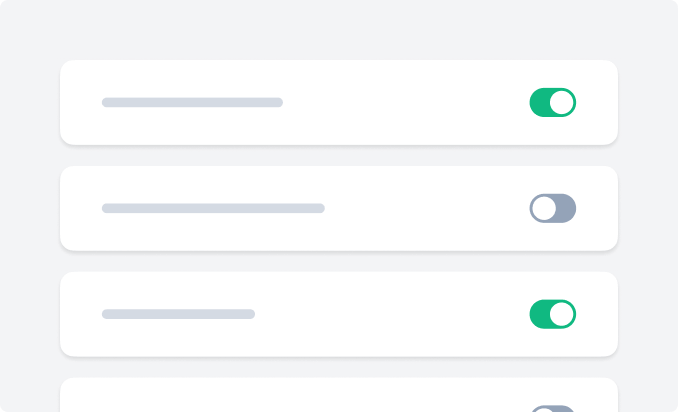
スマートルーティング
異なるメールを、異なるメーラー経由で自動的に送信します。
- 送信者、受信者、またはメールの種類でルーティングします。
- トランザクションメールはPostmarkで、マーケティングメールは他の場所で送信してください。
- リスクの高いメールを分離することで、送信者評価を保護します。