
SparkPost for WordPress
Connect SparkPost to WordPress with WP Mail SMTP
SparkPost still powers transactional email for thousands of businesses, now under the Bird Email brand. WP Mail SMTP routes every email your WordPress site sends through your SparkPost account, with full US and EU region support.
- Every WordPress email, delivered
- US and EU region support
- Your main domain stays protected
- Free in WP Mail SMTP Lite



Common questions
Things people ask before connecting SparkPost to WordPress. If your question isn’t here, get in touch.
Is SparkPost still around or is it now Bird?
SparkPost is now part of Bird (formerly MessageBird), which acquired SparkPost in 2021 and rebranded the product as Bird Email. The underlying infrastructure still works, your existing API keys still work, and the WP Mail SMTP integration still connects to it. People often still call it SparkPost out of habit.
How do I connect SparkPost to WordPress?
Verify your sending domain in SparkPost, generate an API key with full permissions, then paste the key into WP Mail SMTP and pick your region. Once DNS records are verified on SparkPost’s side, you can send a test email from WordPress and you’re done.
Should I use a subdomain or my root domain as my sending domain?
Subdomain. Setting up SparkPost on something like mg.example.com keeps your root domain’s sender reputation separate from WordPress sending, which protects it if anything goes wrong. The setup is also simpler because you can use strict domain alignment instead of needing a separate bounce domain.
US or EU region — which should I choose?
Match the region you picked when you signed up for SparkPost. If you’re based in Europe and chose SparkPost EU, select EU in WP Mail SMTP. Anywhere else, the default US region is correct. The plugin region needs to match the SparkPost account region or sending will fail.
What’s domain alignment in SparkPost?
Domain alignment controls how SparkPost handles your sending and bounce addresses. Strict alignment uses the same domain for both — recommended and simpler — but it requires a subdomain. Relaxed alignment lets you use your root domain for sending but needs a separate bounce domain configured. If you’re starting fresh, go with a subdomain and strict alignment.
Do I need WP Mail SMTP Pro to use SparkPost?
No. The SparkPost mailer ships with WP Mail SMTP Lite, which is free. Pro unlocks email logs, automatic failover with a backup connection, smart routing, and other features that pair well with SparkPost.
Can I use a Gmail address as my From Email?
No. SparkPost requires the From Email to use a domain you’ve verified in your SparkPost account. Free webmail addresses like @gmail.com or @yahoo.com can’t be used for sending.
Made for sites where email isn’t optional
Logs to debug with, a backup to fall back on, and routing to keep things tidy. All managed from WordPress.

Email log
A record of every email your site sends through SparkPost.
- See content, headers, and delivery status for every send.
- Find out exactly what was sent when a customer says they didn’t get it.
- Resend failed emails without leaving WordPress.

Backup connection
A second mailer ready to take over if SparkPost has a bad day.
- Automatic failover, no code or cron jobs.
- Critical emails keep arriving during outages.
- Set it once and forget about it.
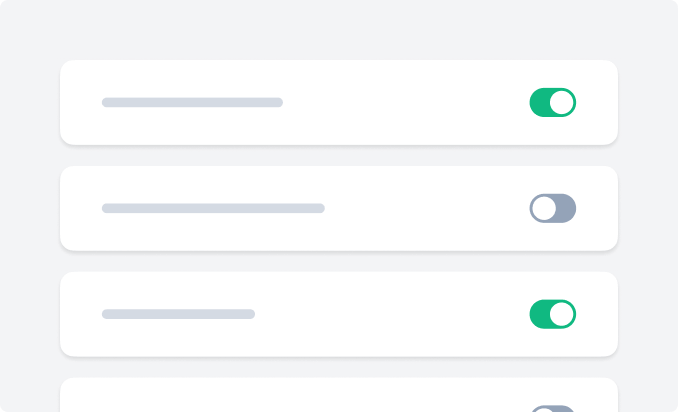
Smart routing
Send different emails through different mailers, automatically.
- Route by sender, recipient, or email type.
- Keep transactional through SparkPost, marketing somewhere else.
- Protect your sender reputation by isolating high-risk email.