
Zoho Mail for WordPress
Send WordPress emails through your Zoho Mail account
Already running your business on Zoho? Keep WordPress in the same ecosystem. WP Mail SMTP Pro connects your Zoho Mail account to your site in a few clicks.
- Use the Zoho Mail account you already have
- All five Zoho regions supported
- One-click authorization
- Included with WP Mail SMTP Pro



Common questions
Things people ask before connecting Zoho Mail to WordPress. If your question isn’t here, get in touch.
Do I need WP Mail SMTP Pro to use Zoho Mail?
Yes. The Zoho Mail integration is part of WP Mail SMTP Pro, along with backup connections, smart routing, the email log, and several other Pro mailers. Zoho Mail itself can be free or paid depending on which Zoho plan you’re on.
How do I connect Zoho Mail to WordPress?
Install WP Mail SMTP Pro, open Zoho’s API console, create a Server-Based Application, copy the Client ID and Client Secret into WP Mail SMTP, pick your Zoho region, save, and click the authorization button. Zoho will ask you to confirm, and then you’re connected.
Which Zoho data center should I choose?
Match the one your Zoho account is on. Zoho assigned your data center automatically when you signed up, based on your location. To check, log in to Zoho, click your avatar in the top right corner, and look for the data center in the sidebar. The five options are US (zoho.com), EU (zoho.eu), India (zoho.in), China (zoho.com.cn), and Australia (zoho.com.au).
Can I use a free Zoho Mail account for WordPress?
Yes. Both free Zoho Mail accounts ([email protected]) and paid accounts with a custom domain work with WP Mail SMTP. The integration is the same either way.
Why can’t people reply directly to my WordPress contact form notifications?
Zoho doesn’t support dynamic reply-to addresses for security reasons. So when a contact form notification arrives in your inbox, you can’t reply straight to it and reach the person who filled out the form. You’ll need to copy their address from the form details instead. This is a Zoho limitation, not a WP Mail SMTP one. If reply-to functionality matters to your workflow, another mailer might suit you better.
Can I change my From Email after connecting Zoho?
Once Zoho is connected, the From Email gets locked to your Zoho account address. That’s a Zoho rule, not a WP Mail SMTP one. If you need to send from a different address, add that address to your Zoho account first, then reconnect.
Does Zoho Mail work with WooCommerce?
Yes. WooCommerce order confirmations, shipping notifications, and customer account emails all route through Zoho Mail once the integration is set up. Same goes for emails from any other plugin that uses the standard WordPress mail function.
Everything that comes with WP Mail SMTP Pro
The Zoho Mail integration is one of many Pro features. You also get a full email log, automatic failover, and smart routing.
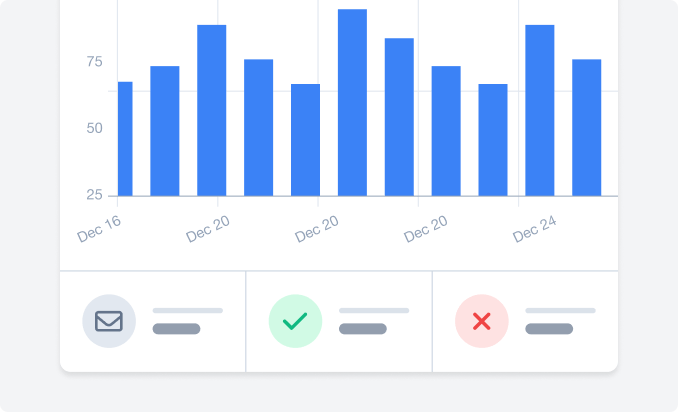
Email log
A record of every email your site sends through Zoho.
- See content, headers, and delivery status for every send.
- Find out exactly what was sent when a customer says they didn’t get it.
- Resend failed emails without leaving WordPress.

Backup connection
A second mailer ready to take over if Zoho has a bad day.
- Automatic failover, no code or cron jobs.
- Critical emails keep arriving during outages.
- Set it once and forget about it.
Smart routing
Send different emails through different mailers, automatically.
- Route by sender, recipient, or email type.
- Keep low-volume mail in Zoho, route higher-volume sends elsewhere.
- Protect your sender reputation by isolating high-risk email.