


AI Summary
Note: This guide applies to the SMTP.com mailer in WP Mail SMTP.
What This Error Means
The API key stored in WP Mail SMTP doesn’t match any active API key in the SMTP.com account. SMTP.com rejects the request before WP Mail SMTP can send any email.
Common Causes
- You deleted or regenerated the API key in the SMTP.com dashboard without updating WP Mail SMTP
- Wrong key copied (partial key, or key from a different account)
- The pasted key includes leading or trailing whitespace
- SMTP.com suspended the account, invalidating all keys
How to Fix
Here is the complete step-by-step guide to resolving the error.
Step 1: Copy the API Key from SMTP.com
The API key is always visible on the SMTP.com settings page, so re-copying it is the fastest fix.
Start by logging in to your SMTP.com account. Then, go to Account » My Settings and click the API tab.
Finally, find the API key in the Key column and copy the full value.
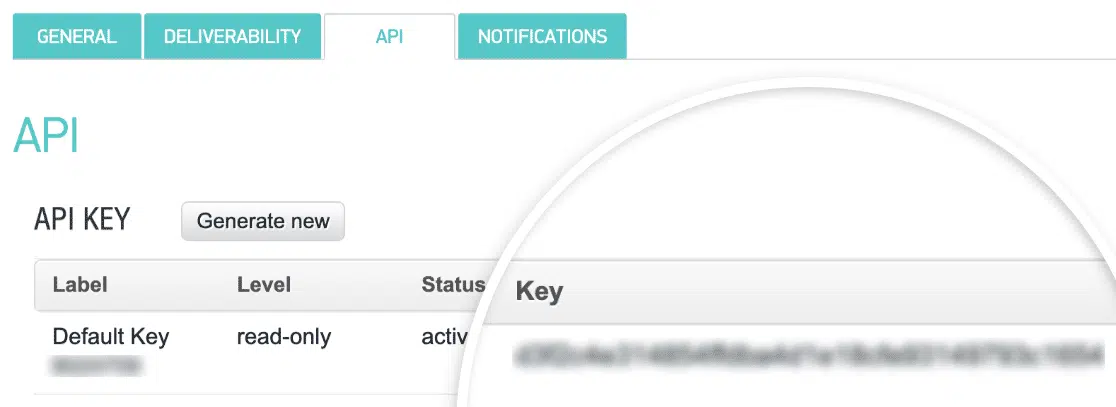
Note: SMTP.com API keys are long alphanumeric strings. Use copy and paste to avoid truncation or typos, and make sure there are no leading or trailing spaces.
Step 2: Paste the Key in WP Mail SMTP
With the new API key copied, update the value in WP Mail SMTP.
Start by going to WP Mail SMTP » Settings and clicking the General tab. Then, scroll to the SMTP.com section and paste the key into the API Key field.
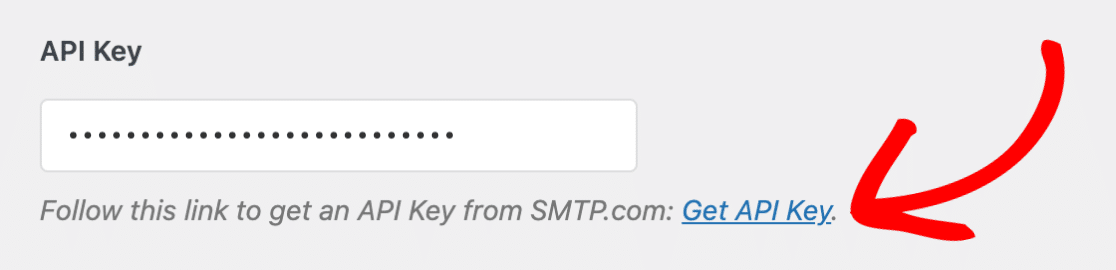
Finally, click Save Settings.
Step 3: Send a Test Email
Confirm the fix by sending a test email.
To test the fix, go to WP Mail SMTP » Tools and click the Email Test tab. Enter a recipient address in the Send To field, leave the HTML toggle ON, and click Send Email.
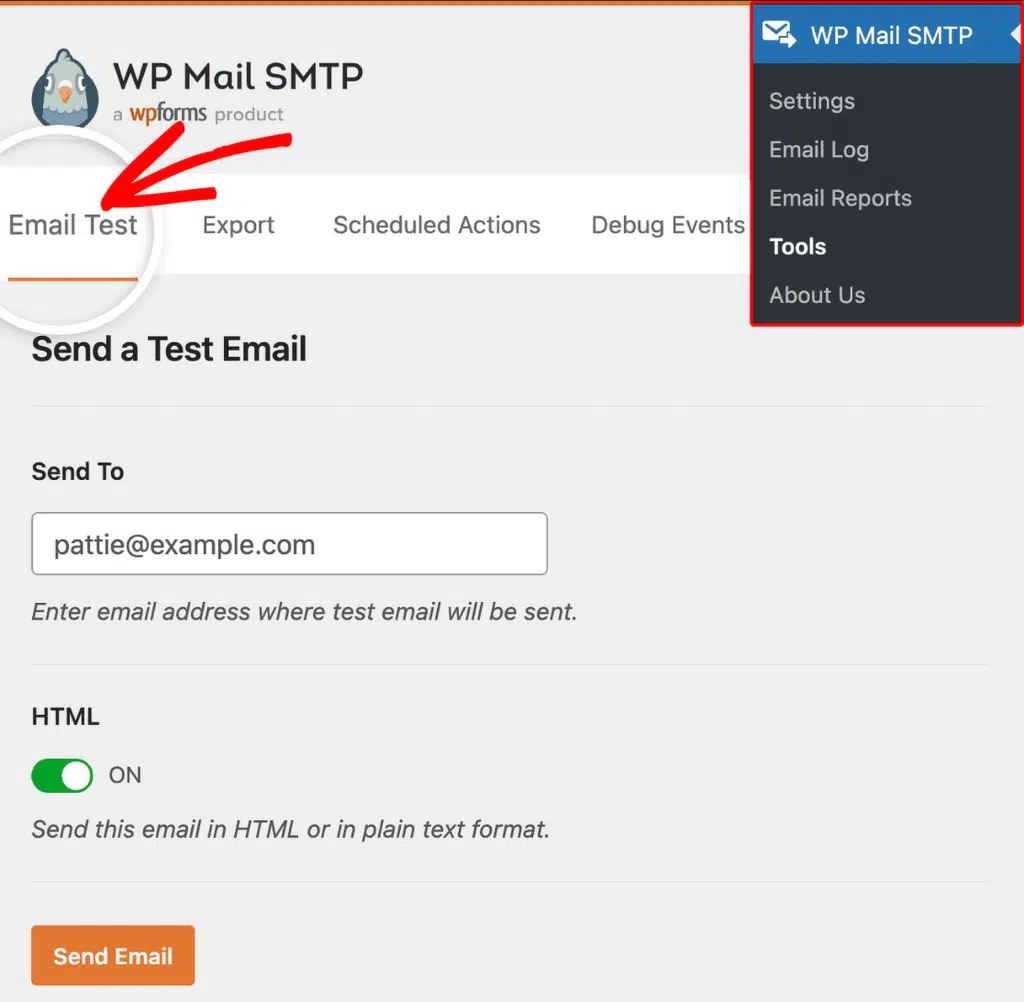
Once done, check for a success message and confirm the email arrived in the recipient inbox.
Notes
- SMTP.com API keys are long alphanumeric strings. Use copy and paste to avoid truncation or typos, and make sure there are no leading or trailing spaces.
- If the SMTP.com account was suspended, contact SMTP.com support to resolve the suspension before copying the key. A valid key won’t work on a suspended account.
That’s It! You now know how to fix the ‘API Key Invalid’ error in SMTP.com and get your emails sending again through WP Mail SMTP.