


AI Summary
Note: This guide applies to the Gmail mailer in WP Mail SMTP.
What This Error Means
The OAuth refresh token WP Mail SMTP uses to send via Gmail has expired or been revoked by Google. The plugin can no longer obtain new access tokens, and email sending fails.
Common Causes
- Refresh token expired after 7 days (Google policy for apps in “Testing” mode that request sensitive scopes like Gmail)
- Refresh token unused for 6 months (Google revokes inactive tokens regardless of publishing status)
- You changed the Google account password
- You manually revoked access at myaccount.google.com » Security » Third-party apps
- Google detected unusual activity and revoked tokens as a security measure
- Account exceeded the 50 refresh token limit per OAuth client (Google revokes the oldest token automatically)
How to Fix
Here is the complete step-by-step guide to resolving the error.
Step 1: Publish the OAuth App to Production (Testing Mode Only)
If the token expires every 7 days, the Google Cloud project is still in Testing mode. Publish the OAuth app to production first, then reconnect. If your project is already in production, skip to Step 2.
Start by opening the Google Cloud Console. Then, navigate to APIs & Services » OAuth consent screen and click the Audience tab.
Next, click PUBLISH APP, then click CONFIRM.
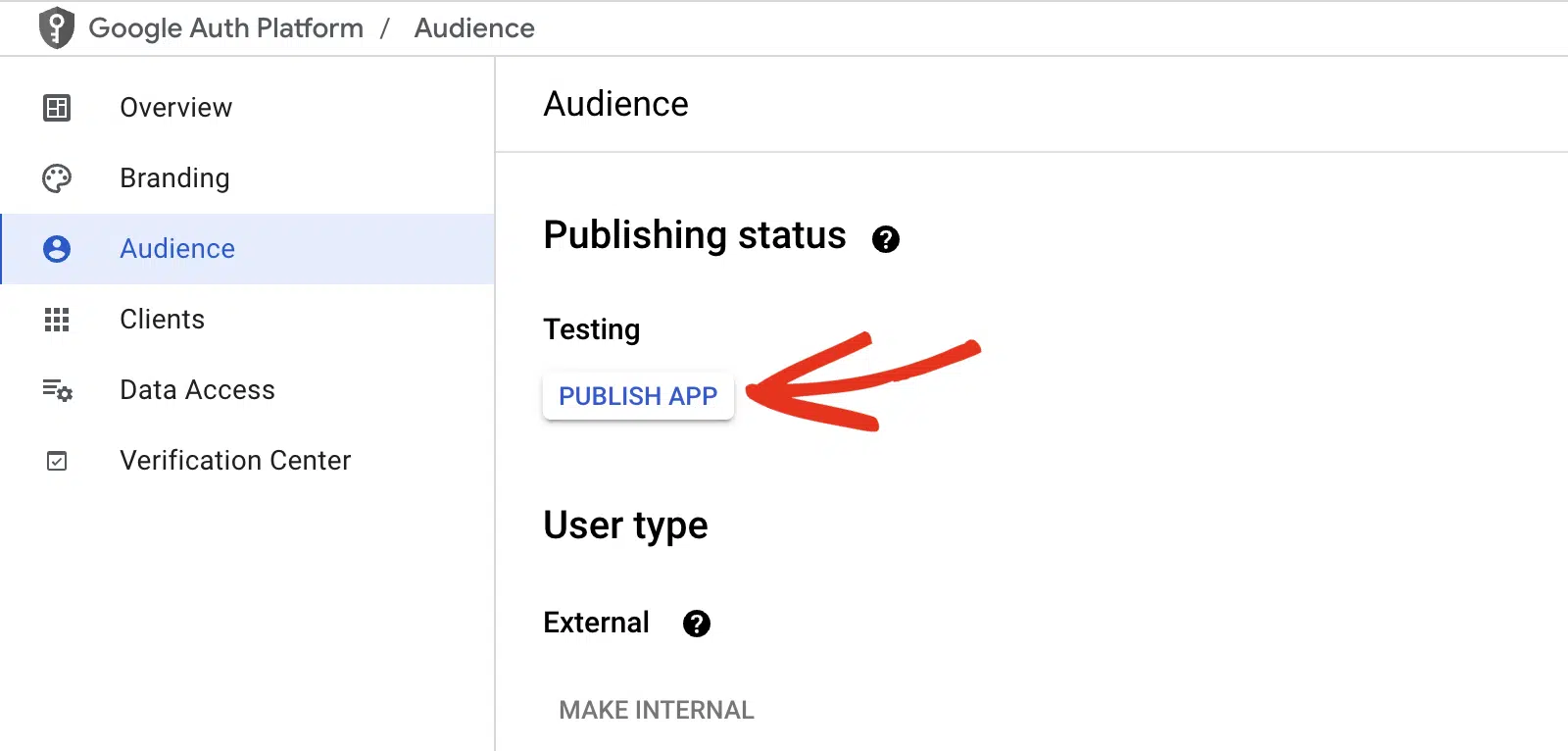
Finally, verify that the status changes to In production.
Step 2: Reconnect Your Google Account
The fastest way to resolve an expired or revoked token is to reauthorize WP Mail SMTP with Google.
Start by going to WP Mail SMTP » Settings and scrolling to the Google / Gmail mailer section. Then, click Remove Connection.

After that, click Allow plugin to send emails using your Google account.
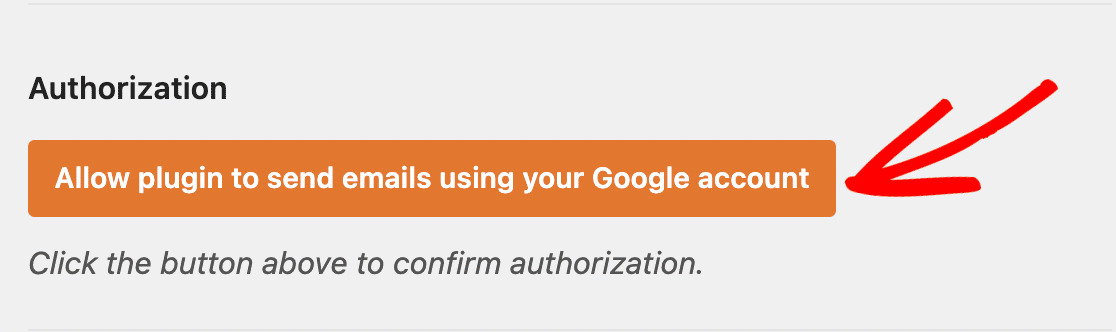
Next, select your Google account and grant the requested Gmail permissions. Finally, once the authorization completes, click Save Settings.
Step 3: Send a Test Email
Confirm the fix by sending a test email.
To test the fix, go to WP Mail SMTP » Tools and click the Email Test tab. Enter a recipient email in the Send To field, leave the HTML toggle ON, and click Send Email.
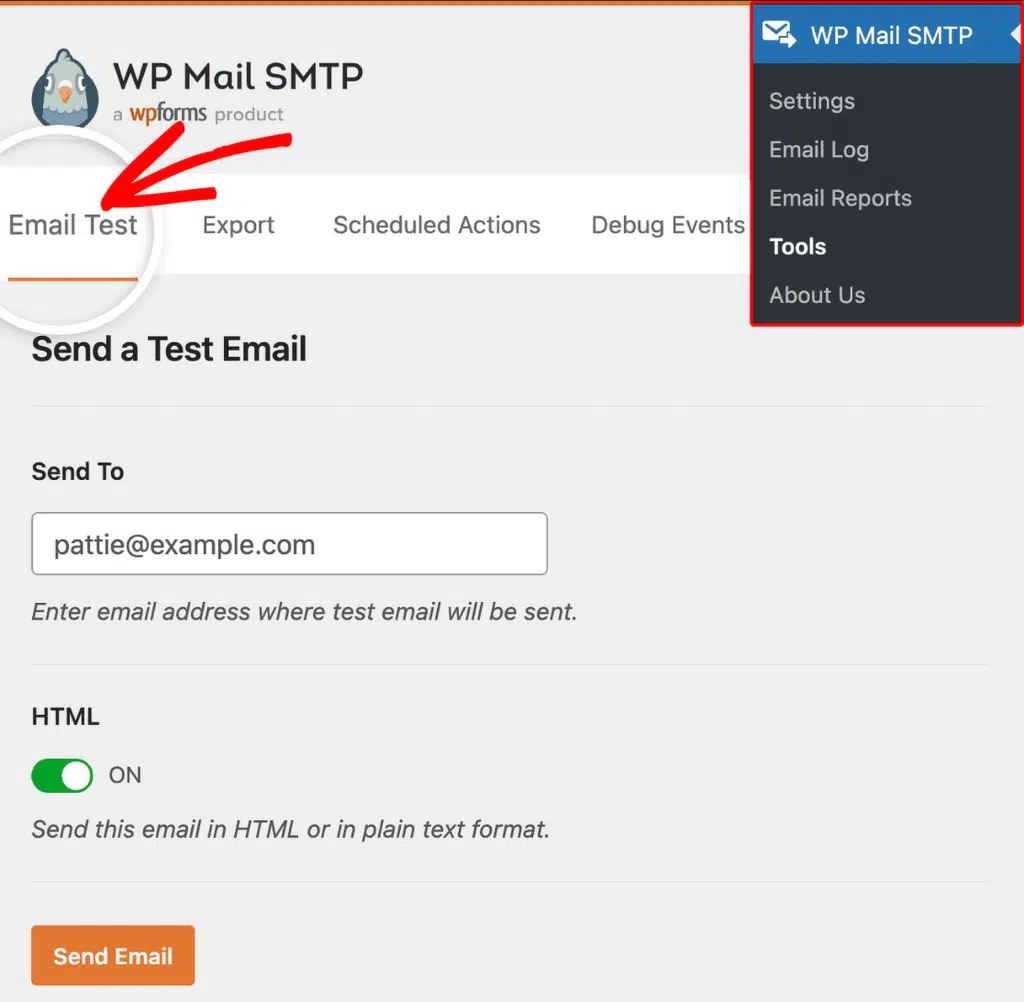
Once done, check for a success message and confirm the email arrived in your inbox.
Notes
- Changing your Google account password invalidates all existing OAuth tokens immediately.
- On Google Workspace, click MAKE EXTERNAL instead of PUBLISH APP in the Audience tab, then select In production.
That’s It! You now know how to fix the ‘invalid_grant: Token Expired or Revoked’ error in Gmail and get your emails sending again through WP Mail SMTP.