


AI Summary
Note: This guide applies to the MailerSend mailer in WP Mail SMTP.
What This Error Means
On the MailerSend free trial, emails can only be delivered to the email address used to sign up for the MailerSend account. Sending to any other recipient is blocked until the trial restriction is lifted.
Common Causes
- Using WP Mail SMTP’s Email Test tool with a recipient other than the MailerSend account email
- Contact form or WooCommerce order notification going to a customer email address
- This is a hard limitation of the MailerSend free trial, not a configuration error
How to Fix
Here is the complete step-by-step guide to resolving the error.
Step 1: Confirm the Setup Works by Testing With the Admin Email
Before changing anything, verify that MailerSend is configured correctly by sending to the one address the trial allows.
To test the fix, log in to your WordPress admin area and go to WP Mail SMTP » Tools, then click the Email Test tab. In the Send To field, enter the email address you used to sign up for your MailerSend account, leave the HTML toggle ON, and click Send Email.
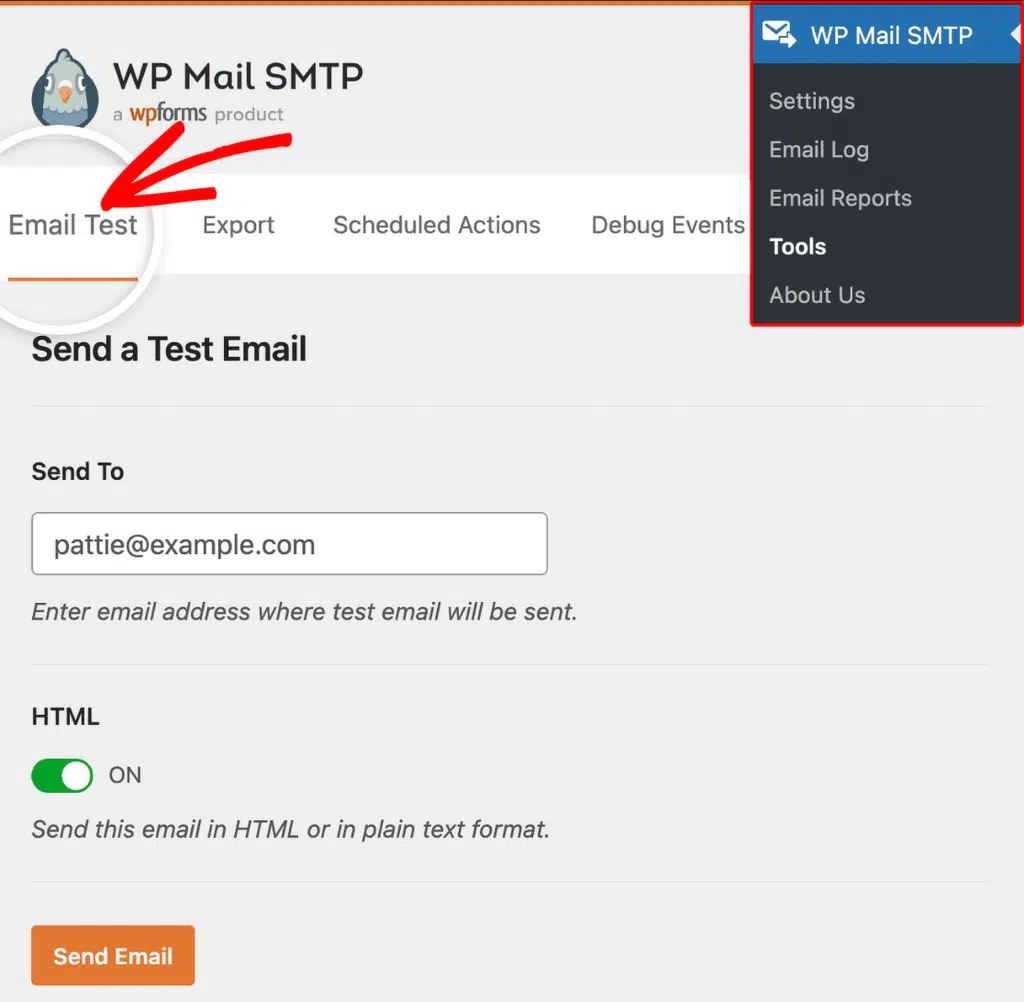
Look for the success message, then check your inbox to confirm the email arrived.
If the test email succeeds, your MailerSend configuration is correct. The trial restriction is the only thing blocking sends to other recipients. Continue to Step 2.
If the test email fails, the problem is not the trial restriction. Check your API token and domain verification first. See the MailerSend setup guide for help.
Step 2: Upgrade to a Paid Plan or Complete Trial Verification
The trial restriction is lifted once you move to a paid plan or complete MailerSend’s identity verification for the free plan. After that, you can send to any recipient.
Option A: Upgrade to a paid plan
Start by logging in to MailerSend. Then, click Upgrade in the top-right corner of the dashboard.

If MailerSend prompts you to add your domain first, click Add my domain and complete domain verification before returning to upgrade.

Finally, choose a paid plan and complete the upgrade. Pricing varies, so check the MailerSend website for current plans.
Option B: Subscribe to the free Hobby plan
MailerSend’s free Hobby plan allows up to 3,000 emails per month and removes the admin-only restriction once identity verification is complete.
Start by logging in to MailerSend. On the dashboard, scroll down to Start sending transactional emails and click Choose plan under Subscribe to a free plan.

Then, follow MailerSend’s steps to complete identity verification and subscribe to the free Hobby plan.
Step 3: Send a Test Email
Once upgraded or verified, confirm you can send to any recipient.
Return to your WordPress admin area and go to WP Mail SMTP » Tools, click the Email Test tab, enter a recipient email in the Send To field, leave the HTML toggle ON, and click Send Email. Look for the success message, then check your inbox to confirm the email arrived.
Notes
- This is not a bug. It is by design for MailerSend trial accounts. The restriction exists to prevent abuse before identity verification.
- MailerSend may require you to add and verify a sending domain before you can upgrade or subscribe to any plan.
- The free Hobby plan (3,000 emails per month) is sufficient for many WordPress sites and removes the trial restriction once identity verification is complete.
That’s It! You now know how to fix the ‘Trial Accounts Can Only Send to Admin’ error in MailerSend and get your emails sending again through WP Mail SMTP.