


AI Summary
Note: This guide applies to the SendGrid mailer in WP Mail SMTP.
What This Error Means
The API key in WP Mail SMTP is invalid, deleted, or missing the “Mail Send” permission that SendGrid requires to send emails.
Common Causes
- You deleted or regenerated the API key in SendGrid without updating WP Mail SMTP
- The API key has insufficient permissions (needs at minimum “Mail Send” set to “Full Access”)
- Typo or truncation when copying the API key
- The API key belongs to a different SendGrid account
- The SendGrid account is suspended or under a sending restriction
How to Fix
Here is the complete step-by-step guide to resolving the error.
Step 1: Generate a New API Key in SendGrid
The fastest fix is to generate a fresh API key with the correct permissions and paste it into WP Mail SMTP.
Start by logging in to your SendGrid account. Then, in the left sidebar, click Email API » Integration Guide. Under SMTP Relay, click Choose.
Next, enter a name for the API key (e.g. “WP Mail SMTP”) and click Create Key.

Finally, copy the generated API key immediately. SendGrid only shows the full key once.

Note: Store your API key in a secure location. After closing this dialog, you can’t retrieve it.
Step 2: Paste the New Key in WP Mail SMTP
With the new key copied, update the field in WP Mail SMTP.
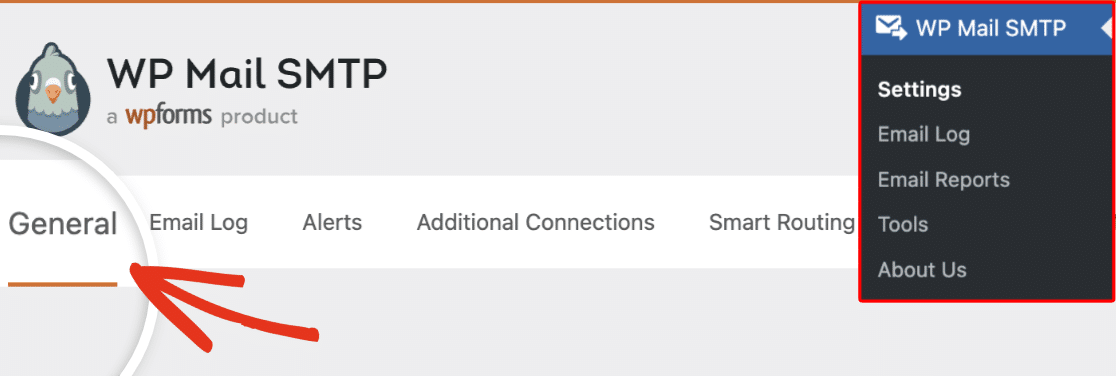
Start by going to WP Mail SMTP » Settings and clicking the General tab.
Then, scroll to the Primary Connection section and select SendGrid as the Mailer.

Finally, paste the new API key into the API Key field and click Save Settings.
Step 3: Send a Test Email
Confirm the fix by sending a test email.
To test the fix, go to WP Mail SMTP » Tools and click the Email Test tab. Enter a recipient email in the Send To field, leave the HTML toggle ON, and click Send Email.
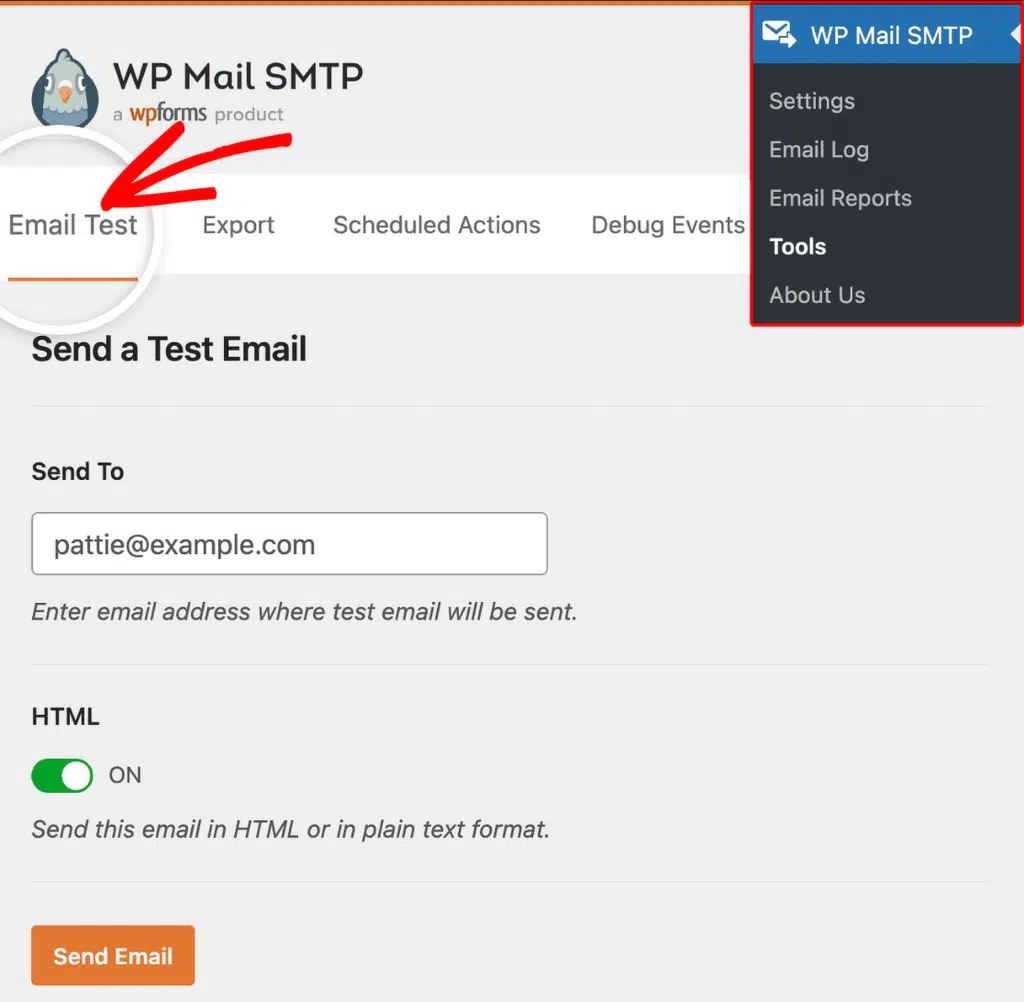
Once done, look for the success message and confirm the email arrived in your inbox.
Notes
- SendGrid API keys begin with
SG.and are about 69 characters long. If your key doesn’t start withSG., it’s the wrong value. - If the error persists after replacing the key, check the SendGrid dashboard home page for account alerts. A suspended or restricted account fails regardless of key validity.
- If you need restricted permissions instead of full access, set “Mail Send” to “Full Access” at minimum.
That’s It! You now know how to fix the ‘Authorization Grant Invalid or Expired’ error in SendGrid and get your emails sending again through WP Mail SMTP.