


AI Summary
Note: This guide applies to the Other SMTP mailer in WP Mail SMTP.
What This Error Means
PHP could not verify the SSL or TLS certificate of the SMTP server. The connection reached the server, but the encrypted handshake failed because the certificate has expired, is self-signed, or has an incomplete certificate chain. Your site won’t send email until you resolve the certificate issue.
Common Causes
- Self-hosted mail server using a self-signed certificate
- The SSL certificate on the mail server has expired
- Using SSL encryption (port 465) with a server that only supports TLS (port 587), or vice versa
- Outdated CA certificate bundle on the WordPress hosting server
How to Fix
Here is the complete step-by-step guide to resolving the error.
Step 1: Switch From SSL to TLS (or Vice Versa)
A mismatch between the encryption type and port is the most common cause. Try the other combination.
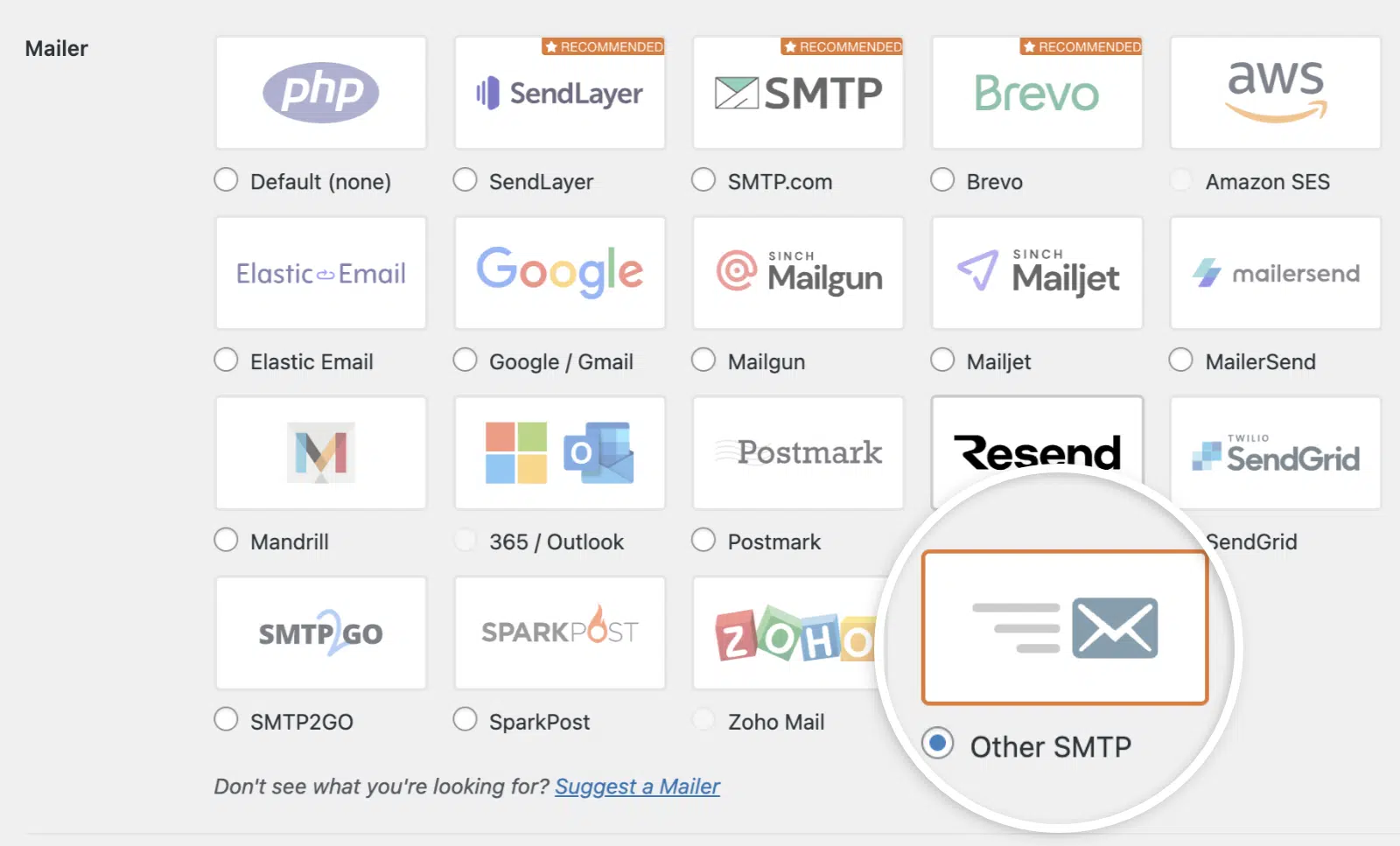
Start by going to WP Mail SMTP » Settings and scrolling down to the Other SMTP section.
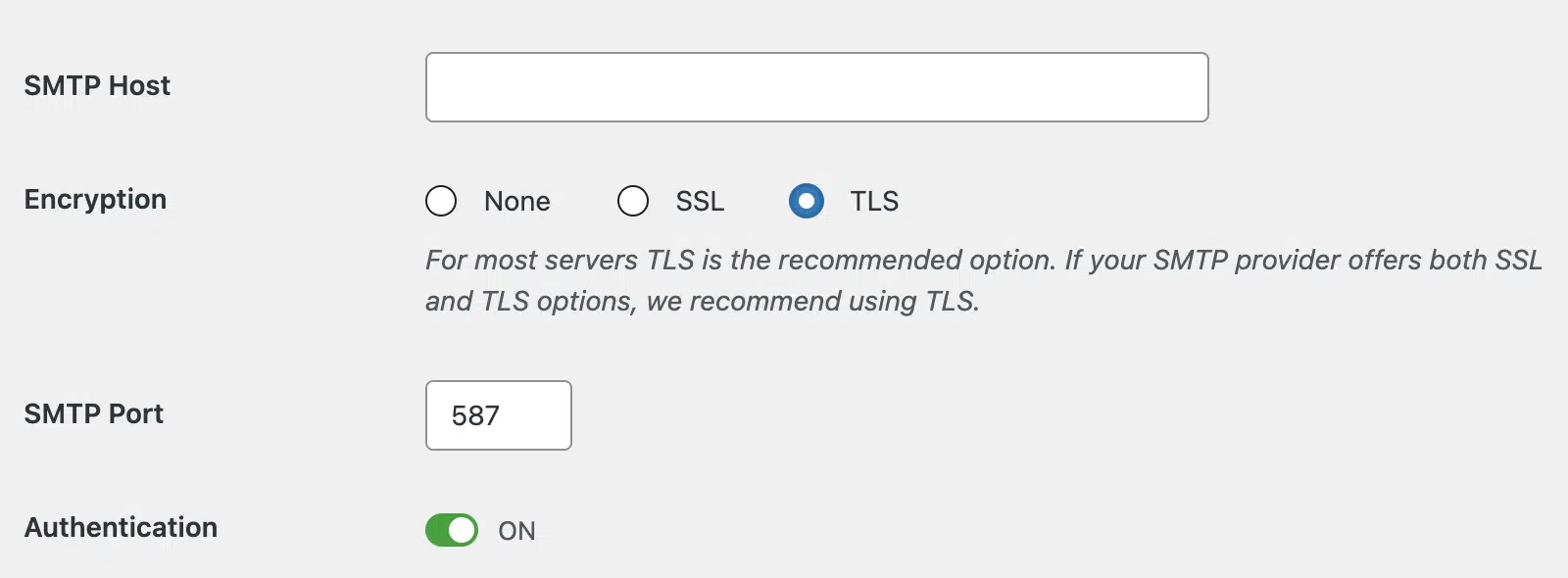
Then, set Encryption to TLS and SMTP Port to 587. Click Save Settings.
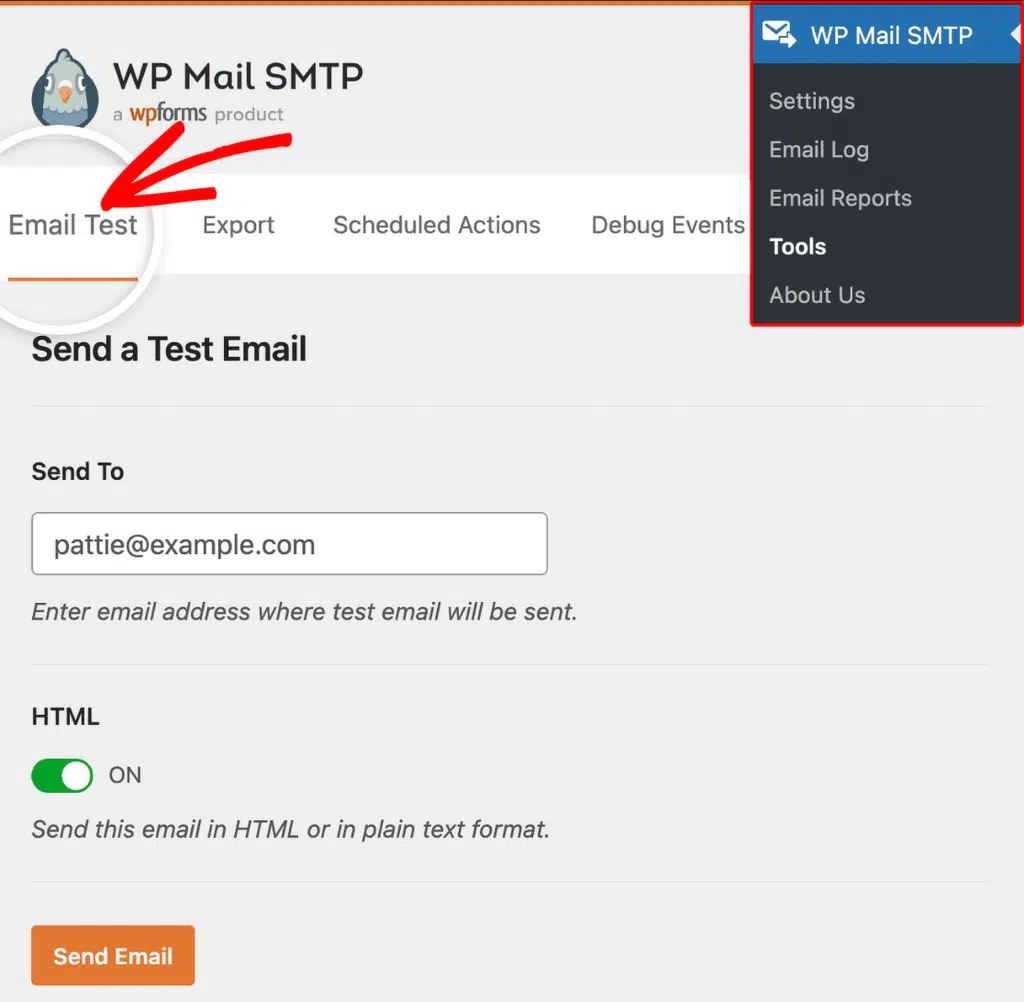
To test the fix, go to WP Mail SMTP » Tools, click the Email Test tab, and click Send Email.
If the error is gone, then you’re done. However, if it persists, then try the SSL on port 465 combination: return to WP Mail SMTP » Settings, set Encryption to SSL and SMTP Port to 465, then click Save Settings and send another test email.
Continue to Step 2 if none of the above resolves the error on your site.
Step 2: Install a Valid Certificate on a Self-Hosted Mail Server
If you run your own mail server (cPanel, Plesk, hMailServer, and similar) and it uses a self-signed certificate, PHP will reject it by default.
Start by installing a free, trusted SSL certificate on the mail server using Let’s Encrypt. In cPanel, go to SSL/TLS Status and run AutoSSL, or install a Let’s Encrypt certificate for the mail hostname.
For Plesk users, go to Tools & Settings » SSL/TLS Certificates and enable Let’s Encrypt for the mail domain.
Finally, once the certificate is in place, return to WP Mail SMTP » Tools and send a test email. This should resolve the error on your site. However, continue to the next troubleshooting step below if the error hasn’t been resolved.
Step 3: Renew an Expired Certificate
SSL certificates often have an expiry date. If the mail server’s SSL certificate has expired, then the server administrator needs to renew it.
You can renew the SSL certificate through your hosting control panel or certificate provider. However, if you use a third-party mail service (your company’s Exchange server, a managed email host, or similar), contact the mail server administrator and let them know the certificate has expired.
Finally, once they renew the certificate, return to WP Mail SMTP » Tools and send a test email.
Step 4: Ask Your Hosting Provider to Update the CA Certificate Bundle
If the CA certificate bundle on your WordPress hosting server is outdated, PHP cannot verify even valid certificates. This is a server-level issue that only your hosting provider can fix.
Start by contacting your hosting provider’s support. Then, ask them to update the CA certificate bundle (ca-certificates or ca-bundle.crt) on the server. Once they confirm the update, return to WP Mail SMTP » Tools and send a test email.
Step 5: Switch to an API-Based Mailer
If none of the above steps resolve the error, the simplest long-term fix is to switch away from SMTP entirely. API-based mailers connect over HTTPS and avoid SSL or TLS certificate issues with mail servers.
Start by going to WP Mail SMTP » Settings. In the Mailer section, select an API-based mailer such as SendLayer, Brevo (Sendinblue), SendGrid, or Mailgun.

Then, follow the on-screen instructions to connect your account and click Save Settings.
Finally, send a test email from WP Mail SMTP » Tools.
Notes
- This error is uncommon with major providers (Gmail, Outlook, Yahoo, and similar) because they maintain valid certificates. It is most common with self-hosted mail servers or with cPanel and Plesk mail servers.
- Disabling SSL verification through custom PHP code is possible but strongly discouraged. It exposes your SMTP credentials to interception. Fix the certificate instead.
- If the error appeared suddenly on a server that was working before, the most likely cause is an expired certificate. Check with the mail server administrator.
That’s It! You now know how to fix the ‘SSL Certificate Verify Failed’ error and get your emails sending again through WP Mail SMTP.