


AI Summary
Note: This guide applies to the SendLayer mailer in WP Mail SMTP.
What This Error Means
The API key stored in WP Mail SMTP doesn’t match any active API key in the SendLayer account. SendLayer rejects the request before any email is sent.
Common Causes
- The API key was deleted or regenerated in SendLayer without updating WP Mail SMTP
- Typo or extra whitespace when copying the key
- Wrong API key pasted (from a different account or an old key)
- SendLayer account was reset or the key was revoked
How to Fix
Here is the complete step-by-step guide to resolving the error.
Step 1: Copy the API Key From SendLayer
Start by logging in to your SendLayer account. Once you’re logged in, click Settings in the sidebar.

Then, click the API Keys tab.

Finally, find the API key and click the Copy icon next to it.

Step 2: Paste the Key in WP Mail SMTP
After retrieving your API key, log in to your WordPress admin area and navigate to WP Mail SMTP » Settings. Then, scroll to the mailer section and ensure SendLayer is selected.

Next, clear the API Key field and paste the key you copied from SendLayer.

Finally, click Save Settings.
Step 3: Send a Test Email
To test the fix, log in to your WordPress admin area and go to WP Mail SMTP » Tools, click the Email Test tab, enter a recipient email in the Send To field, leave the HTML toggle ON, and click Send Email.
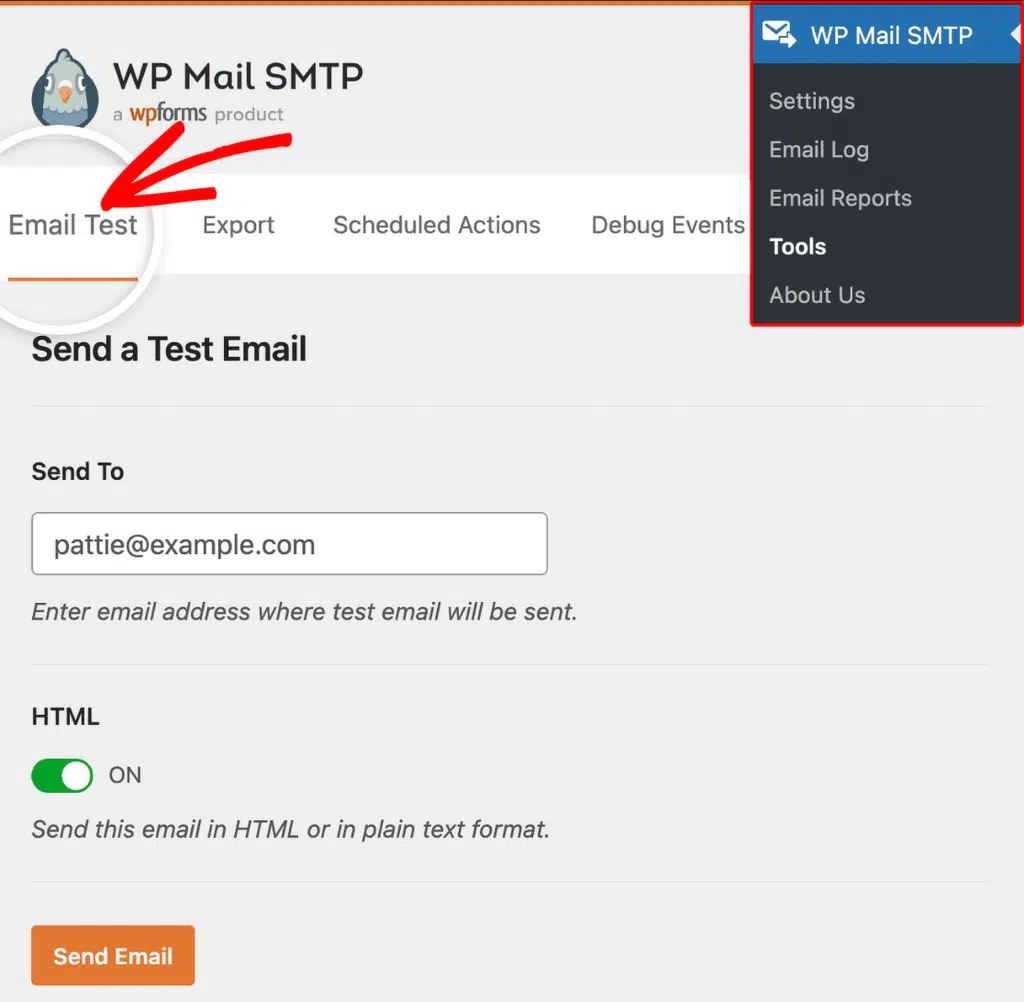
Once done, look for the success message and confirm the email arrived in your inbox.
Notes
- SendLayer API keys are long alphanumeric strings. Always use the Copy icon to avoid truncation or extra whitespace.
- If no API key appears on the Settings » API Keys page, the domain isn’t fully authorized yet. Complete domain verification first, and SendLayer will generate the default API key automatically.
- If the error persists after replacing the key, confirm you’re logged into the same SendLayer account that owns the domain configured in WP Mail SMTP.
That’s It! You now know how to fix the ‘Invalid Sender API Key’ error in SendLayer and get your emails sending again through WP Mail SMTP.