


AI Summary
Note: This guide applies to the Other SMTP mailer in WP Mail SMTP.
What This Error Means
PHP’s DNS resolver could not find an IP address for the SMTP hostname. The domain name in the SMTP Host field does not exist, or your server cannot look it up.
Common Causes
- Typo in the SMTP Host field (for example,
smtp.gmai.cominstead ofsmtp.gmail.com) - Copied an incorrect hostname from an unofficial source
- The server has broken or restricted DNS (rare, usually on a misconfigured VPS)
How to Fix
Here is the complete step-by-step guide to resolving the error.
Step 1: Check the SMTP Host Field for Typos
A misspelled hostname is the most common cause. One wrong letter is enough to trigger this error.
Start by going to WP Mail SMTP » Settings and scrolling down to the Other SMTP section. Then, find the SMTP Host field.
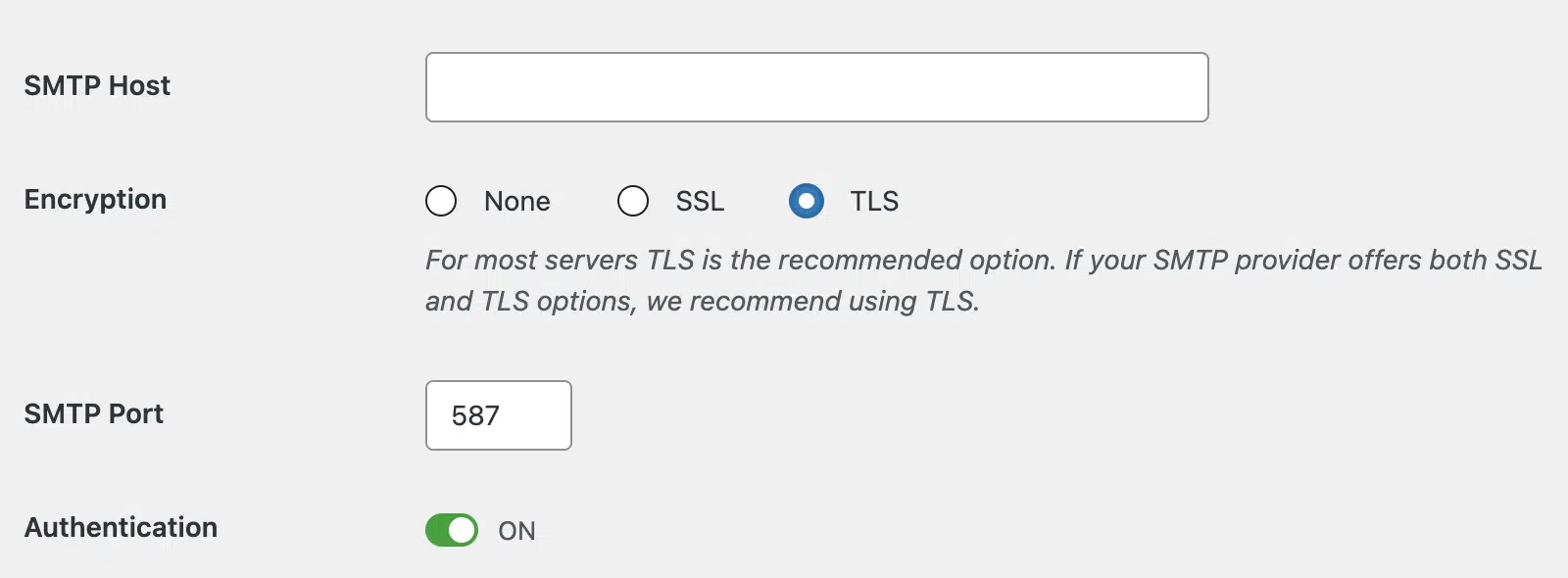
Next, compare the value in the field against the correct hostname for your email provider:
| Provider | Correct SMTP Host |
|---|---|
| Gmail or Google Workspace | smtp.gmail.com |
| Outlook or Microsoft 365 | smtp.office365.com |
| Yahoo Mail | smtp.mail.yahoo.com |
| AOL | smtp.aol.com |
| Zoho Mail (@zoho.com) | smtp.zoho.com |
| Zoho Mail (custom domain) | smtppro.zoho.com |
| Proton Mail | smtp.protonmail.ch |
| iCloud Mail | smtp.mail.me.com |
If you spot any discrepancy, fix it and save your changes.
To test the fix, go to WP Mail SMTP » Tools, click the Email Test tab, and click Send Email.
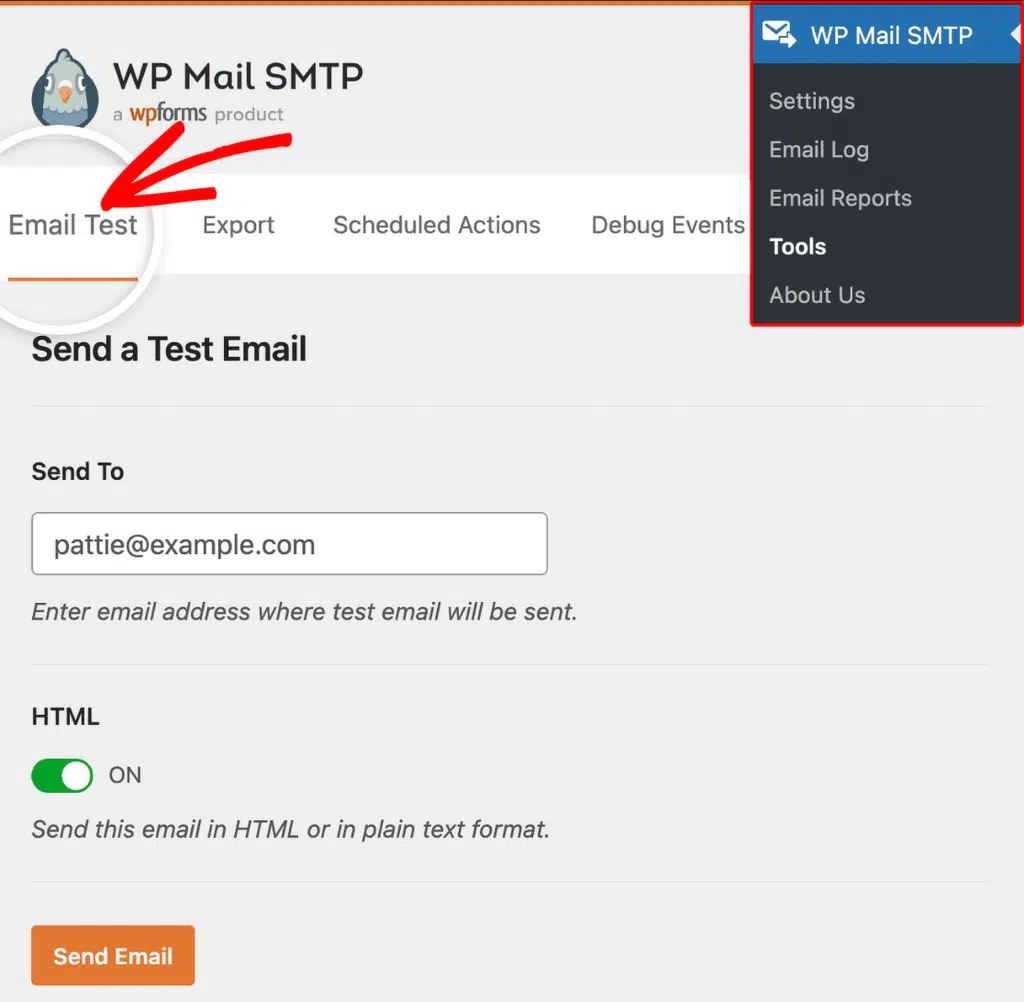
If the error is gone, you’re done. If it persists, continue to Step 2.
Step 2: Verify the Hostname Against Your Provider’s Official Documentation
If you are using a provider not listed above (such as a hosting company’s mail server), the correct SMTP host may not be obvious.
Start by logging in to your email provider’s website or control panel. Look for an “SMTP settings” or “Email configuration” page and copy the SMTP host value exactly as shown.
Then, return to WP Mail SMTP » Settings, scroll to the Other SMTP section, and paste the correct value into the SMTP Host field. Click Save Settings.
Finally, send a test email from WP Mail SMTP » Tools. If the error is gone, you’re done. If it persists, continue to Step 3.
Step 3: Contact Your Hosting Provider About DNS
If the hostname is correct but the error persists, your server may have broken or restricted DNS resolution. Fix this on the server side, not from WordPress.
Start by contacting your hosting provider’s support team. Ask: “My WordPress site cannot resolve the SMTP hostname smtp.example.com. Can you check if DNS resolution is working on my server?” Your hosting provider can test DNS from the server side and fix any configuration issues.
Notes
- This error is almost always a typo. Check the SMTP Host field letter by letter before anything else.
- If you use Zoho Mail with a custom domain (for example,
[email protected]), the correct host issmtppro.zoho.com, notsmtp.zoho.com. - If your hosting provider confirms DNS is broken on the server, switching to an API-based mailer (such as SendLayer, SendGrid, or Mailgun) is a reliable alternative. These mailers connect over HTTPS and don’t depend on SMTP hostname resolution.
That’s It! You now know how to fix the ‘Hostname Could Not Be Resolved’ error and get your emails sending again through WP Mail SMTP.