


AI Summary
Are you looking for the best WordPress page builder plugin to design your site without writing code?
A good page builder gives you drag and drop control over your layouts, far beyond what the block editor or your theme’s customizer offer on their own. Whether you want to design full pages, an entire theme, or high-converting landing pages, the right builder makes it possible without code. The hard part is that there are more strong options in 2026 than ever, and they vary a lot in speed, price, and who they’re built for.
I’ve built and tested sites on every builder below over the years, so this comparison focuses on what each one is genuinely good at, what it costs today, and which type of site it suits. Some are free, some are Pro-only, and one of them is the fastest builder I’ve measured.
Best Drag and Drop Page Builder Plugins for WordPress
Here are the nine page builders I rate most highly for 2026, with verified pricing and current WordPress.org ratings.
- What Is a WordPress Page Builder Plugin?
- Quick Comparison: Best WordPress Page Builders at a Glance
- 1. SeedProd
- 2. Elementor
- 3. Bricks
- 4. Divi Builder
- 5. Beaver Builder
- 6. Breakdance
- 7. Brizy
- 8. Thrive Architect
- 9. SiteOrigin Page Builder
- Which Is the Best WordPress Page Builder Plugin?
- Best WordPress Page Builder FAQs
What Is a WordPress Page Builder Plugin?
A WordPress page builder is a plugin that lets you design page layouts visually, usually by dragging elements onto the page and editing them in place. It gives you far more control over spacing, columns, and design than a standard theme.
Compared to the block editor, page builders add pre-built templates, section blocks, and design settings you can apply without touching CSS. The best ones now double as full theme builders, so you can design headers, footers, and archive pages too.
Where WP Mail SMTP Fits In
Most of these builders include contact forms, optin forms, or popups. Those forms only matter if their emails actually arrive, and by default WordPress is unreliable at sending mail. WP Mail SMTP routes your site’s email through a verified provider so form notifications, receipts, and resets reach the inbox instead of spam. The free Email Test confirms your setup works, and WP Mail SMTP Pro adds logging and alerts so you know nothing is quietly failing.
Quick Comparison: Best WordPress Page Builders at a Glance
Here’s how the nine builders compare before the full reviews. Click any name to jump to its breakdown.
| Builder | Best For | WP.org Rating | Free Version | Starting Pro Price |
|---|---|---|---|---|
| SeedProd | Landing pages & speed | 4.9/5 | ✅ | $39.50/yr |
| Elementor | All-round design | 4.5/5 | ✅ | $59/yr |
| Bricks | Performance & developers | n/a (sold direct) | ❌ | ~$79/yr |
| Divi | Visual design & lifetime value | n/a | ❌ | $89/yr |
| Beaver Builder | Reliability & unlimited sites | 4.7/5 | ✅ | $99/yr |
| Breakdance | Modern free builder | n/a (sold direct) | ✅ | $99.99/yr |
| Brizy | Beginners | 4.7/5 | ✅ | $60/yr |
| Thrive Architect | Landing pages & blog content | n/a | ❌ | $99/yr |
| SiteOrigin | Free, lightweight pages | 4.8/5 | ✅ | $29/yr |
1. SeedProd
SeedProd is the page builder I recommend first for most people, especially anyone focused on landing pages and site speed.
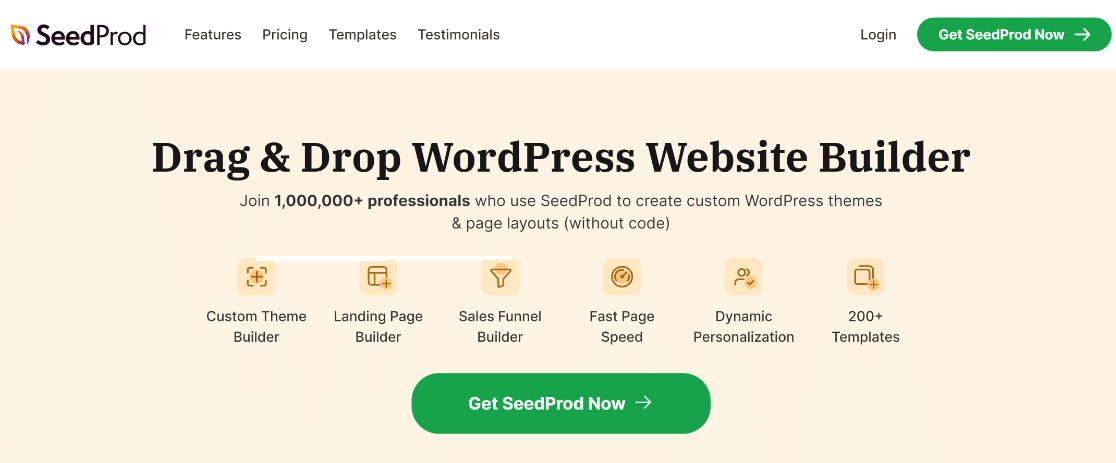
In independent head-to-head tests, SeedProd is consistently the fastest WordPress builder, because it outputs clean, lightweight code instead of the bloat that slows many competitors down. It’s built for marketers rather than developers, so the drag and drop interface is genuinely beginner-friendly.
My Experience
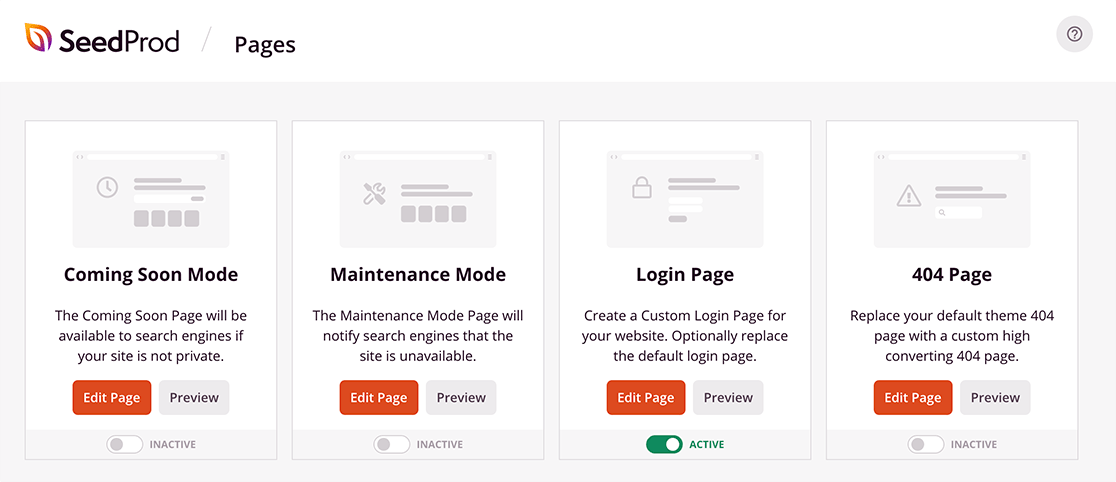
What stands out immediately is that SeedProd puts its page modes, maintenance, coming soon, 404, and login, right on the main dashboard screen instead of burying them in submenus.
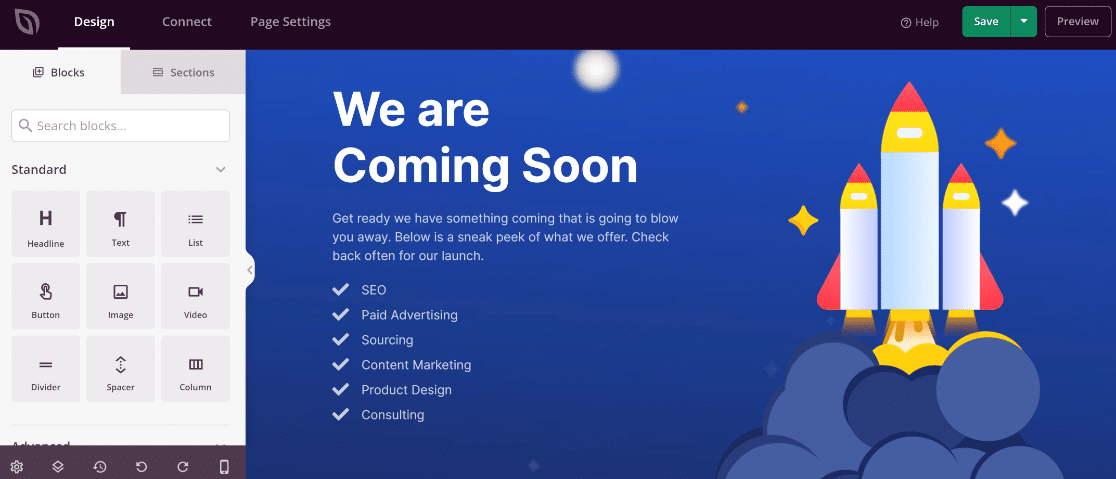
The builder itself comes with a large block library, and every block has detailed design controls, so you can set exactly how each element looks.
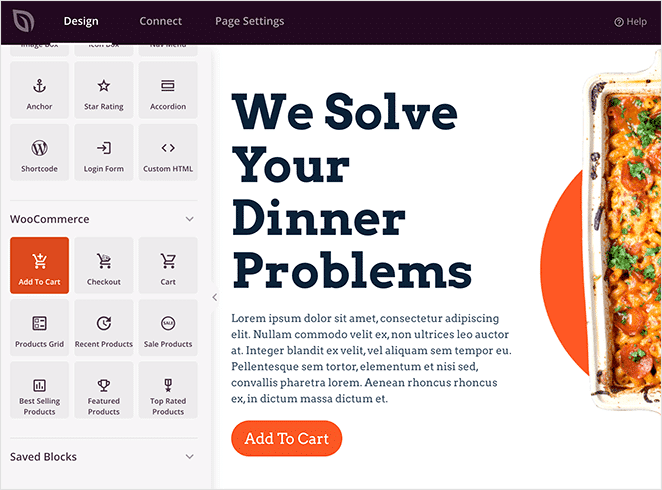
It also includes WooCommerce blocks like add to cart, product grids, and best-selling products, which makes it practical for building store pages, not just landing pages.
Feature Breakdown
- Drag and drop builder: Fast, beginner-friendly editing for every page.
- Landing page templates: A large, growing library for sales, optin, and coming soon pages.
- Theme builder: Design headers, footers, and full themes with no code.
- WooCommerce blocks: Build product and checkout pages visually.
- Lightweight output: Minimal page-speed impact, which helps SEO.
Pricing and Plans
SeedProd has a free version that covers basic landing pages. Paid plans run $39.50/year (Basic), $99.50 (Plus), $199.50 (Pro), and $239.60 (Elite). The Pro tier and up add WooCommerce blocks and the full template library.
Expert Review
If your priority is landing pages, store pages, or a fast site, SeedProd is the one I’d start with. It’s the easiest to learn, the fastest in testing, and the most focused on conversions. For help with delivery issues, see our guide on troubleshooting SeedProd email problems, and read the full SeedProd review for a deeper look.
2. Elementor
Elementor is the most popular WordPress page builder, and it’s the best all-rounder if you want maximum design flexibility.

It comes with 90+ widgets, hundreds of templates, and a full theme builder. It also has a form widget that works with WPForms for free, so adding a contact form to any page is straightforward.
My Experience
The drag and drop editing is among the most polished of any builder, and small quality-of-life features make a real difference day to day. The revision history, for instance, tracks every change you make so you can roll back without losing work.
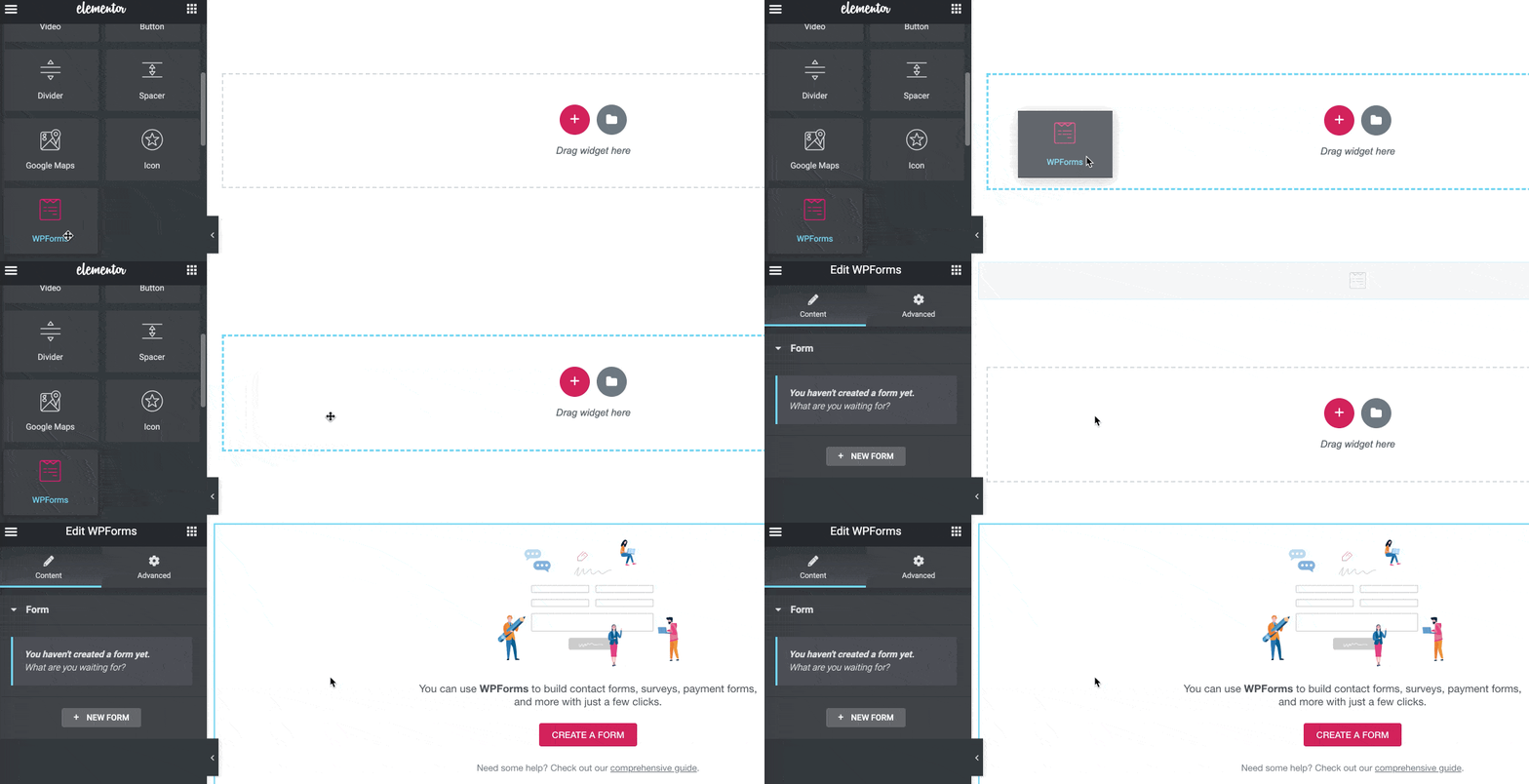
The Pro version adds a popup builder for lead capture, and you can drop a WPForms widget into a popup to collect submissions.
Feature Breakdown
- 300+ templates: A large premade library plus 90+ widgets.
- Theme builder: Design headers, footers, and archive pages.
- WooCommerce builder: Lay out your online store visually.
- Popup builder (Pro): Capture leads with targeted popups.
- Motion effects and global blocks: Reusable design across your site.
Pricing and Plans
Elementor is free to start. Pro runs $59/year (Essential, 1 site), $99 (Advanced), $199 (Expert), and $399 (Agency).
Expert Review
Best if your priority is design flexibility and you want the largest library of templates and add-ons. It can slow a site down if you overuse effects, so build with restraint. If Elementor form emails fail, see our guide on fixing email problems in Elementor Forms.
3. Bricks
Bricks is the builder to choose when performance matters as much as design, and it’s become the favorite among developers and agencies.
Unlike most builders, Bricks was built from the ground up for speed and clean markup, so it competes with SeedProd on output quality while offering far deeper control. It includes a visual query loop builder, full dynamic data, a WooCommerce builder, and a popup builder, all without paid add-ons.
My Experience
The appeal of Bricks is that the advanced features come in the box. The query loop builder lets you design dynamic listings (posts, products, custom fields) visually, which usually requires a separate add-on in other builders. It rewards a little technical comfort, so it suits developers more than first-time users.
Feature Breakdown
- Performance-first output: Clean, lightweight code for fast pages.
- Visual query loop builder: Design dynamic content without code.
- Full theme builder: Headers, footers, archives, and singles.
- No upsells: WooCommerce, popups, and conditions are all included.
Pricing and Plans
Bricks has no free version. The Starter license starts at roughly $79/year (1 site), with higher tiers for more sites and lifetime options available. All plans include the full builder with no premium add-ons to buy separately.
Expert Review
Best if your priority is speed plus advanced control, particularly if you or your team are comfortable with the more technical workflow. Beginners who just want landing pages will be happier with SeedProd, but for performance-minded builders Bricks is hard to beat.
4. Divi Builder
Divi Builder is a long-running favorite for visual designers, and its lifetime license makes it stand out on value.
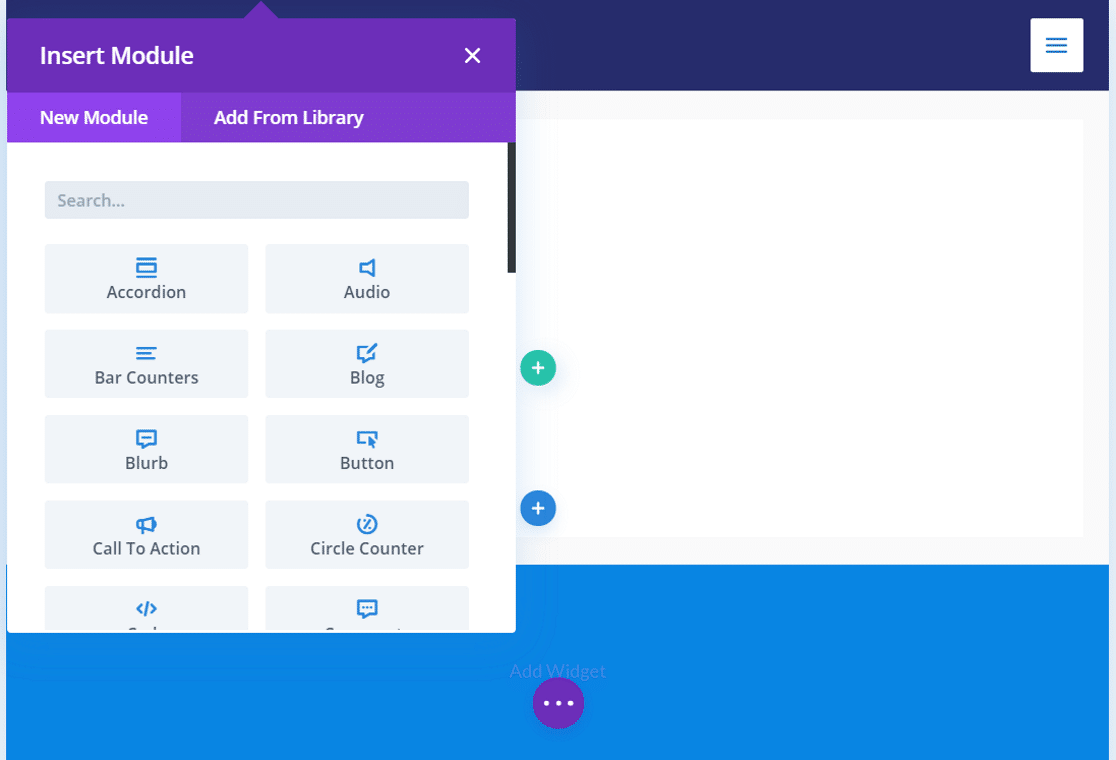
Divi gives you a real-time visual editor, 55+ content modules, and a huge library of pre-made layout packs. A 2026 performance update addressed the speed concerns that used to count against it.
My Experience
The front-end editing is satisfying, and the layout pack library means you rarely start from a blank page. Divi also includes A/B testing and a theme builder for headers, footers, and archives, plus access to Elegant Themes’ other plugins (Bloom and Monarch).
Feature Breakdown
- Real-time visual editor: Edit directly on the front end.
- 165+ layout packs: Professionally designed starting points.
- A/B testing: Built-in split testing for pages.
- Theme builder: Full site design control.
Pricing and Plans
Divi has no free version. It costs $89/year for unlimited websites, or a $249 one-time lifetime license, which is the best value if you maintain several sites. There’s also a Divi Pro plan at $277/year that bundles AI and cloud tools.
Expert Review
Best if your priority is visual design across many sites, where the lifetime license pays for itself. The trade-off is there’s no free version to try on your own theme first. If Divi form emails give you trouble, see our guide on fixing Divi form email issues.
5. Beaver Builder
Beaver Builder is the stable, reliable choice, the builder agencies pick when they want clean code and no drama.
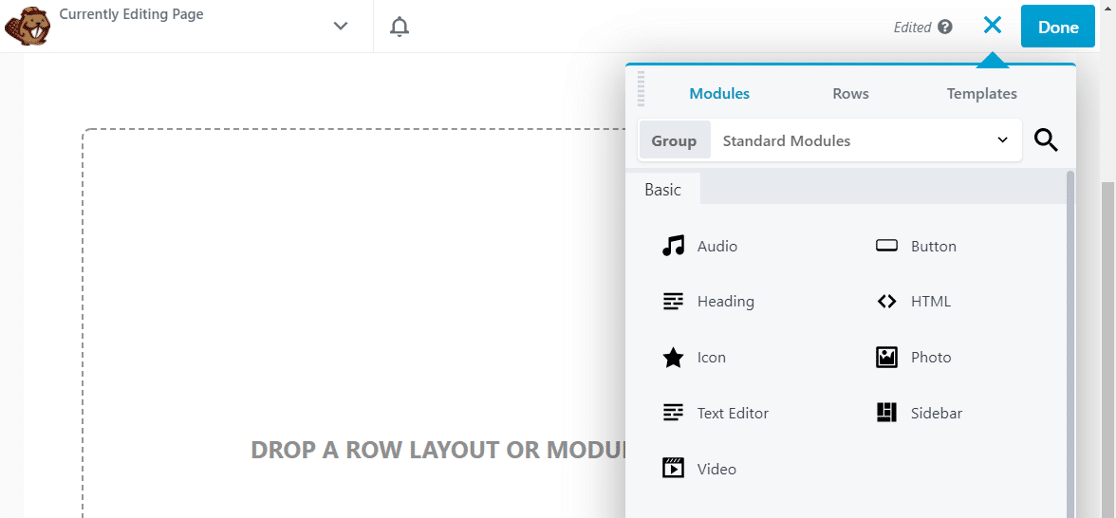
It lets you make design changes in real time and includes modules for sliders, buttons, testimonials, galleries, and more, plus 30+ professionally designed templates.
My Experience
Beaver Builder’s reputation is built on stability and compatibility, and that holds up. It’s less flashy than Elementor or Divi, but it rarely breaks on theme or plugin updates, which is exactly what you want on a client site. The optional Beaver Themer add-on handles headers, footers, and archive pages.
Feature Breakdown
- Real-time front-end editing: See changes as you make them.
- Clean, compatible code: Plays well with themes and other plugins.
- 30+ templates: Ready-to-import landing and content pages.
- Unlimited sites: Every paid license covers unlimited websites.
Pricing and Plans
Beaver Builder has a free Lite version. Paid plans are $99/year (Standard), $199 (Pro), and $399 (Agency), all for unlimited sites. Theme building requires the Pro tier or the Beaver Themer add-on.
Expert Review
Worth picking if your priority is long-term reliability on sites you maintain for others. You give up some of the design flash of Elementor and Divi, but you gain stability. For form delivery problems, see our guide on solving Beaver Builder contact form notification errors.
6. Breakdance
Breakdance is the newest builder on this list, and it’s the strongest free option for people who want modern features without paying upfront.
Built by the team behind Oxygen, Breakdance is faster and far more beginner-friendly than its predecessor. It combines a clean drag and drop interface with strong WooCommerce tools, which is why agencies have adopted it quickly.
My Experience
The free version is unusually generous, covering unlimited sites and 80 elements, so you can build real pages before deciding to upgrade. The builder feels modern and fast, and the WooCommerce elements are strong enough for full store design. It sits between beginner and developer tools, more approachable than Bricks, more capable than most free builders.
Feature Breakdown
- Generous free tier: Unlimited sites and 80 elements at no cost.
- Modern, fast interface: Clean drag and drop with low overhead.
- WooCommerce tools: Build product and store pages.
- Full theme builder: Headers, footers, and templates.
Pricing and Plans
Breakdance has a capable free version. Pro is $99.99/year (1 site) or $199.99/year (unlimited sites), with a $249.99 Pro plus AI bundle. Renewal prices are locked to what you pay today.
Expert Review
Worth picking if you want a modern builder with a free tier you can actually use, especially for WooCommerce. It’s newer than the others, so the add-on library is smaller, but the core product is excellent for the price.
7. Brizy
Brizy is designed for beginners, with one of the easiest interfaces of any builder here.
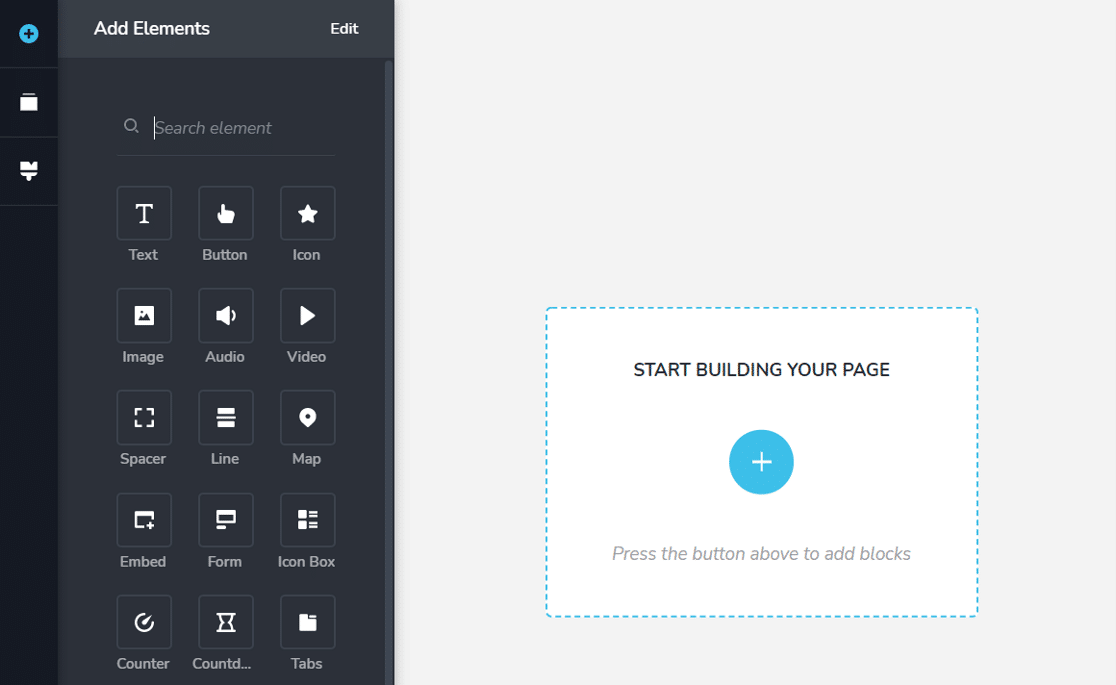
It comes with a large library of content and marketing blocks, and small touches make it approachable, for example, you can turn any content block into an animated slider with one click.
My Experience
Brizy gets out of your way. The 150+ templates come in light and dark palettes, and the editor is genuinely simple to learn. You also get a popup builder that integrates with marketing tools, WooCommerce blocks, and a theme builder.
Feature Breakdown
- Beginner-friendly editor: One of the simplest learning curves here.
- 150+ templates: Light and dark design options.
- Popup builder: Integrates with popular marketing tools.
- Theme builder: Create reusable templates.
Pricing and Plans
Brizy has a free version with limited features. The Pro plans for WordPress start at $60/year (Personal), then $108 (Freelancer) and $192 (Agency).
Expert Review
Worth picking if you’re a beginner who wants results quickly without a learning curve. More advanced users will outgrow it sooner than Elementor or Bricks. If you hit email issues, see our guide on Brizy contact form emails.
8. Thrive Architect
Thrive Architect is built for marketers, with a focus on landing pages, blog content, and conversion elements.
Like SeedProd, it makes landing pages quick to build, but its standout is the library of content elements designed to make blog posts convert.
My Experience
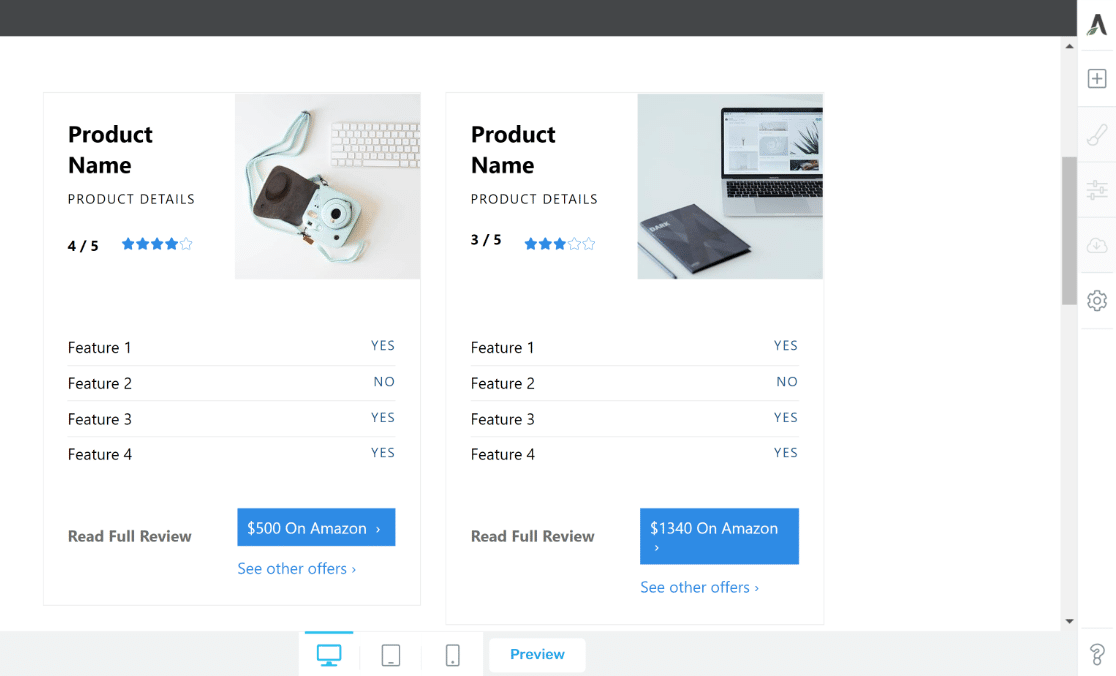
The Content Blocks are what set Thrive apart. You can drop in product comparison tables, pros and cons widgets, and other conversion elements without any CSS or HTML.
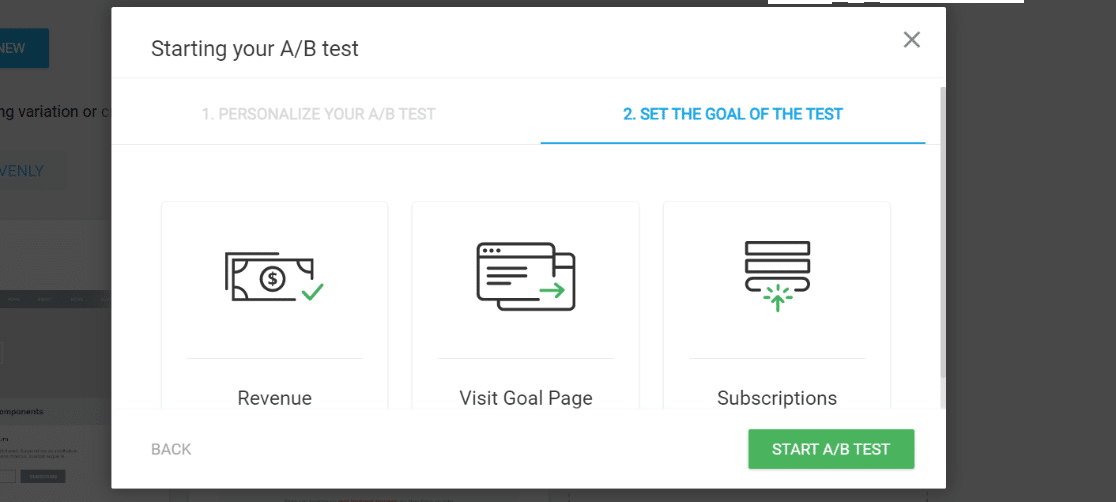
The optional Thrive Optimize add-on brings A/B testing so you can run experiments on unlimited page variants.
Feature Breakdown
- Conversion-focused content blocks: Comparison tables, pros and cons, and more.
- Landing page templates: A strong starting library.
- A/B testing add-on: Test unlimited variants with Thrive Optimize.
- Blog-friendly elements: Designed to make posts convert.
Pricing and Plans
Thrive Architect has no free version. It’s $99/year as a standalone plugin (renews at $199), or included in the Thrive Suite at $228/year, which bundles the rest of the Thrive tools.
Expert Review
Worth picking if your priority is content that converts, blog posts, reviews, and landing pages, rather than full site design. If you only want a page builder, SeedProd or Elementor give you more for less.
9. SiteOrigin Page Builder
Page Builder by SiteOrigin is a free, lightweight builder with over a million active installs, though it shows its age next to the others.

It doesn’t have a true visual editor, so it’s less intuitive than every other builder on this list. If you want pure drag and drop, this isn’t it.
My Experience
SiteOrigin works on a row-and-widget model rather than live front-end editing, which feels dated in 2026. That said, it’s free, stable, well-reviewed, and pairs with SiteOrigin’s own themes, so it still has a place for simple pages on a budget.
Feature Breakdown
- Free core plugin: Powerful basics at no cost.
- Widget-based layouts: Rows and widgets rather than visual editing.
- Prebuilt layouts: A range of starting designs.
- Companion themes: Themes built to work with the plugin.
Pricing and Plans
The core plugin is free. SiteOrigin Premium unlocks 40+ add-ons starting at $29/year.
Expert Review
Has a place if you want a free, lightweight builder for simple pages and don’t mind the dated workflow. For anything beginner-friendly or design-heavy, the picks above are better. If emails fail, see our guide on SiteOrigin contact form email not sending.
Which Is the Best WordPress Page Builder Plugin?
After comparing all nine, SeedProd is the page builder I’d recommend to most people.
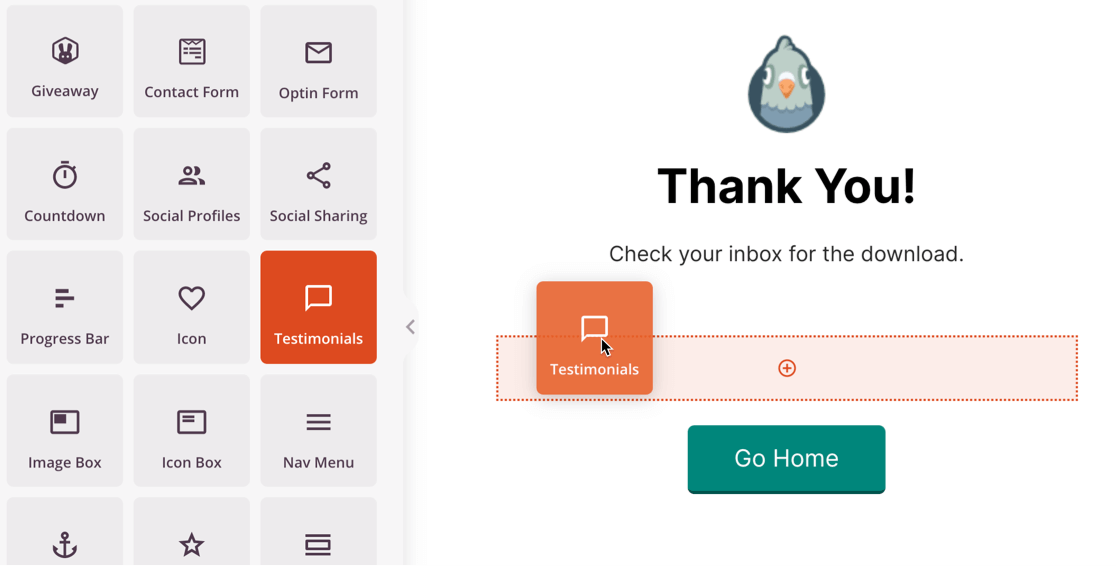
It’s the easiest to learn, the fastest in independent speed tests, and the most focused on the pages that drive results, landing, sales, and coming soon pages. It’s especially useful if you want to build pages across several domains without a multisite install.
If you need deeper design control or top performance for a developer workflow, Bricks is the strongest alternative. For pure design flexibility and the biggest library of add-ons, Elementor is the safe all-rounder.
Best WordPress Page Builder FAQs
These are the questions WordPress users ask most when choosing a page builder.
Do you need a page builder with WordPress?
Not always, but most people benefit from one. WordPress now supports full-site editing with the block editor, which has improved a lot, but dedicated builders like SeedProd, Elementor, and Bricks still offer far more design control and templates.
What is the best WordPress page builder for landing pages?
For landing pages specifically, SeedProd is the easiest and fastest to start with, since its templates are built for sales, optin, and coming soon pages. Thrive Architect and Elementor are strong alternatives if you want A/B testing or a larger template library.
What is the best free WordPress page builder?
For landing pages, SeedProd’s free version is the easiest to start with. Breakdance has the most generous free tier overall, and Elementor’s free plan is a strong all-rounder. SiteOrigin is a lightweight free option for simple pages.
What is the best page builder for speed and SEO?
SeedProd and Bricks lead on speed because they output clean, lightweight code. Page builders are SEO-friendly by design, but performance depends on how you build, so avoid stacking heavy effects and large images.
Bricks vs Elementor, which should you choose?
Choose Elementor for the largest template and add-on library and an easier learning curve. Choose Bricks for faster output and deeper, more technical control. Elementor suits most users, while Bricks suits developers and agencies.
Next, Pick Hosting That Keeps Your Pages Fast
A fast page builder only helps if your hosting can keep up. Once you’ve chosen a builder, pair it with one of the best WordPress hosting options so your designs load quickly for every visitor.
And whichever builder you choose, make sure the forms on your pages actually deliver. WP Mail SMTP fixes WordPress email so your notifications and receipts reach the inbox instead of the spam folder.
Ready to fix your emails? Get started today with the best WordPress SMTP plugin. If you don’t have the time to fix your emails, you can get full White Glove Setup assistance as an extra purchase, and there’s a 14-day money-back guarantee for all paid plans.
